Ludusavi 是一款用 Rust 编写的开源游戏存档备份工具,能自动识别并备份大量 PC 游戏的存档数据,支持 Steam、GOG、Epic 等多个平台。它同时提供图形界面和命令行,可处理文件与注册表存档,还能在 Steam Deck 上运行,适合怕丢档的玩家和喜欢脚本自动化的用户。
核心亮点:
- 自动识别并备份大量游戏存档,也支持自定义条目
- 覆盖 Steam、GOG、Epic 等平台及 Proton 存档
- 图形界面与命令行双模式,支持脚本和补全
- 可备份注册表存档与 Steam 截图,兼容 Steam Deck
当前版本 v0.31.0(2026-04-04 发布),开源协议 MIT,GitHub 6,516 star。

核心信息
| 软件名称 | Ludusavi(mtkennerly/ludusavi) |
| 当前版本 | v0.31.0 |
| 更新日期 | 2026-04-04 |
| 开源协议 | MIT |
| 软件分类 | Windows 效率工具 |
| 关键词 | backup、cli、cross-platform、games、gui、saves |
本次更新内容
- 新版本允许根目录使用游戏占位符,方便按游戏区分存档路径,尤其适合Wine前缀等场景。
- 修复了部分Flatpak、Lutris和Heroic环境下存档检测问题,提升Linux用户扫描准确性。
- 命令行备份云同步逻辑与图形界面一致,仅在新备份时同步,避免不必要的同步操作。
- 图形界面支持输入法输入文本,并修复了切换备份时备注未重置的问题。
- 新增网络代理设置选项,解决证书验证问题;同时更新了内置组件和翻译。
查看官方英文更新日志(原文)
* Added:
  * Roots may now use the `<game>` placeholder, allowing a single root entry to match game-specific folders during the scan. This is mainly useful in cases where you have separate roots per game, such as with Wine prefixes.
  * CLI: `wrap` now supports `--no-backup` and `--no-restore`.
  * For developers, the crates.io release now includes a library crate that you can use to access some of Ludusavi's internals. This is highly experimental and subject to change, but you're welcome to give it a try in its early stages.
  * For users with network proxy setups that cause issues with certificate/hostname validation, the config file now supports a `runtime.networkSecurity` setting.
* Fixed:
  * Native Linux saves were not detected in some Flatpak roots. ([Contributed by madscientist16](https://github.com/mtkennerly/ludusavi/pull/556))
  * For Lutris roots, some GOG and native Linux install folders were not properly detected.
  * For Heroic roots that point to a Flatpak installation, if Heroic's game installation directory contained `/home/user/games`, then Ludusavi would expect `/home/user/games` to actually exist, whereas Flatpak rules would cause Heroic to use `/home/user/.var/app/com.heroicgameslauncher.hgl/games` instead.
  * CLI: The `backup` command would sync games to the cloud if the scan found any new/changed files, even if it didn't create a new backup for the game. This now behaves like the GUI and only syncs games that are newly backed up.
  * GUI: Text can now be entered using input method editors.
  * GUI: If the backup comment field was open while selecting a different backup for the same game, then the contents of the field did not reset to match the new backup's comment.
* Changed:
  * The Mac release is now compiled on Mac OS 14 (ARM) instead of Mac OS 13 (Intel) because of [a change by GitHub](https://github.com/actions/runner-images/issues/13046).
  * The Flatpak release's bundled version of Rclone was updated from 1.69.1 to 1.73.2. ([Contributed by Soulsuke](https://github.com/flathub/com.github.mtkennerly.ludusavi/pull/55))
  * Updated translations. (Thanks to contributors on the [Crowdin project](https://crowdin.com/project/ludusavi))
下载地址
以下为官方原包,本站不二次打包;多个文件为不同包型,按需选择其中一个下载即可:
ludusavi-v0.31.0-win64.zip(便携版·解压即用 | 13.2 MB)
✅ 上方 SHA256 与官方发布值一致,可自行核对。
快速上手
- 解压下载好的压缩包,把其中的可执行文件放到任意文件夹,双击运行即可启动,无需安装。
- 首次启动若出现“Windows 已保护你的电脑”提示,点击“更多信息”再点“仍要运行”即可打开。
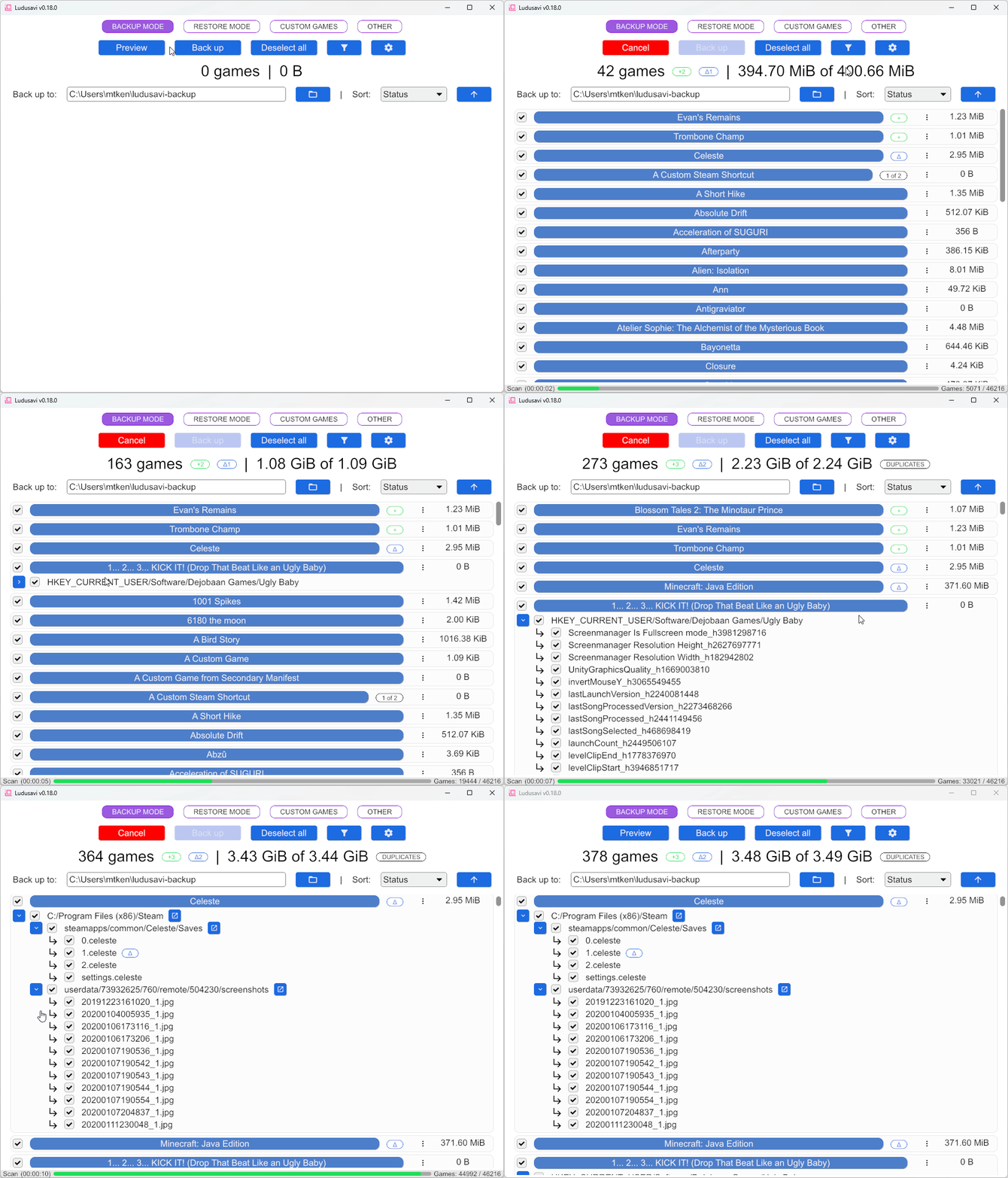
- 在主界面点击扫描按钮,让工具自动识别已安装游戏及其存档位置。
- 确认扫描结果后执行备份,将游戏存档保存到指定目录,需要时再用恢复功能还原。
提示:程序为便携版,可放在任意位置,建议固定文件夹方便日后使用。
讨论(0 条)