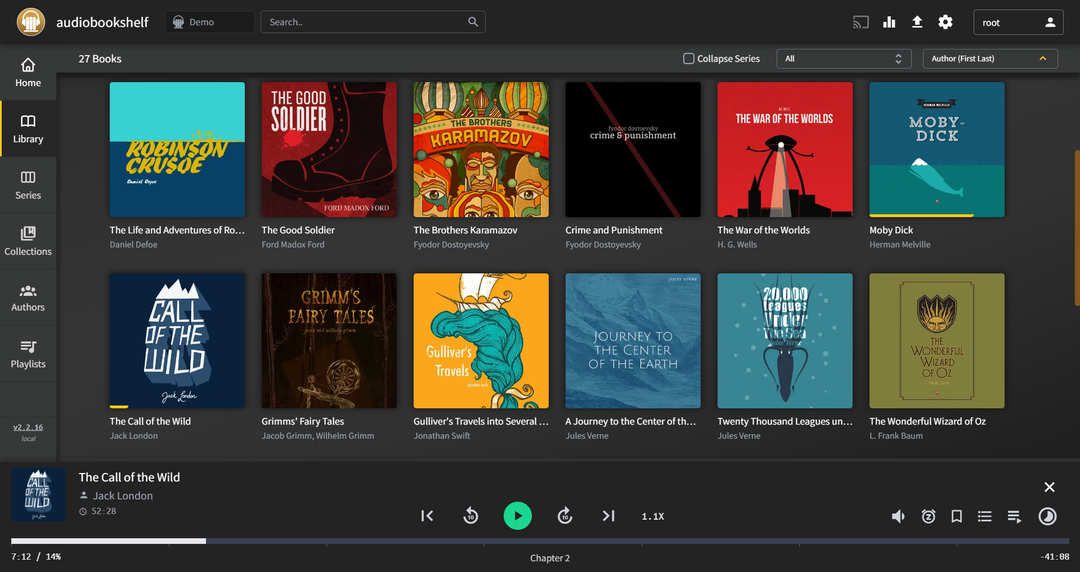
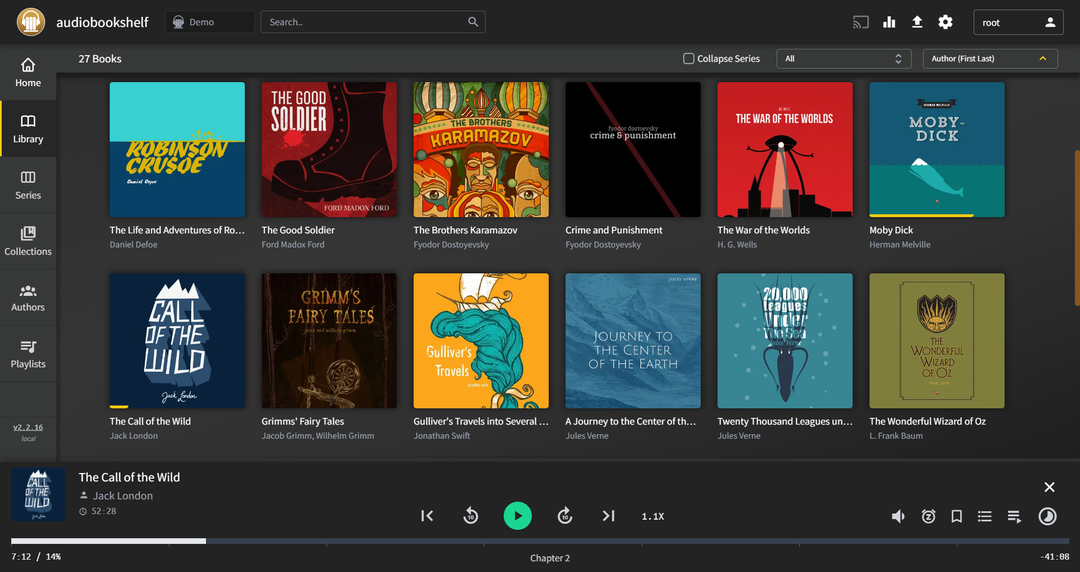
Audiobookshelf 是一款可自建的有声书与播客服务器,把音频资源集中管理并随时串流播放。它支持多用户、进度跨设备同步、播客自动下载和元数据抓取,还能合并音频、嵌入封面。适合喜欢囤有声书、听播客又注重数据自主的玩家部署在家用服务器或 NAS 上。
核心亮点:
- 实时串流多种音频格式,无需转码等待
- 多用户独立权限,收听进度跨设备同步
- 播客订阅自动下载新单集,省去手动操作
- 自动识别库更新,支持拖拽批量上传
当前版本 v2.38.0(2026-11-17 发布),开源协议 GPL-3.0,GitHub 15,054 star。

核心信息
| 软件名称 | Audiobookshelf(advplyr/audiobookshelf) |
| 当前版本 | v2.38.0 |
| 更新日期 | 2026-11-17 |
| 开源协议 | GPL-3.0 |
| 软件分类 | 自托管服务 |
| 关键词 | audiobook-manager、audiobooks、audiobookshelf、podcasts、self-hosted |
本次更新内容
- 修复了扫描和保存图书时因作者或系列重复导致的服务器崩溃问题,提升稳定性。
- 修复了普通用户越权访问他人播放记录和媒体进度的问题,加强隐私保护。
- 修复了媒体库访问权限判断错误,避免用户看到未授权的内容。
- 优化了从合集移除图书的权限要求,并清理了播客描述中的不安全内容。
- 新增了更多界面语言翻译,改善多语言用户的使用体验。
查看官方英文更新日志(原文)
#### Testers needed: Help us test Audiobookshelf version 3 using the [v3](https://github.com/advplyr/audiobookshelf/pkgs/container/audiobookshelf/1579171039?tag=v3) docker image tag. [See new client repo](https://github.com/audiobookshelf/audiobookshelf-client-react)

#### Important: New authentication system was added in [v2.26.0](https://github.com/advplyr/audiobookshelf/releases/tag/v2.26.0). See https://github.com/advplyr/audiobookshelf/discussions/4460 for details.

### Fixed

- Server crash when scanning a book that lists the same author more than once #5319 by @mikiher in #5691
- Server crash during a library scan when a series or book link already exists by @mikiher in #5714
- Server crash when saving a book if a series or author link already exists (e.g. series names containing emoji) #5692 by @mikiher in #5715
- Server crash on logout when OpenID is not configured
- iTunes match splitting credentials out of an author name into a separate author #2661 #1022 by @mikiher in #5694
- Unauthenticated multipart uploads leaving temp files on disk by @mikiher in #5686
- Non-admin users able to access another user's playback session
- Media progress endpoints not checking library item access
- Library list including every library when access to all libraries is off and the allow list is empty
- Empty tag allow list treated as access to every book, podcast, and series
- Collection socket events sent to every connected user
- `rss_feed_open` and `rss_feed_closed` socket events not checking library access
- `notifications_updated` socket event sent to all users
- Local login throwing when username or password is not a string

### Updated

- Removing a book from a collection requires update permission instead of delete permission
- Podcast episode description and subtitle from audio file tags are sanitized
- Library scan error log includes the item title and folder by @mikiher in #5691
- More strings translated
  - Basque by Aoxiang
  - Czech by petr-prikryl
  - Danish by Kasper B, Mario
  - Estonian by @husjon
  - German by cebo29
  - Hindi by Qazi Hanzala Qadri
  - Hungarian by ugyes
  - Italian by Nicholas Martini
  - Japanese by koichiro hatsuse
  - Latvian by Ēriks Remess
  - Norwegian Bokmål by @husjon
  - Persian by Abbas
  - Polish by @TheMatrixan; Artur
  - Slovak by @misko903; misko903
  - Swedish by @husjon
  - Vietnamese by @husjon

### Internal

- Github workflow for building Docker images with the v3 tag


**Full Changelog**: https://github.com/advplyr/audiobookshelf/compare/v2.37.2...v2.38.0
下载地址
该项目由官方站点分发,本站提供版本追踪与中文教程:
✅ 官方原包直发,版本同步更新。
快速上手
- 运行下载好的安装包,按向导完成安装后启动 Audiobookshelf 服务
- 在浏览器中打开本机服务地址,首次进入时按提示创建管理员账户并登录
- 登录后进入媒体库设置,按支持的目录结构和命名规范添加有声书或播客文件夹
- 等待服务自动识别库内文件,随后即可在网页端播放音频、查看进度并同步到各设备
- 如需手机收听,可在应用商店安装配套应用,填入服务器地址后用同一账户登录
提示:文件夹命名和目录结构会影响识别,添加媒体库前先按文档整理好
讨论(0 条)