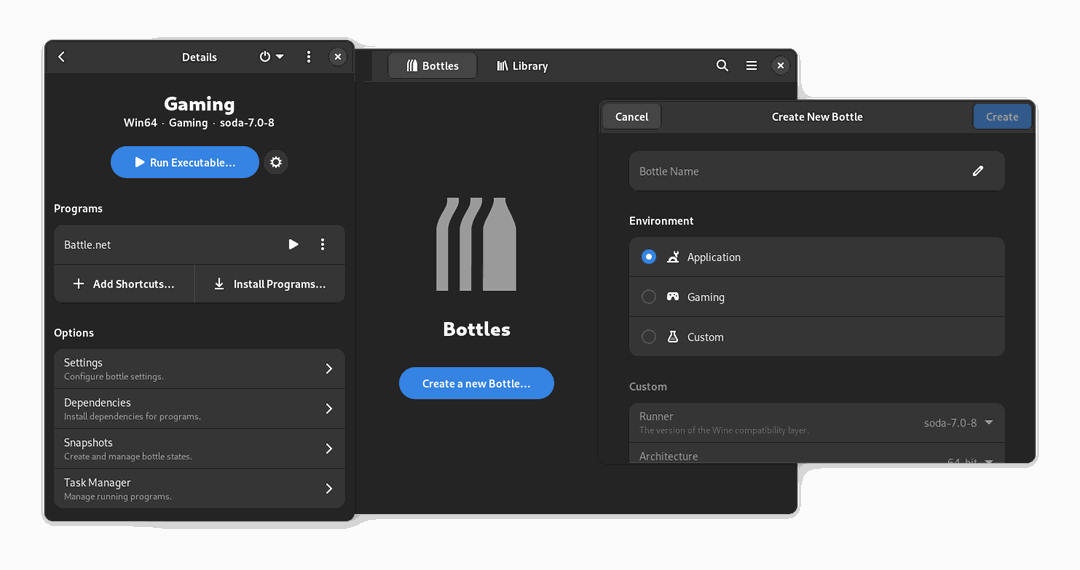
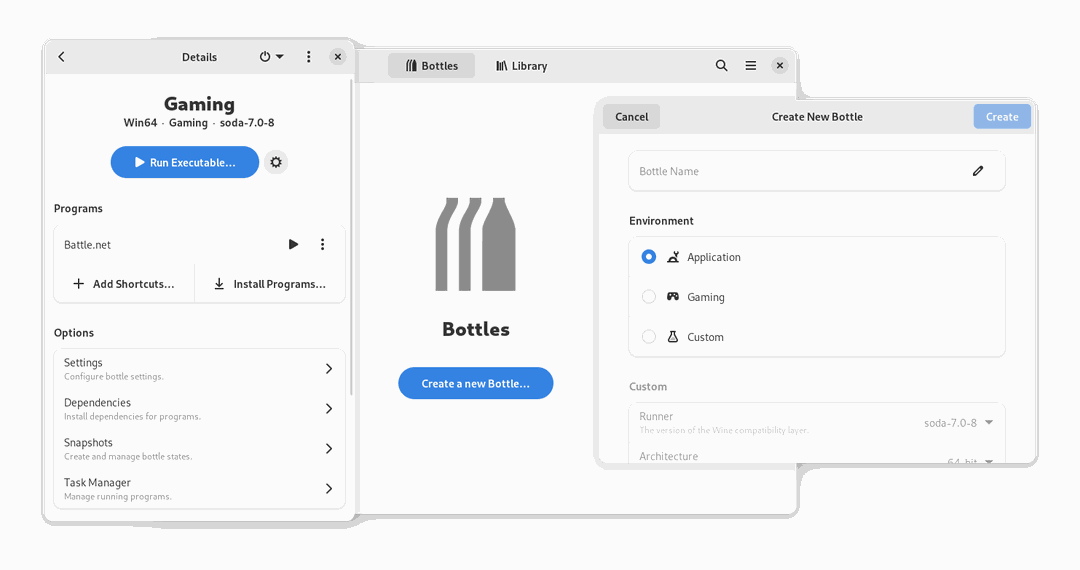
Bottles 是一款让 Linux 用户运行 Windows 程序的图形化工具,基于 Wine 环境管理,把每个应用装进独立的“瓶子”里互不干扰。它提供直观的界面来配置运行环境、安装依赖和调整兼容选项,还集成 DXVK 等游戏增强组件。适合想在 Linux 桌面上玩 Windows 游戏或使用专业软件的普通用户,无需手敲命令。
核心亮点:
- 按瓶隔离运行环境,应用之间互不干扰
- 图形化配置 Wine 环境,免去命令行操作
- 内置依赖安装与兼容性调整选项
- 集成 DXVK 等组件,改善游戏运行表现
当前版本 v67.7(2026-11-17 发布),开源协议 GPL-3.0,GitHub 9,086 star。

核心信息
| 软件名称 | Bottles(bottlesdevs/Bottles) |
| 当前版本 | v67.7 |
| 更新日期 | 2026-11-17 |
| 开源协议 | GPL-3.0 |
| 软件分类 | Linux 桌面 |
| 关键词 | bottles、bottles-versioning、dxvk、games、gaming、gtk4 |
本次更新内容
- 修复了依赖安装失败和首次启动设置异常的问题,让新用户能更顺利完成初始化。
- 优化了字体刷新与下载镜像,并修正了界面元素显示和游戏时长统计清理。
- 游戏环境会先检查运行器支持再选择兼容方案,不支持时给出提示,避免配置出错。
- 新增拉脱维亚语支持并更新部分翻译,同时刷新了实验性安装目录。
查看官方英文更新日志(原文)
## What's Changed * Fixed reading the Windows version when Wine writes diagnostics or uses stderr, including the error that stopped dependency installers. * Fixed first-run setup when Bottles is opened with an executable or a file URL. * Fixed repeated font refreshes after wineboot updates the fonts directory. * Updated the Courier New font download mirror. * Gaming bottles now check runner and kernel support before choosing NTSync. * Added a warning when the selected runner does not support Esync. * Bottle creation now stops if the user profile cannot be prepared. * Fixed playtime session cleanup with statistics disabled. * Fixed the drag overlay, importer empty state and installer resource button being rejected by Adwaita. * Added Latvian to the language selector and updated the Swedish translation. * Updated the experimental Soda and Office installer catalogs. **Full Changelog**: https://github.com/bottlesdevs/Bottles/compare/67.6...67.7 <!-- install-badges --> ## Get Bottles [](https://flathub.org/apps/com.usebottles.bottles) [](https://cpak.it/store/Utilities/github.com/bottlesdevs/bottles)
下载地址
该项目由官方站点分发,本站提供版本追踪与中文教程:
✅ 官方原包直发,版本同步更新。
快速上手
- 首次启动后,在主界面点击创建新瓶(Bottle),按向导选择环境类型并等待初始化完成。
- 在瓶的设置中安装所需运行组件(如 Wine 版本、依赖),按提示确认安装。
- 进入瓶内运行程序入口,选择要运行的 Windows 可执行文件并启动。
- 如需调整兼容性,在瓶的配置页修改 Wine 相关选项后重新运行程序。
提示:首次创建瓶时保持网络畅通,组件下载完成后运行更稳定。
讨论(0 条)