JetBrains 出品的等宽编程字体,专为长时间读代码设计。字形加高、字距宽松,字母数字区分明显,还带连字把常见符号组合成更易读的图形。适合天天盯着编辑器、终端和日志的开发者,也适合想要一套统一字体覆盖 IDE 与命令行的用户。
核心亮点:
- 加高字形与宽松字距,长时间读代码更省眼
- 字母数字辨识度高,减少形近字符误读
- 内置编程连字,把符号组合渲染成易读图形
- 覆盖 IDE、终端与日志场景,风格统一
当前版本 v2.304(2023-01-14 发布),开源协议 OFL-1.1,GitHub 13,153 star。

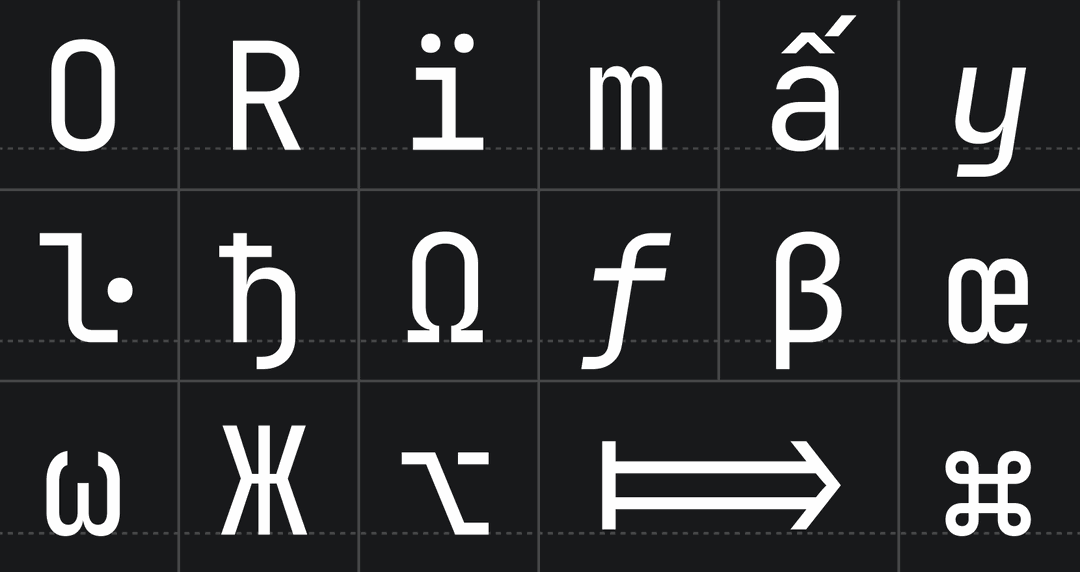
核心信息
| 软件名称 | JetBrains Mono(JetBrains/JetBrainsMono) |
| 当前版本 | v2.304 |
| 更新日期 | 2023-01-14 |
| 开源协议 | OFL-1.1 |
| 软件分类 | 字体与设计资源 |
| 关键词 | coding-font、font、ligatures、monospaced-font、programming-font、programming-ligatures |
本次更新内容
- 新版本为多个字母增加可选字形,并新增两组风格集,用户可按需切换不同写法。
- 优化了部分数字和符号的造型,等号类连字更舒展,并新增不等号连字变体。
- 新增对编程符号语言及多种数学、箭头符号的完整支持,覆盖更多特殊场景。
- 更新希腊字母与斜体字形,修复变音符号、引号位置及西里尔字母显示问题。
- 补充对更多语言字符的支持,并完善连字与控制符号的显示细节。
查看官方英文更新日志(原文)
### **Major changes**

- Added glyph alternates for `l` `k` `r` `u` `m` `y` `g` `j` `t` `w` `f` #238 #339
- Added Stylistic set 1
- Added Stylistic set 2
- Alt `2` `6` `9` construction.
- Updated construction of `5` and `8` (the old versions can be found in cv…)
- Added full support for APL #47 #516
- Updated Greek alphabet
- Different construction of italic `e`
- Added alternates for `!=` `!==` `==` `===` ligatures #287
- Added full Double Struck alphabet #440

[How to enable Stylistic Sets & other OpenType features →](https://github.com/JetBrains/JetBrainsMono/wiki/OpenType-features)

### **Other updates and fixes**

- Contour polishing
- Alternate `&` #507
- Alternate `$` #527
- ss20 shifting the horizontal bar in f to match x-height
- Added `∴` #480
- `! =` ligature fixed #494
- Made triple equal ligature `===` more spacious #25
- Debug mode for Cyrillic `c` `C` #27
- Reverted the construction of italic `a` #416
- Solved the issue with diacritics on arbitrary characters #100
- Fixed the backquotes placement #411
- Reworked control code symbols #491
- Updated marks placement in `Ľ` `ď` `ľ` `ť`#522
- Added `\/` `/\` ligatures #222
- Added `➔` `➝` `➞` #545
- Added names for OpenType features
- Added `﹢` #482
- Complete soft doting #345
- Updated `‚ „ “ ” ‘ ‛ ‟` #563
- Added support for Udmurt language #569
下载地址
以下为官方原包,本站不二次打包,点击直接下载:
JetBrainsMono-2.304.zip(便携版·解压即用 | 5.4 MB)
✅ 上方 SHA256 与官方发布值一致,可自行核对。
快速上手
- 解压下载好的压缩包,选中文件夹内全部字体文件,右键点击任一文件并选择“安装”
- 若此前装过该字体,先卸载所有旧版本,避免渲染冲突和错误
- 打开编辑器设置,在字体选项中把字体族改为 JetBrains Mono
- 如需连字效果,在设置中启用字体连字,或编辑 settings.json 写入连字开关
提示:若编辑器不支持 OpenType,改用不含连字的 NL 版本字体。
讨论(0 条)