Piik 是一款开源的自托管屏幕共享工具,主打和好友私享一起看片、打游戏、晒照片的小房间。它优先走 P2P 直连,服务器只做兜底转发,观众用浏览器点邀请就能看,无需装客户端。适合想自己掌控数据、又不想折腾复杂直播方案的小圈子用户。
核心亮点:
- 观众浏览器点邀请即看,无需安装任何客户端
- 媒体优先 P2P 直连,自托管服务器可做转发兜底
- 房间支持邀请码、可选密码与语音聊天表情
- 可授权好友远程控制,共享键鼠或手柄一起玩
当前版本 v2.8.0(2026-11-21 发布),开源协议 MIT,GitHub 4,648 star。

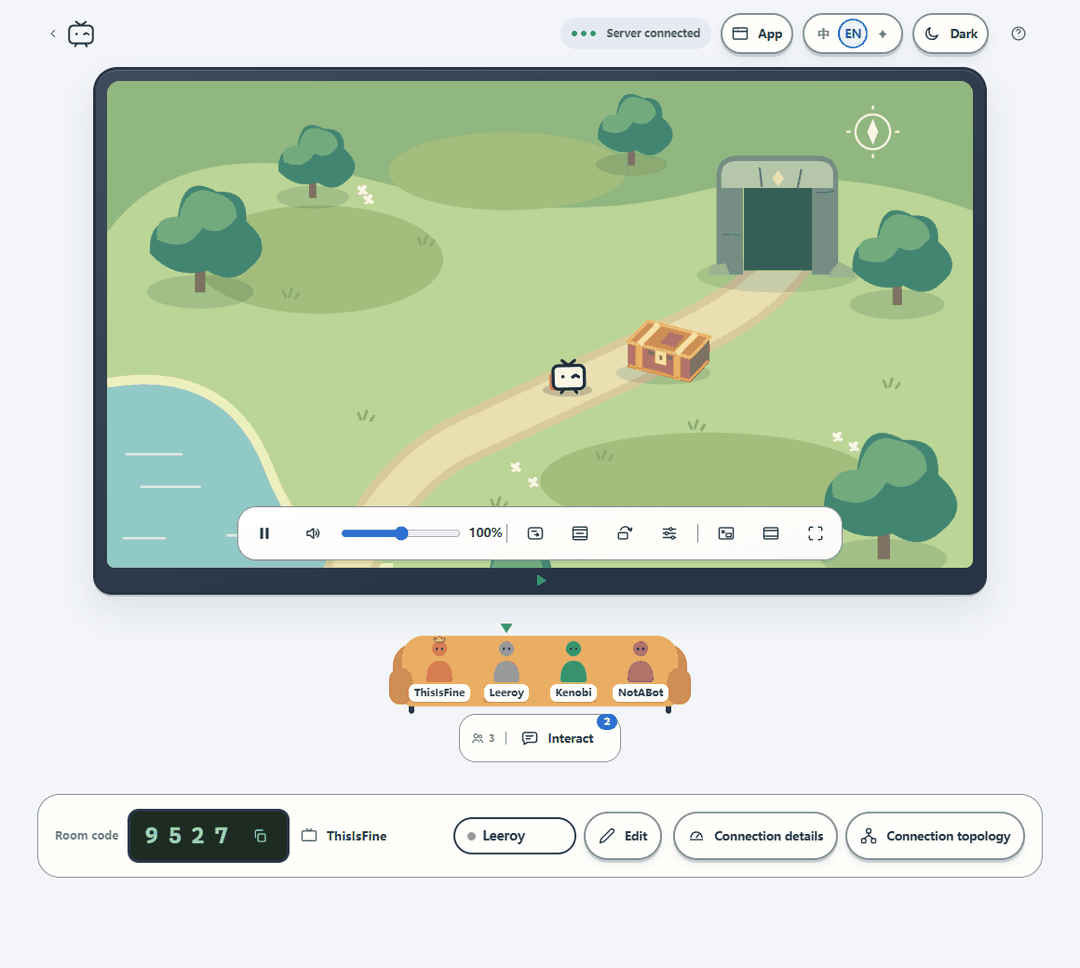
核心信息
| 软件名称 | Piik(TNTcraftHIM/Piik) |
| 当前版本 | v2.8.0 |
| 更新日期 | 2026-11-21 |
| 开源协议 | MIT |
| 软件分类 | 自托管服务 |
| 关键词 | live-streaming、p2p、private-streaming、screen-sharing、self-hosted、watch-together |
本次更新内容
- 手机或平板可当双摇杆手柄远程控制,左摇杆发键盘指令、右摇杆控鼠标,主机支持时可切换为双模拟摇杆,两侧可独立调整。
- 分享声音前能更清楚地确认声音来源与开启位置,浏览器标签页和系统声音更易找到,并提示避免把房间语音混入共享。
- 画面或声音中断后可进入恢复流程,新增可搜索的双语帮助中心,指导加入、分享、恢复播放和收集诊断信息。
- Linux 桌面仅提供窗口分享时仍可采集窗口,并自动隐藏不受支持的远程控制入口。
- 已有公网 HTTPS 入口的部署者可用固定地址生成邀请链接,更新后重新打开房间页面即可。
查看官方英文更新日志(原文)
**Turn your phone into a twin-stick controller**

By default, the left stick sends WASD and the right stick moves the mouse. If the host supports a virtual gamepad, you can switch to dual analog sticks.

**手机也能当双摇杆手柄了**

默认左摇杆对应 WASD,右摇杆移动鼠标。主机支持虚拟手柄时,可以切换为双模拟摇杆。

### English

On KDE Plasma Wayland, enabling remote control now retries with a temporary session when the desktop rejects permission persistence.

### 中文

在 KDE Plasma Wayland 中开启远程控制时,如果桌面环境拒绝记住授权,Piik 会改用临时会话重试。

### English

Piik 2.8.0 adds configurable touch joysticks for remote control, clearer sound settings when sharing, and help you can open from a failed share or playback screen.

- **Control from a phone or tablet.** In keyboard and mouse mode, the left stick sends WASD and the right stick moves the mouse. When the Host supports a virtual gamepad, switch to dual analog sticks. Use the main switch to turn both sticks on or off, and expand or reposition each side independently. Piik releases held input if the control session is interrupted.
- **Share the sound you want.** The source confirmation explains which sound is available and where to enable it. Browser tab audio and supported App system audio are easier to find, with guidance for keeping room voices out of the share. On Windows, capture keeps usable system audio samples even when their timestamps are uncertain.
- **Recover a missing picture or sound.** Ended viewer video enters the existing recovery flow. Browser video forwarded through the Server uses the layers the browser actually sends. The searchable bilingual Help Center walks through joining, sharing, restoring playback, and collecting diagnostics. [English Help Center](https://piik.tv/docs/)
- **Share windows on Linux.** If the desktop portal offers only windows, the App can still share a window and hides remote control when the portal cannot support it.
- **Use a fixed HTTPS address for invitations.** App operators with an existing public HTTPS endpoint, such as one provided through frp, can configure App to generate invitations with that address. [Fixed invitations with frp](https://piik.tv/docs/frp.html)

Update the App or self-hosted Server with the matching package outside an active share. Reopen the room page after the update.

### 中文

Piik 2.8.0 为远程控制新增可调整的触屏摇杆,分享前更容易确认声音来源,共享或播放失败时也能直接打开对应的帮助。

- **用手机或平板远程控制。** 在键鼠模式下,左摇杆对应 WASD,右摇杆控制鼠标。主机支持虚拟手柄时,可切换到双模拟摇杆。总开关可开启或关闭两个摇杆,每侧可独立展开、调整位置。控制会话中断时,Piik 会释放仍按住的输入。
- **分享想让朋友听到的声音。** 确认分享来源时,可以看到有哪些声音可用、在哪里开启。浏览器标签页音频和 App 支持的系统声音更容易找到,帮助还说明了如何避免把房间语音收进共享声音。Windows 系统音频采集会保留时间戳不确定但仍可用的音频采样。
- **画面或声音消失时恢复播放。** 观看端的视频轨道结束后会进入现有恢复流程。经服务器转发的浏览器视频会使用浏览器实际发送的分层。可搜索的双语帮助中心介绍了如何加入房间、分享、恢复播放和收集诊断信息。[中文帮助中心](https://piik.tv/docs/zh/)
- **在 Linux 上分享窗口。** 桌面门户只提供窗口时,App 仍可采集窗口,并隐藏门户无法支持的远程控制入口。
- **用固定 HTTPS 地址生成邀请。** 已经有公网 HTTPS 入口的 App 部署者(例如通过 frp 配置的入口)可以让 App 用该地址生成邀请链接。[使用 frp 配置固定邀请](https://piik.tv/docs/zh/frp.html)

请在共享结束后使用对应的软件包更新 App 或自托管服务器,更新完成后重新打开房间页面。

---

[Full changelog / 完整变更](https://github.com/TNTcr
下载地址
以下为官方原包,本站不二次打包,点击直接下载:
piik-81b4f27-runtime.tar.gz(官方原包 | 14.3 MB)
✅ 上方 SHA256 与官方发布值一致,可自行核对。
快速上手
- 解压下载好的桌面安装包,打开 Piik 程序,进入主界面准备开始共享。
- 选择要共享的内容(屏幕、窗口、浏览器标签页或摄像头),然后点击「Start sharing」开始共享。
- 在邀请方式中选择「Public invite」,再点击「Open Piik」,把生成的邀请发给朋友。
- 朋友在浏览器中打开邀请即可观看;若画面没有自动播放,让对方点击「Play」。
- 共享过程中可加入房间语音、发送消息与表情,或开启屏幕聊天一起互动。
提示:朋友无需安装,用浏览器打开邀请就能观看。
讨论(0 条)