PowerToys 是微软官方出品的 Windows 效率增强套件,把窗口布局、批量重命名、取色器、键盘映射、命令面板等一堆实用小工具打包在一起,装完就能按需开启。适合想让 Windows 更顺手、又不想折腾第三方杂牌工具的普通用户和进阶玩家。
核心亮点:
- 窗口分屏布局,自定义区域快速排列
- 批量重命名文件,支持正则与预览
- 屏幕取色器,随手拾取任意颜色值
- 键盘按键重映射,改键无需重启
当前版本 v0.102.3101(2026-11-06 发布),开源协议 MIT,GitHub 140,691 star。

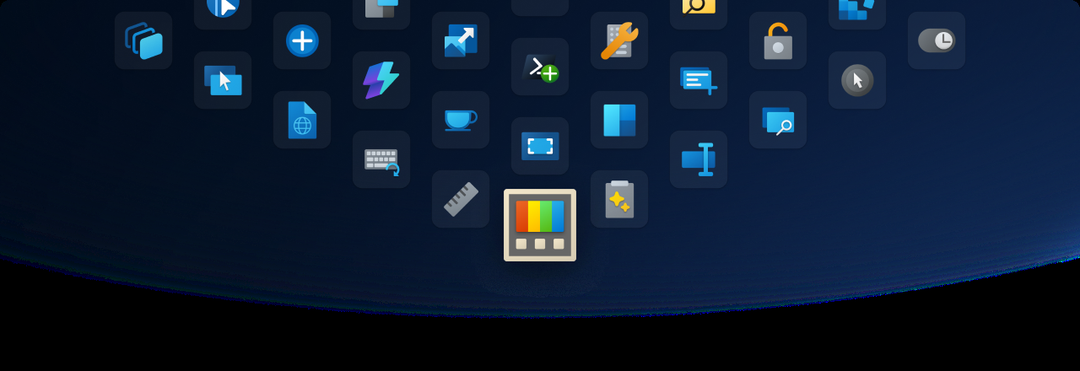
核心信息
| 软件名称 | PowerToys(microsoft/PowerToys) |
| 当前版本 | v0.102.3101 |
| 更新日期 | 2026-11-06 |
| 开源协议 | MIT |
| 软件分类 | Windows 效率工具 |
| 关键词 | advanced-paste、color-picker、command-palette、desktop、fancyzones、keyboard-manager |
本次更新内容
- 修复文件资源管理器缩略图卡顿问题,并改善对特定图片格式和文件名的兼容性,浏览文件更顺畅。
- 解决无界鼠标配对失败并提示签名不受信任的问题,跨设备连接更稳定。
- 恢复可选的诊断事件上报,用户原有的诊断数据偏好设置保持不变。
查看官方英文更新日志(原文)
# Release v0.102.3101.0

This hotfix release improves File Explorer thumbnail generation, fixes Mouse Without Borders pairing failures, and restores optional diagnostic event reporting. See the [v0.102.2933.0 release notes](https://github.com/microsoft/PowerToys/releases/tag/v0.102.2933.0) for the full list of changes in PowerToys v0.102.

## Installer Hashes

| Description | Filename | SHA256 |
| --- | --- | --- |
| Per user - x64 | [PowerToysUserSetup-0.102.3101.0-x64.exe][ptUserX64] | `4B4C49A31E8B7E6A36647CCD3033ACB0AD56C306595A9409E59865C3C27D1CF2` |
| Per user - ARM64 | [PowerToysUserSetup-0.102.3101.0-arm64.exe][ptUserArm64] | `E80D5E784173101BBB4BD95EDE66CF1974C230CA81EBEB16FEBA25FDD5FFCE87` |
| Machine wide - x64 | [PowerToysSetup-0.102.3101.0-x64.exe][ptMachineX64] | `F1D24A49346167322EB64A2458BD82810519920D1DA4C0AEB1788E54C345D142` |
| Machine wide - ARM64 | [PowerToysSetup-0.102.3101.0-arm64.exe][ptMachineArm64] | `65663AFB8FA77B4DB257BC9494F66AC91A2B063AE0BFE2CD85E9DE958C92EE8B` |

## Highlights

This patch addresses three areas since the previous stable release.

### File Explorer

- Improved handling of stalled thumbnail renderers, isolated concurrent SVG requests, and preserved supported SVG formatting and UTF-8 STL names, in [#49950](https://github.com/microsoft/PowerToys/pull/49950).

### General

- Updated telemetry to version 2.0.5 and restored optional diagnostic event reporting from native and managed components, without changing diagnostic-data preferences, in [#51896](https://github.com/microsoft/PowerToys/pull/51896) and [#51940](https://github.com/microsoft/PowerToys/pull/51940).

### Mouse Without Borders

- Fixed Mouse Without Borders pairing failures that could show an untrusted-signature error in signed PowerToys builds, in [#51789](https://github.com/microsoft/PowerToys/pull/51789) by [@mvanhorn](https://github.com/mvanhorn).

[ptUserX64]: https://github.com/microsoft/PowerToys/releases/download/v0.102.3101/PowerToysUserSetup-0.102.3101.0-x64.exe
[ptUserArm64]: https://github.com/microsoft/PowerToys/releases/download/v0.102.3101/PowerToysUserSetup-0.102.3101.0-arm64.exe
[ptMachineX64]: https://github.com/microsoft/PowerToys/releases/download/v0.102.3101/PowerToysSetup-0.102.3101.0-x64.exe
[ptMachineArm64]: https://github.com/microsoft/PowerToys/releases/download/v0.102.3101/PowerToysSetup-0.102.3101.0-arm64.exe
下载地址
该项目由官方站点分发,本站提供版本追踪与中文教程:
✅ 官方原包直发,版本同步更新。
讨论(0 条)