Windows Terminal 是微软官方开源的现代化终端,把命令提示符、PowerShell、WSL 等会话集中到多标签窗口里,支持分屏、GPU 加速渲染、自定义配色与字体,还能用 JSON 配置深度定制。界面清爽、操作顺手,适合开发者、运维和日常离不开命令行的 Windows 用户。
核心亮点:
- 多标签与分屏,一个窗口管理多个命令行会话
- GPU 加速文本渲染,滚动流畅、显示清晰
- 配置文件驱动,可自定义配色、字体与快捷键
- 微软官方开源维护,持续更新并支持社区贡献
当前版本 v1.25.3131.0(2026-11-11 发布),开源协议 MIT,GitHub 105,364 star。

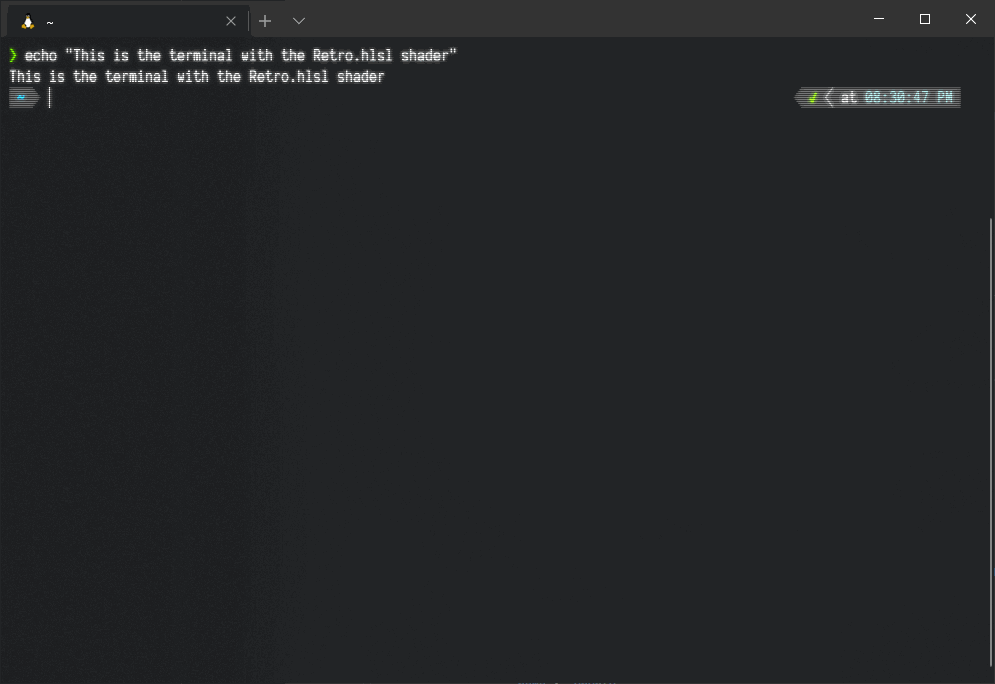
核心信息
| 软件名称 | Windows Terminal(microsoft/terminal) |
| 当前版本 | v1.25.3131.0 |
| 更新日期 | 2026-11-11 |
| 开源协议 | MIT |
| 软件分类 | Windows 效率工具 |
| 关键词 | cmd、command-line、console、contributions-welcome、good-first-issue、hacktoberfest |
本次更新内容
- 新版本正式发布,修复了标题栏闪烁问题,使用亚克力效果的用户体验更稳定。
- 终端模拟更准确:应用无法设置超长窗口标题,滚动屏幕缓冲区的老程序也能正常显示。
- 键盘输入问题修复:注入的键盘输入不再出现异常键值,Alt和功能键状态正确发送给控制台应用。
- 无障碍改进:删除确认弹窗在放大文本时不再被截断,命令历史输入非数字值不再出错。
- 杂项修复:含Unicode字符的文件链接不再导致崩溃,终端不再错误加载美式键盘布局。
查看官方英文更新日志(原文)
With this release, Terminal 1.25 is being rolled out to General Availability; see [the prior version](https://github.com/microsoft/terminal/releases/tag/v1.25.2733.0) for overall release notes.

## Changes

* (1.26 backport) conhost: we now always use the "cls" detector to prevent screen clearing from committing the entire (virtualized) text buffer (#19957)

## Bug Fixes

### Accessibility

* The "delete" confirmation flyouts will no longer be truncated on higher Text Scaling settings (#20868)

### Terminal Emulation

* The Kitty Keyboard Protocol mode will now be maintained properly across main/alternate screen buffer switches (#20768)
* `LNM` line feed mode will no longer be mishandled when it is toggled before and after a newline in the same packet (#20863)
* Applications can no longer set window titles longer than 1000 characters (like xterm) (#20839)
* Applications which scroll the screen buffer will once again be translated properly (such as `vi` from 1996) (#20774)
* Clicking on a URL while an application is reading mouse reports will no longer generate a spurious mouse release event (#20756) (thanks @OmarMashal0!) (edit: er, I (@DHowett) cannot confirm that this is actually fixed)
* Injected keyboard input will no longer come out with unexpected vkey values such as `0xFFFF` (#20800) (thanks @shrikargs7-cloud!)
* Terminal once again sends the `ENHANCED_KEY` state to console applications for Alt and F7 (#20619) (thanks @TheJesper!)

### Others

* `useAcrylicInTabRow` users rejoice! We've fixed one of the major sources of flickering in the title bar (#20881)
* `file:` URIs containing Unicode characters will no longer send us into a wild tailspin (#20809)
* Terminal will no longer load up a US keyboard on you (whoops) (#20769)
* Writing a non-numeric value in the command history pop-up will no longer act unexpectedly (#20779)

---

_Binary files inside the unpackaged distribution archive bear the version number `1.25.261109001`._
下载地址
以下为官方原包,本站不二次打包,点击直接下载:
Microsoft.WindowsTerminal_1.25.3131.0_8wekyb3d8bbwe.msixbundle(官方原包 | 22.7 MB)
✅ 上方 SHA256 与官方发布值一致,可自行核对。
快速上手
- 双击下载好的 .msixbundle 文件,系统会自动运行应用安装程序,按提示完成安装。
- 安装完成后,在开始菜单中找到 Windows Terminal 并启动,首次打开会显示默认的终端窗口。
- 点击标签栏右侧的下拉箭头,可选择新建不同配置文件的标签页,如 PowerShell 或命令提示符。
- 在设置中可调整默认配置文件、外观和键绑定等选项,按需自定义使用体验。
提示:若双击安装失败,可在 PowerShell 中运行 Add-AppxPackage 命令安装。
讨论(0 条)