Recordly 是一款开源屏幕录制与编辑工具,主打录完即成品:自动缩放、光标润色、摄像头气泡和样式化背景一站搞定,无需再进剪辑软件。适合做操作讲解、产品演示和教学视频的人,跨平台免费使用。
核心亮点:
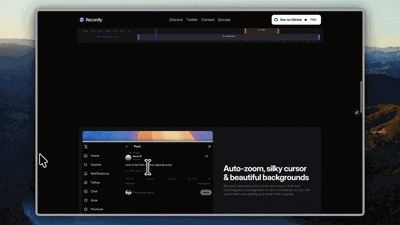
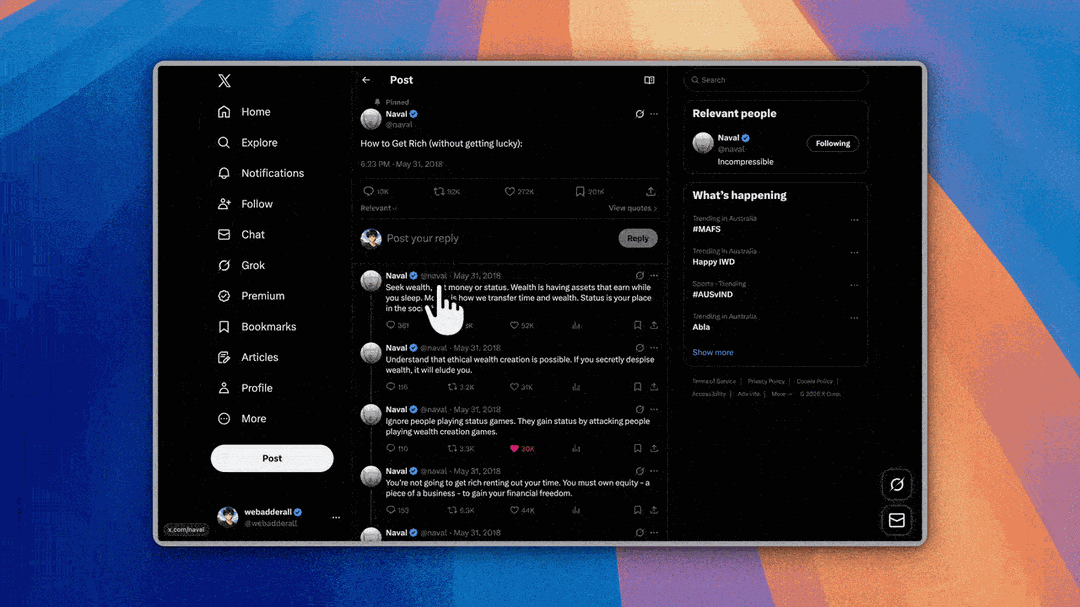
- 自动缩放与光标平滑,突出操作重点
- 摄像头气泡叠加,可调位置圆角阴影
- 拖拽时间线支持变速、注释与裁切
- 导出 MP4 或 GIF,社区扩展可加音效边框
当前版本 v1.4.0(2026-09-08 发布),开源协议 AGPL-3.0,GitHub 36,478 star。

核心信息
| 软件名称 | Recordly(webadderallorg/Recordly) |
| 当前版本 | v1.4.0 |
| 更新日期 | 2026-09-08 |
| 开源协议 | AGPL-3.0 |
| 软件分类 | Linux 桌面 |
| 关键词 | electron、free、linux、macos、open-source、screen-recorder |
本次更新内容
- 新版本修复了更新提示不可见的问题,Windows 和 Linux 用户需手动安装才能获得修复。
- Windows 平台新增窗口捕获和永久安装位置,并加入 Windows 10 光标样式。
- macOS 窗口录制不再带水印,录制色彩范围偏淡的问题也已修正。
- 新增实验性自动更新通道和应用内公告弹窗,启动速度明显提升。
- 修复了 Windows 自动字幕与音频、HUD 点击穿透与闪烁、倒计时后延迟等问题。
查看官方英文更新日志(原文)
copious amounts of bug fixes and improvements across macOS, Windows, and Linux.
If you are on windows/linux please install this manually as this release contains a fix for invisible update prompts (plus many other fixes)

## Features

- macOS window recordings no longer display a watermark in the corner
- Window Capture is now available on Windows
- Added an opt-in channel for automatic experimental updates
- Windows now supports **permanent install locations**
- Added the Windows 10 cursor style
- Improved motion blur
- Added in-app announcements and popups

## Bug fixes

- Fixed slightly washed-out colour range in macOS recordings
- Fixed auto-captions and audio on Windows
- Fixed HUD click-through and flickering
- Removed the delay between countdown completion and recording start
- Fixed invisible update notifications
- Refactored the video editor for improved maintainability
- Improved Windows native capture startup, cleanup, webcam sync, and app lifecycle
- Significantly improved startup time by separating HUD launch code from unrelated initialization
- Fixed invisible drag boundaries affecting webcam preview positioning
下载地址
以下为官方原包,本站不二次打包,点击直接下载:
Recordly-linux-x64.AppImage(官方原包 | 194.9 MB)
✅ 上方 SHA256 与官方发布值一致,可自行核对。
快速上手
- 首次启动后,在主界面选择录制整个屏幕或单个应用窗口,并勾选麦克风与系统音频。
- 点击开始录制,录制结束后直接进入编辑器,可拖动时间轴裁剪片段、调整速度区域。
- 在时间轴上添加缩放区域,或采用基于光标活动的自动缩放建议,并添加文字、图片等标注。
- 为画面套用带壁纸、渐变、模糊与阴影的样式边框,可叠加摄像头气泡并调整位置。
- 完成后将项目保存为 .recordly 文件,便于后续重新打开继续编辑。
提示:Linux 下录制时无法隐藏光标,录制前请留意画面中的指针。
讨论(0 条)