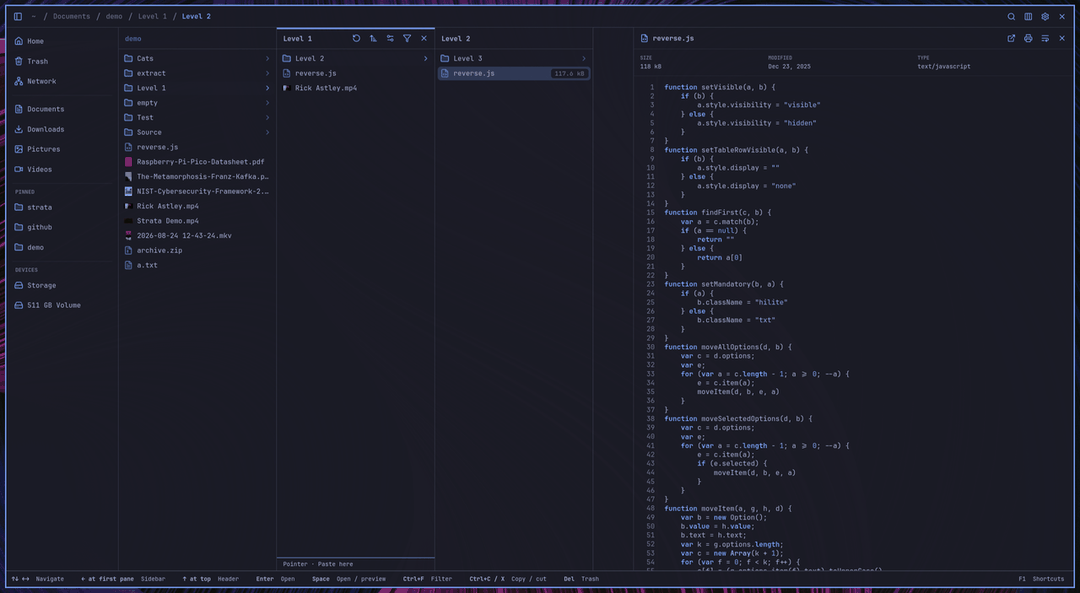
Strata 是面向现代 Linux 桌面的文件管理器,用 Rust 编写、基于 GTK4,主打键盘优先操作。它提供 Miller 列、图标网格和可排序列表三种浏览模式,支持模糊搜索、丰富预览和主题定制,适合喜欢高效键盘流、使用 Wayland 或 Hyprland 等环境的 Linux 用户。
核心亮点:
- 三种浏览模式:可导航列、图标网格与可排序列表
- 键盘优先操作,支持方向键移动、历史导航与快捷预览
- 模糊搜索可边索引边查找文件名或路径
- 原生渲染 Markdown 与 HTML,并支持图片、音视频等预览
当前版本 v1.2.2(2026-11-24 发布),开源协议 MIT,GitHub 1,712 star。
核心信息
| 软件名称 | Strata(lgse/strata) |
| 当前版本 | v1.2.2 |
| 更新日期 | 2026-11-24 |
| 开源协议 | MIT |
| 软件分类 | Linux 桌面 |
| 关键词 | file-manager、gtk4、hyprland、linux、rust、wayland |
本次更新内容
- 新增媒体与创建时间列,支持播放动图预览,界面更直观
- 优化路径操作,支持粘贴系统路径并高亮显示当前文件夹
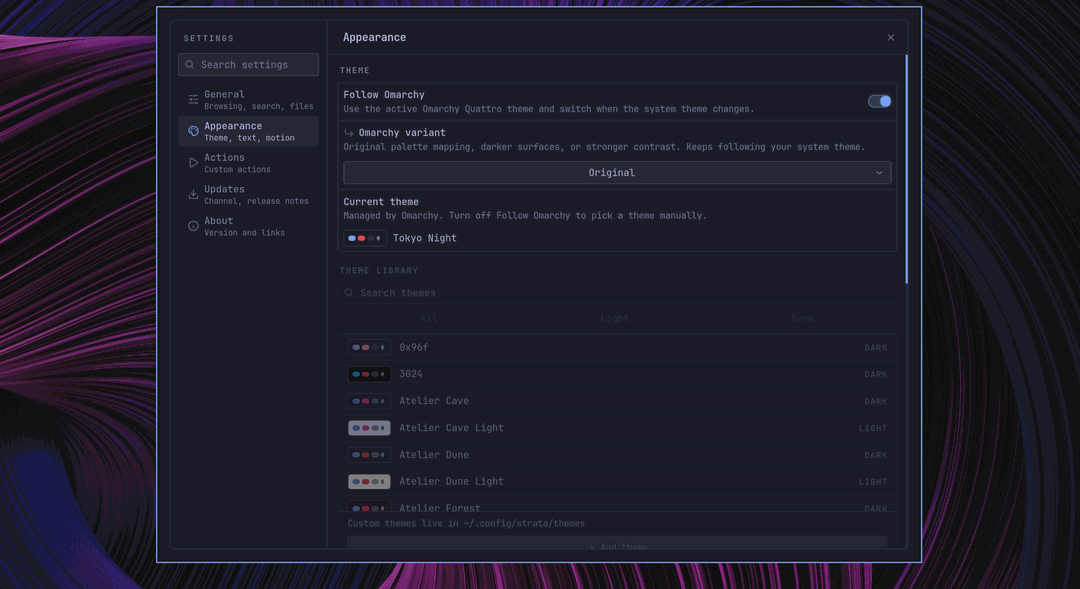
- 修复主题跟随系统设置、字体大小匹配浏览器及动画性能问题
- 改进文件复制与远程挂载稳定性,解决部分设备连接冲突
- 提升列表操作响应速度,增强全局搜索与窗口选择体验
查看官方英文更新日志(原文)
<!-- Release notes generated using configuration in .github/release.yml at v1.2.2 -->

## What's Changed
### New features
* feat(window): choose window button defaults by desktop session by @JoeJoeflyn in https://github.com/lgse/strata/pull/2448
* feat(ui): display selected item name and modified date in footer and hover tooltips by @JoeJoeflyn in https://github.com/lgse/strata/pull/2533
* feat(list): add optional media and creation columns by @adamcbrewer in https://github.com/lgse/strata/pull/2603
* feat(location): copy plain paths, accept pasted shell paths, and highlight open folders by @JoeJoeflyn in https://github.com/lgse/strata/pull/2692
* feat(preview): play animated WebP previews by @kettleofketchup in https://github.com/lgse/strata/pull/2734
* feat(chooser): reveal files with global search by @JoeJoeflyn in https://github.com/lgse/strata/pull/2802
### Fixes and improvements
* fix(motion): stop stylesheet and toolkit animations under Reduce motion by @l0gicgate in https://github.com/lgse/strata/pull/2116
* fix(selection): keep List whitespace for selection without losing activation by @JoeJoeflyn in https://github.com/lgse/strata/pull/2108
* fix(theme): read light/dark mode from the settings portal by @polycatenane in https://github.com/lgse/strata/pull/2113
* fix(sandbox): use unprivileged bubblewrap for bounded previews by @dragonleopardpig in https://github.com/lgse/strata/pull/2182
* fix(preview): decode WebP previews and thumbnails without system loaders by @JoeJoeflyn in https://github.com/lgse/strata/pull/2189
* fix(context-menu): ignore non-primary clicks on menu rows by @JoeJoeflyn in https://github.com/lgse/strata/pull/2190
* fix(settings): match the browser's text size by @l0gicgate in https://github.com/lgse/strata/pull/2233
* fix(translation): Update Hungarian translation by @summoner001 in https://github.com/lgse/strata/pull/2304
* fix(sandbox): bind /run/opengl-driver for accelerated media helpers by @l0gicgate in https://github.com/lgse/strata/pull/2326
* fix(copy): copy folders to rclone mounts without a staged rename by @l0gicgate in https://github.com/lgse/strata/pull/2327
* fix(sidebar): deduplicate GVfs network mounts in devices by @JoeJoeflyn in https://github.com/lgse/strata/pull/2449
* fix(icons): make the launcher icon fill its slot by @l0gicgate in https://github.com/lgse/strata/pull/2522
* fix(diagnostics): warn when KDE's MTP service competes for phones by @l0gicgate in https://github.com/lgse/strata/pull/2523
* fix(preview): stop passing -thread_queue_size as an FFmpeg input option by @JoeJoeflyn in https://github.com/lgse/strata/pull/2696
* fix(browser): keep same-volume move when Wayland narrows an in-app drop to copy by @mvanhorn in https://github.com/lgse/strata/pull/2661
* fix(operations): stop emptying files placed on rclone and other remote FUSE mounts by @spandan11106 in https://github.com/lgse/strata/pull/2761
* fix(preview): limit sandbox fsize to software media decoding by @JoeJoeflyn in https://g
下载地址
以下为官方原包,本站不二次打包,点击直接下载:
strata-1.2.2-x86_64-unknown-linux-gnu.tar.gz(官方原包 | 21.5 MB)
✅ 上方 SHA256 与官方发布值一致,可自行核对。
快速上手
- 解压下载好的压缩包,把其中的可执行文件放到系统路径或任意方便调用的目录。
- 在终端运行 strata 命令启动程序,首次启动后即可看到文件浏览界面。
- 用方向键在列、图标和列表三种视图间移动浏览,按 Ctrl+K 打开模糊搜索查找文件。
- 在 Settings → Keyboard 中按需查看或调整各视图的快捷键,也可开启底部提示栏辅助学习。
- 如需在桌面菜单中启动,参照 README 的 Desktop entry 说明创建桌面入口文件。
提示:搜索范围仅覆盖主目录与侧边栏 Devices 列出的本地磁盘,远程共享暂不包含。
讨论(0 条)