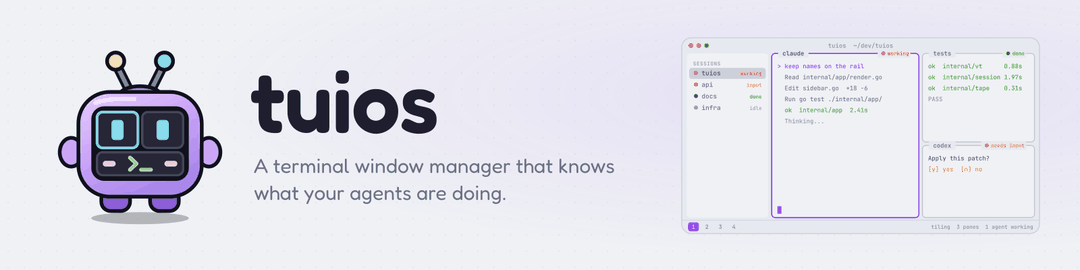
TUIOS 是一款用 Go 写的终端窗口管理器兼多路复用器,跑在你现有的终端里,提供类 vim 的模态操作、多窗格与工作区。它最特别的地方是能感知 AI 编码代理的状态,让代理在窗格里汇报进度、互相通信。适合常开多个编码代理、又偏爱键盘操作的开发者。
核心亮点:
- 类 vim 模态操作,多窗格与工作区管理
- BSP 平铺布局,支持预选与分割控制
- 守护进程保活会话,可跨机器接入
- 代理状态上报、收件箱与审批机制
当前版本 v0.13.3(2026-11-16 发布),开源协议 MIT,GitHub 6,545 star。

核心信息
| 软件名称 | Tuios(Gaurav-Gosain/tuios) |
| 当前版本 | v0.13.3 |
| 更新日期 | 2026-11-16 |
| 开源协议 | MIT |
| 软件分类 | Linux 桌面 |
| 关键词 | ai-agents、bubbletea、charm、claude-code、codex、coding-agents |
本次更新内容
- 修复多个安全问题:移除配对设备后其密钥同步失效,避免旧设备继续登录;限制程序输出标记占用内存;为面板程序连接数设上限,保障自身客户端可用;钩子和命令使用干净环境运行。
- 修复此前版本中焦点切换快捷键失效的问题,使用相关按键可恢复正常导航。
- 建议此前移除过配对设备的用户重新执行移除操作,确保旧密钥被彻底清除。
查看官方英文更新日志(原文)
tuios 0.13.3 is a security and fix release. It closes four issues that @cr2007 reported privately, and I recommend it to everyone. It also fixes a regression from v0.13.2 in the focus keys, and a few bugs you reported.

Upgrading from v0.13.1 or later is live on macOS and Linux: install, then run `tuios daemon upgrade`, and every program in your panes keeps running.

```bash
brew install tuios                     # Homebrew (macOS, Linux)
yay -S tuios-bin                       # AUR (tuios-web-bin for the web server)
nix run github:Gaurav-Gosain/tuios     # Nix
curl -fsSL https://raw.githubusercontent.com/Gaurav-Gosain/tuios/main/install.sh | bash
go install github.com/Gaurav-Gosain/tuios/cmd/tuios@v0.13.3
docker run -it --rm ghcr.io/gaurav-gosain/tuios:v0.13.3
```

A binary installed by the script or from an archive updates with `tuios update`.

## Security

Thanks to @cr2007 for four careful reports, each with the lines and a way to reproduce it.

- **A removed paired device loses its access.** `tuios hosts remove DEVICE` now removes the key that `tuios pair` added to `~/.ssh/authorized_keys`, not only the `[hosts.DEVICE]` table. Before, the phone could still log in, and after a restart it got the default rights. The file is now written in one step, so a failed write cannot cut your own keys. A key pinned to a name with no table can do nothing, also on a link that is already open. If you removed a paired device before this release, run `tuios hosts remove DEVICE` again to remove its key. [GHSA-4j54-9xgf-cq7g](https://github.com/Gaurav-Gosain/tuios/security/advisories/GHSA-4j54-9xgf-cq7g) ([#2162](https://github.com/Gaurav-Gosain/tuios/pull/2162))
- **Shell markers cannot fill the daemon's memory.** A program could print one OSC 133 prompt mark and many command marks, and each one read every line back to the prompt. The capture now stops at 64 lines and 16 KiB, and a repeated mark reuses the text it has. This is in `tuios.dev/vt` v0.3.3. [GHSA-w23r-7frv-qfhg](https://github.com/Gaurav-Gosain/tuios/security/advisories/GHSA-w23r-7frv-qfhg) ([#2163](https://github.com/Gaurav-Gosain/tuios/pull/2163))
- **Programs in panes cannot take every daemon connection.** Panes, hooks and plugins together hold at most 896 of the 1024 connections, so 128 stay for your own client and `tuios` commands. One pane holds at most 64. A program in a pane also no longer draws on your own read budget. [GHSA-jv4p-w86m-gr3h](https://github.com/Gaurav-Gosain/tuios/security/advisories/GHSA-jv4p-w86m-gr3h) ([#2170](https://github.com/Gaurav-Gosain/tuios/pull/2170))
- **Hooks and `exec` lines get a clean environment.** Daemon hooks, plugin commands, `exec` lines and task verify commands now start from the environment a pane gets. Before, a daemon started by `tuios restart-server` in a pane placed them in that pane, and they could act as it. [GHSA-v98m-7pr7-xv88](https://github.com/Gaurav-Gosain/tuios/security/advisories/GHSA-v98m-7pr7-xv88) ([#2171](https://github.com/Gaurav-Go
下载地址
以下为官方原包,本站不二次打包;多个文件为不同包型,按需选择其中一个下载即可:
sketch_0.13.3_Linux_x86_64.tar.gz(官方原包 | 4.1 MB)
tml_0.13.3_Linux_x86_64.tar.gz(官方原包 | 3.2 MB)
tplot_0.13.3_Linux_x86_64.tar.gz(官方原包 | 1.2 MB)
tuios-ghostty_0.13.3_Linux_x86_64.tar.gz(官方原包 | 24.0 MB)
tuios-plugins_0.13.3.tar.gz(官方原包 | 10.7 KB)
tuios-web_0.13.3_Linux_x86_64.tar.gz(官方原包 | 22.8 MB)
tuios_0.13.3_Linux_x86_64.tar.gz(官方原包 | 19.2 MB)
✅ 上方 SHA256 与官方发布值一致,可自行核对。
快速上手
- 首次启动后进入 vim 风格模态界面,按默认快捷键在终端内新建终端窗格并开始操作
- 用命令面板查找并执行操作,用工作区在多个会话间切换,用 BSP 平铺调整窗格布局
- 运行 tuios tutor 在本地终端体验引导教程,该教程不会改动机器上的任何内容
- 需要会话常驻时启动守护进程,之后可分离与重新连接会话,并在其他机器上访问该会话
提示:先跑引导教程熟悉按键,再按需改键位与主题。
讨论(0 条)