UTM 是一款基于 QEMU 的虚拟机与系统模拟器,让你在 Mac、iPhone 和 iPad 上直接跑 Windows、Linux 等系统。它支持多种处理器架构,图形界面从零设计,创建、管理、运行虚拟机都在设备上完成,适合想在苹果设备上折腾多系统、做开发测试或怀旧模拟的玩家。
核心亮点:
- 基于 QEMU 实现完整系统模拟,覆盖处理器与设备
- 支持 x86_64、ARM64、RISC-V 等多种处理器架构
- 提供 VGA 图形与文本终端两种显示模式
- macOS 上可用硬件加速虚拟化,运行更流畅
当前版本 v5.0.9(2026-11-16 发布),开源协议 Apache-2.0,GitHub 36,925 star。

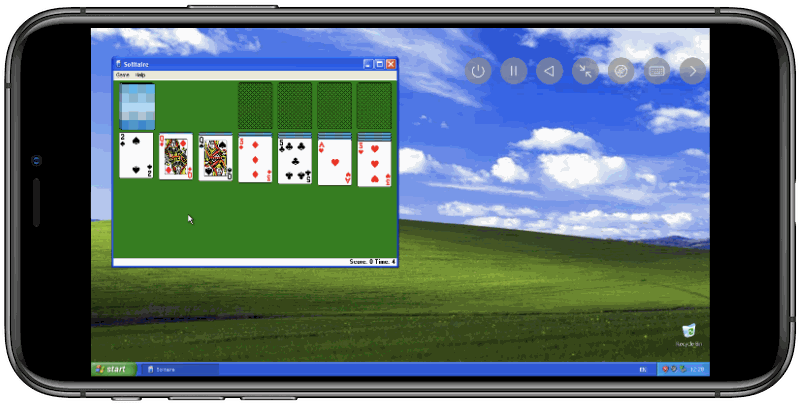
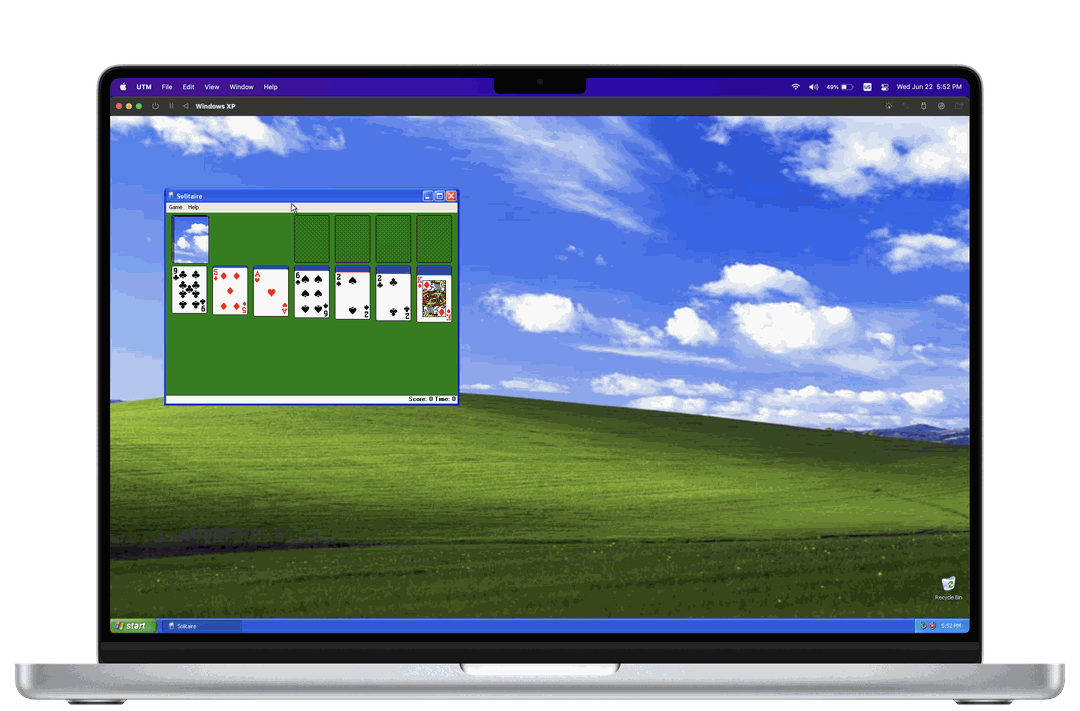
核心信息
| 软件名称 | UTM(utmapp/UTM) |
| 当前版本 | v5.0.9 |
| 更新日期 | 2026-11-16 |
| 开源协议 | Apache-2.0 |
| 软件分类 | macOS 软件 |
| 关键词 | apple、emulation、ios、jailbreak、macos、qemu |
本次更新内容
- Windows 虚拟机首次支持现代图形加速,游戏兼容性仍在完善中;Linux 虚拟机新增新版图形接口支持。
- 新增快照功能,可随时保存虚拟机状态并回退;显示刷新率跟随屏幕,画面更流畅。
- USB 共享更稳定,快速外置硬盘可直通虚拟机,断开设备不再导致卡顿或死机。
- iOS 触控操作更灵敏,新增中键、右键拖拽和滑动滚动模式,折叠屏手机下半屏可当键盘触控板。
- 修复 Windows 游戏启动卡顿、视频停滞和显示异常等问题,并修补渲染进程的安全漏洞。
查看官方英文更新日志(原文)
## Highlights
* (macOS) **DirectX graphics support for Windows**: Modern accelerated graphics for Windows 11 is now available on UTM for the first time. The driver is still experimental and games compatibility is currently limited.
* **Vulkan 1.3 graphics support for Linux**: Vulkan 1.3 is now supported on Linux guests with VirtIO Venus drivers in Mesa. Additionally, OpenGL 4.1 is supported with the new Apple Core OpenGL backend (macOS only).
* **Snapshots**: Save your VM at any point and go back to it later from the new Snapshots tab. Works with QEMU VMs on macOS and iOS 26, and with Apple Virtualization VMs on macOS 27.
* (macOS) **Apple Virtualization on macOS 27**: Pass USB devices through to your VM, turn on Secure Boot for Linux, run a VM without saving changes, and let VMs talk to each other with new networking modes.
* (macOS) **Smoother displays**: VMs now follow your display's refresh rate, so motion is fluid at up to 120 Hz on ProMotion displays.
* **More reliable USB**: Fast external SSDs can now be shared with a VM, and disconnecting a drive no longer freezes UTM. On macOS, drives are safely unmounted before they are handed to a VM.
* (iOS) **Better touch controls**: Gestures respond immediately, with new middle-click and right-drag actions and a new drag-to-scroll touch mode.
* (iOS) **iPhone Duo**: Fold your iPhone Duo like a laptop, and the bottom half becomes a keyboard or touchpad for your VM.

## Notes
* Suspended VMs may not resume correctly after updating. We recommend shutting down all VMs before you update UTM.
* The minimum supported versions are now macOS 12 and iOS 15.
* (macOS) Check out [UTM Games Database](https://db.getutm.app/) to see and report game compatibility for the experimental 3D driver. Re-install the Windows guest tools to get the latest driver.
* We now have a [development blog](https://blog.getutm.app)! Follow us for in-depth technical deep dives such as how we brought DirectX to QEMU.
* (macOS) To use the new graphics driver for Windows 11, we recommend a fresh install because the driver is still experimental and its use could lead to instability in the system. During the install of the guest tools, you will be prompted to select the experimental graphics driver. If you wish to install the new driver on a system that already is running the older display only driver, you need to run the uninstall script provided on the guest tools install ISO first.
* (macOS) Apple CoreGL backend does not support Vulkan or DirectX.
* Linux desktop rendering in Vulkan does not work due to lack of support for indirect draws for geometry shaders. Please configure your guest to use the older VirGL Gallium driver.
* SCSI drives on ARM64 virtual machines now use a VirtIO SCSI controller. A VM with a SCSI drive that was suspended, or has a snapshot with saved state, from an earlier version cannot resume it: delete the saved state and start the VM again.

## Changes (v5.0.9)
* Fixed Windows games hanging at startup while compili
下载地址
以下为官方原包,本站不二次打包,点击直接下载:
UTM.dmg(官方原包 | 290.6 MB)
✅ 上方 SHA256 与官方发布值一致,可自行核对。
快速上手
- 打开下载好的 UTM.dmg,把 UTM 拖入“应用程序”文件夹完成安装
- 首次启动 UTM,在欢迎界面选择新建虚拟机,按向导选择要运行的系统类型
- 为虚拟机分配处理器、内存和磁盘等资源,并指定系统安装镜像
- 保存虚拟机配置后点击运行按钮,在虚拟机窗口中完成系统安装
- 之后可从主界面直接管理、启动或停止已创建的虚拟机
提示:虚拟机文件较大,建议放在空间充足的磁盘位置
讨论(0 条)