Aether 是一款把 AI 编程助手装进手机的通用智能体客户端,支持安卓、iOS 和 macOS。它基于 Pi 框架打造,界面精致、动画流畅,能直接调用工具、加载扩展,把 Codex 式的编程体验随身带走。适合想在移动端随时跑 AI 任务、折腾扩展的开发者与极客。
核心亮点:
- 移动端通用 AI 智能体,支持多平台
- 原生加载 Pi 扩展,可自定义设置卡片
- 内置工具调用与扩展生态,玩法丰富
- 界面动画精细,交互体验接近成熟商业应用
当前版本 v2.1.7(2026-10-11 发布),开源协议 GPL-3.0,GitHub 784 star。


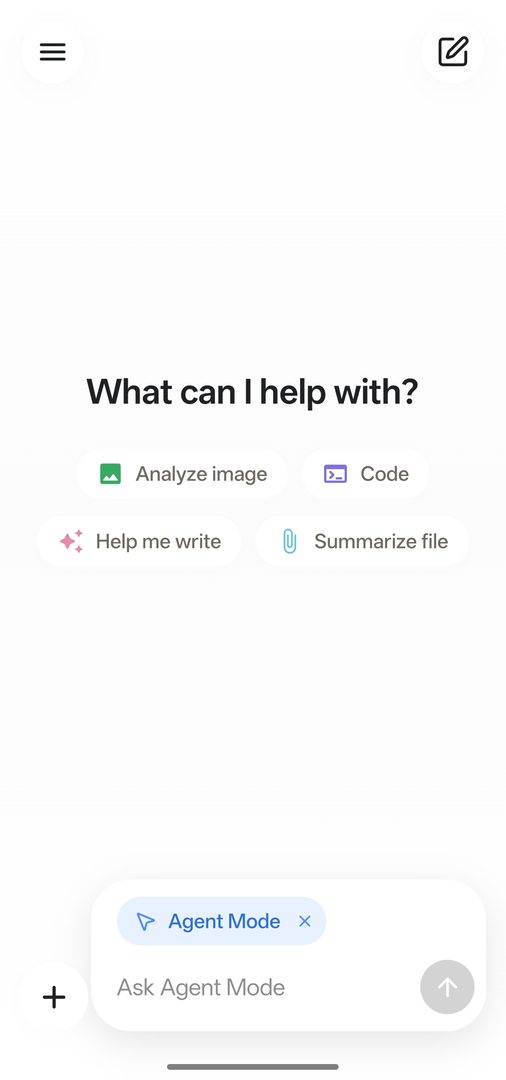
核心信息
| 软件名称 | Aether(Zhou-Shilin/Aether) |
| 当前版本 | v2.1.7 |
| 更新日期 | 2026-10-11 |
| 开源协议 | GPL-3.0 |
| 软件分类 | Android 开源 APK |
| 关键词 | aether、agent、agents、ai、ai-agents、android-application |
本次更新内容
- 新版本支持在安卓手机上直接操控应用界面,操作更流畅,权限被收回后也能及时提示重新授权。
- 模型选择界面新增能力与用量限制提示,并补充缓存用量、整轮统计和生成速度,方便了解消耗情况。
- 文件预览与离线演示对话上线,安卓和苹果端都能直接查看文件,还新增俄语界面。
- 流式回复的淡入效果更统一,并支持减少动态效果;苹果端启动更快、设置与排版更顺手。
- 修复了对话历史在同步、编辑和重试时丢失上下文的问题,并改进手机控制与终端稳定性。
查看官方英文更新日志(原文)
## 🚀 Aether v2.1.7 Changelog

**✨ New Features**

* **Phone Use on Android:** Added foreground phone control through Accessibility, with element-tree and screenshot strategies, on-screen feedback, and Root/Shizuku Virtual Display options.
* **Model Capabilities:** Integrated models.dev capabilities, thinking levels, and context/output limits into provider selection and the Pi runtime on Android and iOS.
* **Usage Statistics:** Added cache read/write tokens, whole-turn token totals, and generation speed, including deferred follow-ups.
* **Files & Demos:** Added an Android Alpine documents provider, native file previews on both platforms, and offline showcase conversations.
* **Localization:** Added Russian translations across Android and iOS.

**🛠 Improvements & Optimizations**

* **Streaming Replies:** Added shared overlapping fades for text fragments, complete headings, and code blocks on Android and iOS, with reduced-motion support and continuity when replies finish.
* **Pi Runtime:** Updated bundled Pi dependencies to 0.99.2 and improved Node bundle loading.
* **iOS Startup:** Restored chat sessions lazily and optimized showcase seeding to reduce launch work.
* **iOS Experience:** Integrated PostHog analytics, improved settings and Markdown rendering, and added keyboard dismissal controls.
* **Builds:** Improved pull-request checks, bundled extensions into nightly APKs, and separated Android debug and nightly applications.

**🐛 Bug Fixes**

* **Phone Use Responsiveness:** Moved Accessibility observations off the main thread, prevented stale snapshots after cancellation, warmed overlay resources, and restored permission prompts after access is revoked.
* **Conversation History:** Preserved Pi entry references and context during synchronization, edits, and retry branching, while retaining unchanged messages.
* **Android Phone Control:** Improved taps, focus, Unicode input, clipboard fallback, secondary-user handling, service startup, and configuration without Termux.
* **Runtime:** Fixed Termux command-result delivery, Alpine package installation, and Unix socket paths.
* **iOS Terminal:** Corrected UTF-8 OSC titles and scrollback synchronization, and capped bridge heap usage.
* **Settings:** Isolated extension settings by category and aligned settings presentation.

**🔀 Merged Pull Requests**

* **Build Automation:** improve pull request checks and nightly Android builds by @Chumor in https://github.com/Zhou-Shilin/Aether/pull/77
* **Termux Results:** fix: deliver Termux RUN_COMMAND results via pending intent by @Chumor in https://github.com/Zhou-Shilin/Aether/pull/80
* **History Synchronization:** fix(history): preserve unchanged messages during sync by @Chumor in https://github.com/Zhou-Shilin/Aether/pull/83
* **Pi Branch References:** fix(history): preserve Pi entry refs across branches by @Chumor in https://github.com/Zhou-Shilin/Aether/pull/86
* **iOS Reliability:** iOS: bug fixes, crash prevention & perfor
下载地址
以下为官方原包,本站不二次打包,点击直接下载:
Aether-2.1.7.apk(Android 安装包 | 38.8 MB)
✅ 上方 SHA256 与官方发布值一致,可自行核对。
快速上手
- 运行下载好的安装包完成安装,首次启动后按引导进入主界面,即可开始与本地 AI 对话。
- 在设置中配置模型与相关参数,保存后返回对话页发起首次对话。
- 如需扩展能力,进入设置中的扩展页面,选择导入扩展并选中扩展压缩包完成安装。
- 在对话输入框中输入问题或指令,等待 AI 回复并按需调用工具完成任务。
提示:扩展以压缩包形式导入,安装后可在设置中查看并管理。
讨论(0 条)