Awl 是一款去中心化的加密虚拟局域网工具,基于 P2P 技术实现设备异地互联。它无需账号、无协调服务器,所有数据端到端加密,彻底摆脱第三方依赖。适合极客、家庭服务器玩家及小团队,用于安全访问内网服务或搭建私有网络,让不同地点的设备如同处于同一局域网。
核心亮点:
- 完全去中心化架构,无协调服务器,无需注册账号
- 基于 libp2p 实现 P2P 直连,保障通信隐私与安全
- 支持多平台部署,涵盖 Android、Windows 及 Linux 系统
- 提供 SOCKS5 代理及全隧道网关功能,灵活路由流量
当前版本 v0.21.0(2026-11-21 发布),开源协议 MPL-2.0,GitHub 809 star。

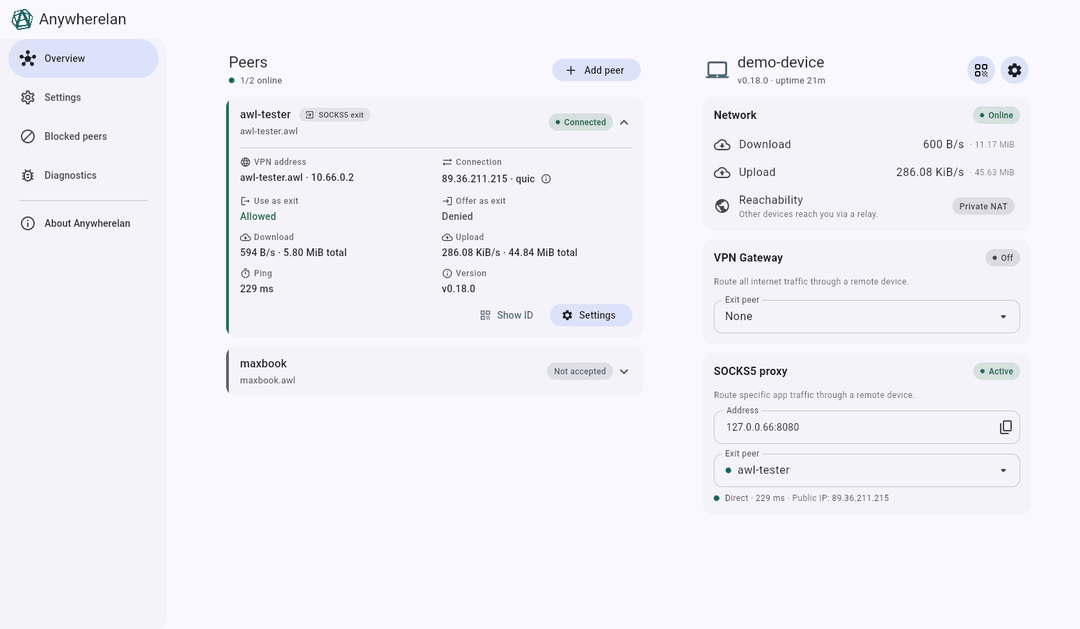
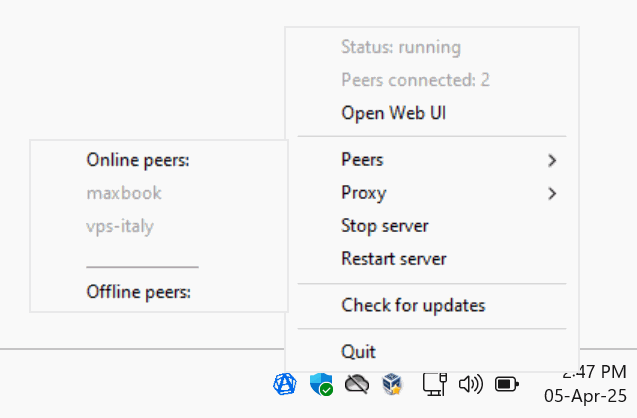
核心信息
| 软件名称 | Awl(anywherelan/awl) |
| 当前版本 | v0.21.0 |
| 更新日期 | 2026-11-21 |
| 开源协议 | MPL-2.0 |
| 软件分类 | Android 开源 APK |
| 关键词 | cross-platform、decentralized、golang、hacktoberfest、libp2p、mesh-networks |
本次更新内容
- 同局域网设备直连更稳定,安卓手机后台省流省电,VPN运行更流畅。
- 设备IP由ID自动生成,连接速度更快,断线重连更迅速。
- 新增监控面板,可直观查看流量、连接及节点状态。
- 升级后子网范围扩大,需检查是否与其他网络冲突。
- 建议统一配置MTU值,确保新老设备间网络互通正常。
查看官方英文更新日志(原文)
## What's Changed

This release adds VPN addresses based on device IDs and direct connections on the local network. It also makes the VPN use less CPU and reduces background data use on Android phones that used to answer peer discovery requests.

### Notable changes

- **Device addresses.** A new device derives its VPN IP from its ID. Your other devices can usually reach it at that same address.
- **Direct LAN connections.** Devices on the same local network can connect directly, including Android devices. If the VPN tunnel is using a relay, it switches to the direct connection when one becomes available.
- **Faster connections.** awl connects to the first known device up to 4 seconds sooner after startup. If a relay drops a connection, awl reconnects about a second sooner.
- **VPN improvements.** VPN traffic uses up to 7% less CPU, and large UDP datagrams now reach the peer.
- **Default MTU.** New installs use an MTU of 1400.
- **Grafana dashboards.** The monitoring stack now has dashboards for awl traffic, connectivity, DHT activity, profiles and bootstrap nodes.
- Thanks to @officialasishkumar for configurable MTU, @VoNguyenMinhTriet for the Linux startup fix, and @Martinligabue for fixing the docs links! :heart:

The full list of changes is in [CHANGELOG.md](https://github.com/anywherelan/awl/blob/v0.21.0/CHANGELOG.md#0210---2026-11-21).

### Upgrade notes

- **VPN subnet.** On upgrade, awl widens the old defaults `10.66.0.1/24` and `10.66.0.1/16` to the `10.64.0.0/11` subnet and keeps existing VPN addresses. If the new subnet overlaps another network you use, stop awl and choose a subnet in `vpn.ipNet` that avoids the overlap. Before restarting awl, remove `ipAddr` from peers whose addresses are outside the new subnet. See [IPv4 subnet and addresses](https://github.com/anywherelan/awl/blob/v0.21.0/README.md#ipv4-subnet-and-addresses).
- **MTU.** Older configs without `vpn.mtu` keep 3500 on upgrade. If you also have new installs using 1400, set `vpn.mtu` on either the older or newer installs so your devices and exit nodes use the same value. See [MTU configuration](https://github.com/anywherelan/awl/blob/v0.21.0/README.md#mtu).


Changelog:
* new link for docs by @Martinligabue in https://github.com/anywherelan/awl/pull/302
* Add awl dashboards, new metrics for dropped packets and refused requests by @pymq in https://github.com/anywherelan/awl/pull/308
* fix(vpn): replace address instead of adding for Linux newTUN by @VoNguyenMinhTriet in https://github.com/anywherelan/awl/pull/309
* vpn: use less CPU per packet, fix fragmented datagrams by @pymq in https://github.com/anywherelan/awl/pull/311
* all: update Go 1.26.8 --> 1.27.3, update dependencies, update ts-dns by @pymq in https://github.com/anywherelan/awl/pull/312
* p2p: connect directly over the LAN, announce LAN addresses on Android by @pymq in https://github.com/anywherelan/awl/pull/313
* vpn: add vpn.mtu config option to set the TUN interface MTU by @offici
下载地址
以下为官方原包,本站不二次打包,点击直接下载:
awl-android-v0.21.0.apk(Android 安装包 | 68.5 MB)
✅ 上方 SHA256 与官方发布值一致,可自行核对。
快速上手
- 在 Windows 上运行 awl-tray 程序以启动系统托盘客户端。
- 等待主界面加载完成,程序会自动通过 DHT 发现网络中的其他节点。
- 在设备列表中选择目标设备,点击连接按钮建立 P2P 隧道。
- 连接成功后,即可通过 .awl 地址像局域网一样访问该设备。
提示:确保所有设备均保持联网,以便维持稳定的 P2P 连接。
讨论(0 条)