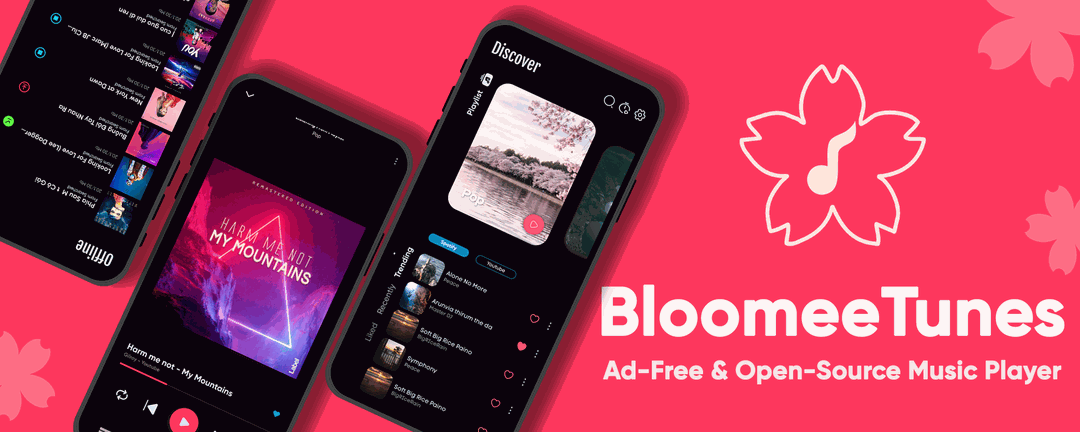
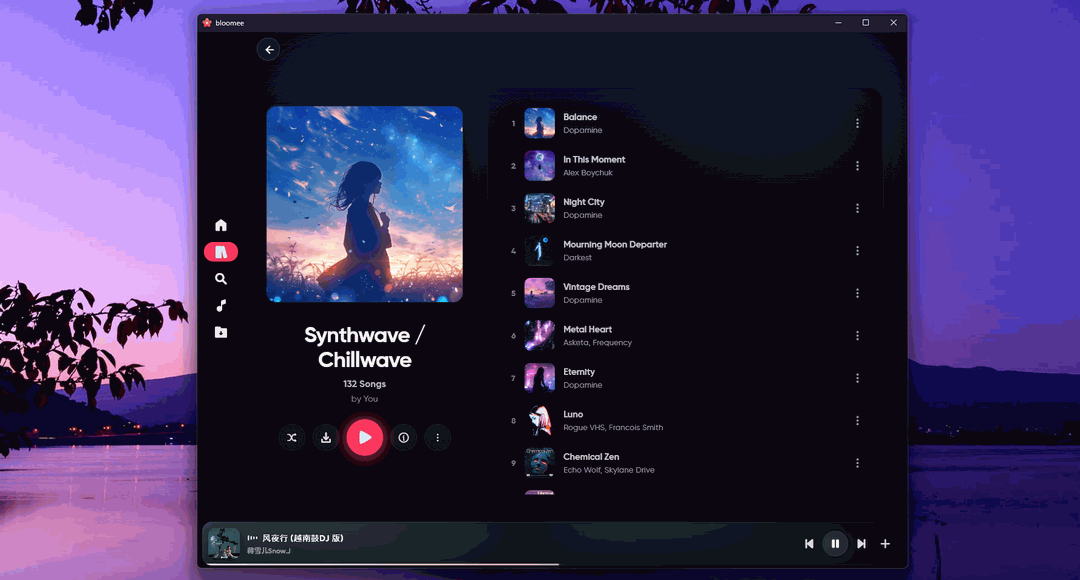
BloomeeTunes 是一款基于 Flutter 与 Rust 构建的开源音乐播放器,主打无广告纯净体验。它支持本地音乐与在线流媒体无缝切换,通过安全的插件系统聚合多来源音源。内置均衡器、卡拉OK歌词及 Last.fm 记录功能,适合追求自由听歌、讨厌打扰的音频爱好者。
核心亮点:
- 无广告干扰,提供纯粹沉浸的听歌体验
- Rust 驱动插件系统,安全扩展无限音源
- 本地与在线音乐无缝融合,播放更流畅
- 支持歌词同步调节、均衡器及 Discord 状态展示
当前版本 v3.1.2+208(2026-11-23 发布),开源协议 GPL-2.0,GitHub 2,336 star。

核心信息
| 软件名称 | BloomeeTunes(HemantKArya/BloomeeTunes) |
| 当前版本 | v3.1.2+208 |
| 更新日期 | 2026-11-23 |
| 开源协议 | GPL-2.0 |
| 软件分类 | Windows 效率工具 |
| 关键词 | android、android-app、audio-player、bloc、dart、downloader |
本次更新内容
- 新版本带来更流畅的桌面体验,新增自定义窗口边框和系统托盘控制,支持最小化到托盘、媒体控制及商店安装包。
- 播放更稳定,修复进度条卡住和歌曲意外跳过问题,改进队列持久化与跨插件匹配,播放已排队列表不再重新开始。
- 队列和播放列表管理更顺手,支持悬停操作、拖拽排序、移动端长按或滑动,并修复重复歌曲导致的索引问题。
- 首页重新设计,加载更快且分块渐进显示,优化图片解码和轮播性能,滚动或最小化时自动暂停交互。
- Last.fm 离线记录、Discord 状态显示、通知系统和插件请求速度均有改进,整体使用更顺畅。
查看官方英文更新日志(原文)
# 🌸 Bloomee v3.1.2 — A Smoother Desktop Experience

This release focuses on a faster, more polished music experience with major improvements to desktop support, playback reliability, queue management, Last.fm scrobbling, Discord Rich Presence, notifications, and the Home page.

## ✨ Highlights

- New custom desktop window frame and title bar
- System tray controls for Windows, Linux, and macOS
- Microsoft Store-ready Windows package
- Offline Last.fm scrobble queue
- Redesigned Home page with faster loading
- Improved Discord Rich Presence
- Better queue and playlist management
- Native Windows media controls
- New announcements and update notification system
- Faster plugin requests and track matching

## 🖥️ Desktop Experience

- Added a custom title bar with minimize, maximize, and close controls.
- Added configurable close behavior:
  - Keep Bloomee running in the system tray
  - Minimize the window
  - Quit the application
- Added system tray controls for:
  - Play and pause
  - Next and previous track
  - Show and hide Bloomee
  - Quit the application
- Reopening Bloomee now focuses the existing window instead of launching a second instance.
- Added a Microsoft Store-compatible MSIX package.
- Store installations automatically skip the in-app update check.
- Improved window naming across the application and Start menu.
- Added dark-themed Windows tray and window menus.
- Added native media overlay support with:
  - Album artwork
  - Playback position
  - Seeking support

## 🎵 Player and Playback Improvements

- Fixed the full-screen player progress bar freezing at the beginning of a song.
- Fixed songs being skipped silently when their stream ended unexpectedly.
- Improved recovery when a preloaded track fails to play.
- Improved playback transitions and reduced unnecessary rendering.
- Improved queue persistence when multiple changes happen quickly.
- Improved automatic track replacement and cross-plugin matching.
- Native track matching is now significantly faster.
- Playing an already queued playlist now resumes the existing queue instead of restarting it.
- Adding a playlist to the queue now avoids adding duplicate tracks.
- Improved queue handling, playback recovery, and smart track replacement.

## 📋 Queue and Library Management

- Redesigned the desktop Up Next panel with artwork-based ambient glow.
- Queue actions now appear when hovering over a track.
- Improved drag-and-drop queue reordering.
- Mobile users can long-press to reorder tracks or swipe to remove them.
- Library reorder mode now includes:
  - A short usage hint
  - A Done button
  - Neutral drag handles
  - Back and Escape support
- Pinned playlists remain grouped while reordering.
- Fixed playlist and queue index issues involving duplicate songs.
- Improved playlist loading so outdated results cannot replace the currently selected playlist.

## 🏠 Home Page and Performance

- Redesigned the Home page l
下载地址
以下为官方原包,本站不二次打包,点击直接下载:
bloomee_tunes_windows_x64_v3.1.2+208.zip(便携版·解压即用 | 31.7 MB)
✅ 上方 SHA256 与官方发布值一致,可自行核对。
快速上手
- 解压下载好的安装包,找到并运行主程序文件启动软件。
- 进入插件系统,安装所需的音乐源插件以获取在线流媒体服务。
- 在设置中配置 Last.fm 账号,实现听歌记录的自动同步。
- 使用内置均衡器调整音效,或开启 Discord 状态展示当前播放内容。
提示:支持本地音乐与在线流媒体混合播放,建议优先安装稳定插件。
讨论(0 条)