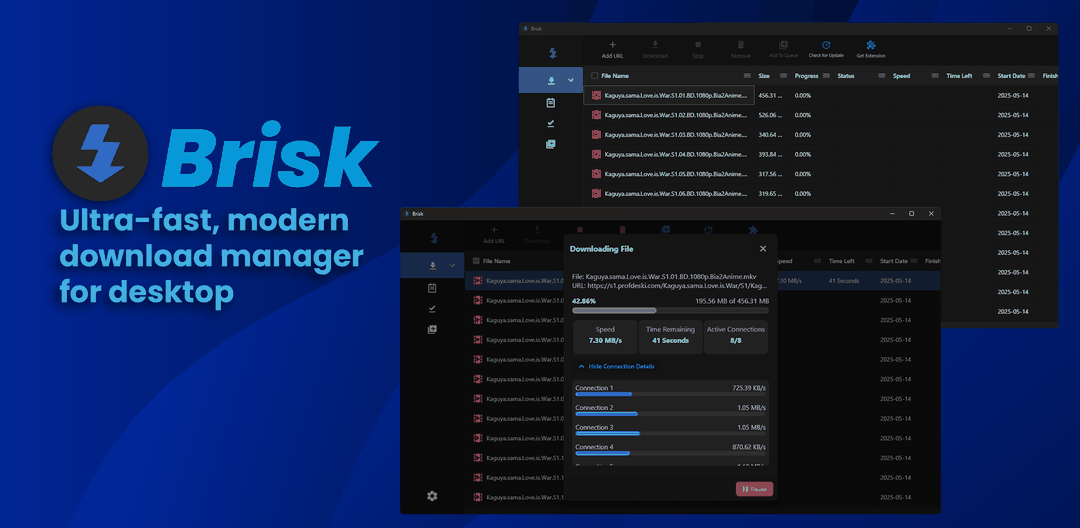
Brisk 是一款免费开源的下载管理器,自研高性能下载引擎通过动态增加连接数把带宽拉满,还能接管浏览器链接实现秒下。支持下载队列、定时任务、视频流抓取和剪贴板快捷键添加链接,跨平台可用。适合追求下载速度、讨厌限速和广告的普通用户与折腾党。
核心亮点:
- 自研引擎动态增加连接,下载全程跑满带宽
- 浏览器扩展接管链接,点击即跳转下载
- 支持下载队列与定时调度,任务管理更省心
- 可从浏览器抓取视频流并支持软字幕
当前版本 v2.5.0(2026-11-11 发布),开源协议 GPL-3.0,GitHub 1,801 star。


核心信息
| 软件名称 | Brisk(BrisklyDev/brisk) |
| 当前版本 | v2.5.0 |
| 更新日期 | 2026-11-11 |
| 开源协议 | GPL-3.0 |
| 软件分类 | macOS 软件 |
| 关键词 | download-manager、downloader、downloadmanager、linux、macos、windows |
本次更新内容
- 新增更快的下载引擎,可在设置中开启,支持普通和视频流下载,但暂不支持代理,使用代理时会自动切回默认引擎。
- 新增下载限速功能,可设置默认速度,也能在下载过程中单独调整某个任务的速度。
- 改进视频下载,支持更多网站的视频流格式,并修复部分网站因来源校验导致的下载失败。
- 修复重复点击关闭按钮时弹出多个退出提示的问题,并移除旧网络组件,已安装用户自动切回默认组件。
查看官方英文更新日志(原文)
# Changelog

## :sparkles: New Features

- **Kasma Engine (Beta)**: A new, faster download engine written in Rust. Enable it in `Settings → Connection → Download Engine` by selecting **Performance (Beta)**. It supports both regular (HTTP) and video stream (M3U8) downloads. Proxies are not supported by Kasma yet; downloads that use a proxy automatically fall back to the default engine.
- **Speed Limit**: Limit the download speed of each download (Kasma engine only).
  - Set a default limit in `Settings → Connection → Download Engine`, in KB/s or MB/s.
  - Change the limit of a running download on the fly from the new **Speed Limit** tab in the download progress window. A limit set there applies only to that download and overrides the default from the settings.
- **Improved Video Downloads**:
  - Added support for fMP4 (CMAF) streams, used by sites such as x.com.
  - Fixed downloads from CDNs that require the page's Referer or the browser's User-Agent (e.g. TikTok).

## :bug: Bug Fixes

- Fixed multiple exit dialogs stacking when the close button was pressed repeatedly.
- The rhttp client was removed. Existing installations are switched back to the default HTTP client.
下载地址
以下为官方原包,本站不二次打包,点击直接下载:
Brisk-v2.5.0-macos.dmg(官方原包 | 33.7 MB)
✅ 上方 SHA256 与官方发布值一致,可自行核对。
快速上手
- 双击打开下载好的磁盘映像,将 Brisk 拖入应用程序文件夹完成安装。
- 首次启动后若出现系统安全提示,前往系统设置中允许该应用运行。
- 在浏览器中安装配套扩展,并关闭其他下载管理类扩展以免冲突。
- 复制下载链接后使用自定义快捷键,即可从剪贴板快速添加下载任务。
提示:浏览器扩展需与桌面端配合使用,冲突扩展请先停用。
讨论(0 条)