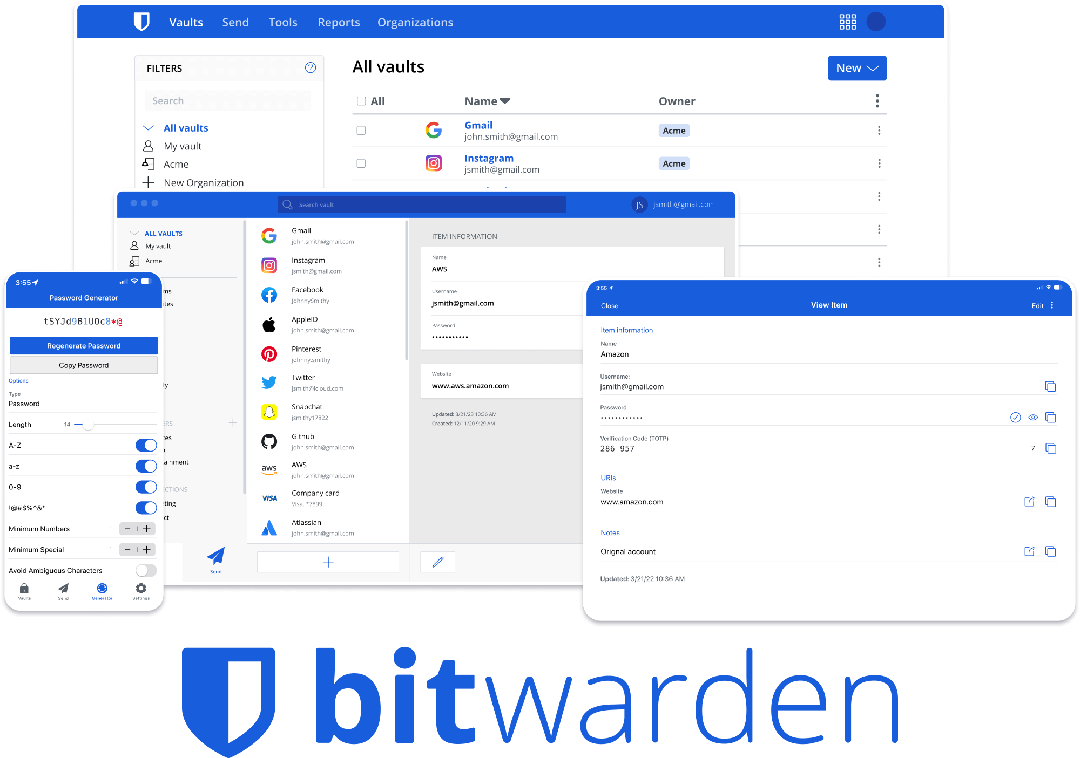
Bitwarden 是一款开源密码管理器,帮你集中保管账号密码并跨设备同步。它提供浏览器扩展、桌面端和命令行工具,支持自动填充与安全分享,代码公开可审计。适合注重隐私、想摆脱重复记密码的普通用户和开发者。
核心亮点:
- 浏览器扩展自动填充登录信息
- 桌面端与命令行多端同步
- 开源代码可审计更安心
- 支持安全分享与组织协作
当前版本 web-v2026.11.0(2026-11-18 发布),开源协议 GPL-3.0,GitHub 14,261 star。
核心信息
| 软件名称 | Bitwarden(bitwarden/clients) |
| 当前版本 | web-v2026.11.0 |
| 更新日期 | 2026-11-18 |
| 开源协议 | GPL-3.0 |
| 软件分类 | Windows 效率工具 |
| 关键词 | angular、bitwarden、browser-extension、chrome、cli、desktop |
本次更新内容
- 网页版界面焕新,视觉与操作体验更现代。
- 访问智能报告速度提升,成员计数纳入“我的项目”。
- 网页、浏览器扩展和桌面端解锁状态同步,切换更顺畅。
- 浏览器扩展新增保险库变更引导,并更新导航图标。
- 直接导入功能界面升级,导入操作更直观。
- 修复若干底层问题,提升整体稳定性。
查看官方英文更新日志(原文)
<!-- Release notes generated using configuration in .github/release.yml at 28b247ac34877882aaef4faea082a9f3bb201114 -->

## What's Changed

- Updated the look and feel of the web app
- Improved Access Intelligence report speed
- Updated Access Intelligence to include My Items in member counts
- Various under-the-hood improvements and minor bug fixes
- Synchronized unlock for web, browser, and desktop

### 💙 Community Highlight
* [PM-45498] fix(browser): use stored inline menu elements when refreshing top layer by @martintondel02 in https://github.com/bitwarden/clients/pull/24041
* [PM-42047] fix(desktop): install the Firefox native messaging manifest on macOS by @fabriziobagala in https://github.com/bitwarden/clients/pull/22452
* [PM-45328] Export empty custom field values as empty strings in CSV exports by @sebxt in https://github.com/bitwarden/clients/pull/23970
* [PM-45740] fix(browser): clone WebAuthn transports before messaging by @d-prost in https://github.com/bitwarden/clients/pull/24155
* [PM-46247] fix(generator): sanitize website-derived Fastmail email prefix by @padelsbach in https://github.com/bitwarden/clients/pull/24408
* [PM-46248] fix(generator): restore Fastmail forDomain and description fields by @padelsbach in https://github.com/bitwarden/clients/pull/24409
### :shipit: Feature Development
* [PAM-343] (A1) PAM leasing: client domain & SDK services by @patriksvensson in https://github.com/bitwarden/clients/pull/23962
* test: Add desktop biometric unlock e2e test by @quexten in https://github.com/bitwarden/clients/pull/23479
* test: Add passkey e2e tests by @quexten in https://github.com/bitwarden/clients/pull/23480
* [PM-44264] feat: Show Privileged Controls in the subscription summary by @cyprain-okeke in https://github.com/bitwarden/clients/pull/23887
* [PM-44805] Extension introduce vault changes tour by @jengstrom-bw in https://github.com/bitwarden/clients/pull/23741
* [PAM-338] (B4) Admin Console: PAM custom permissions & admin landing by @patriksvensson in https://github.com/bitwarden/clients/pull/24038
* [PM-44459] Pinned shared folders  by @nick-livefront in https://github.com/bitwarden/clients/pull/23690
* [CL-1387] updated extension nav icons by @BryanCunningham in https://github.com/bitwarden/clients/pull/24063
* [PM-44499] Upgraded UI/UX for Direct Importers by @harr1424 in https://github.com/bitwarden/clients/pull/23903
* [PM-44506] feat: Add a preview-driven Restart Subscription dialog by @amorask-bitwarden in https://github.com/bitwarden/clients/pull/24033
* [CL-1374] feat: Update illustration colors and token names by @BryanCunningham in https://github.com/bitwarden/clients/pull/24065
* [PM-35942] Add the Exclude from list dialog to the browser Health tab by @AlexRubik in https://github.com/bitwarden/clients/pull/23696
* [PM-42403][PM-42406] feat: Push unlock and organization keys ahead of their state writes by @coroiu in https://github.com/bitwarden/clients/pull/23879
* [PAM-353]
下载地址
该项目由官方站点分发,本站提供版本追踪与中文教程:
✅ 官方原包直发,版本同步更新。
快速上手
- 运行下载好的安装包,按向导完成安装并启动 Bitwarden 桌面应用。
- 首次启动后,在登录界面输入账号密码登录,或选择创建新账户。
- 登录后进入密码库主界面,点击添加按钮新建登录、卡片或身份等条目。
- 在条目中填写名称、用户名和密码等信息并保存,即可在密码库中查看和管理。
提示:登录后先设置主密码提醒,避免遗忘导致无法解锁密码库。
讨论(0 条)