Colota 是一款注重隐私的安卓 GPS 轨迹记录应用,数据直传自建服务器,无第三方追踪。支持离线地图、智能围栏及多种格式导出,兼容主流后端。适合极客、隐私倡导者及需自主管理出行足迹的用户,让每一次出行都清晰可控。
核心亮点:
- 数据直传自建服务器,零追踪零泄露
- 支持离线地图与智能围栏自动暂停
- 兼容多种后端,提供灵活同步策略
- 支持加密备份与多格式轨迹导出
当前版本 v1.22.0(2026-11-16 发布),开源协议 AGPL-3.0,GitHub 721 star。

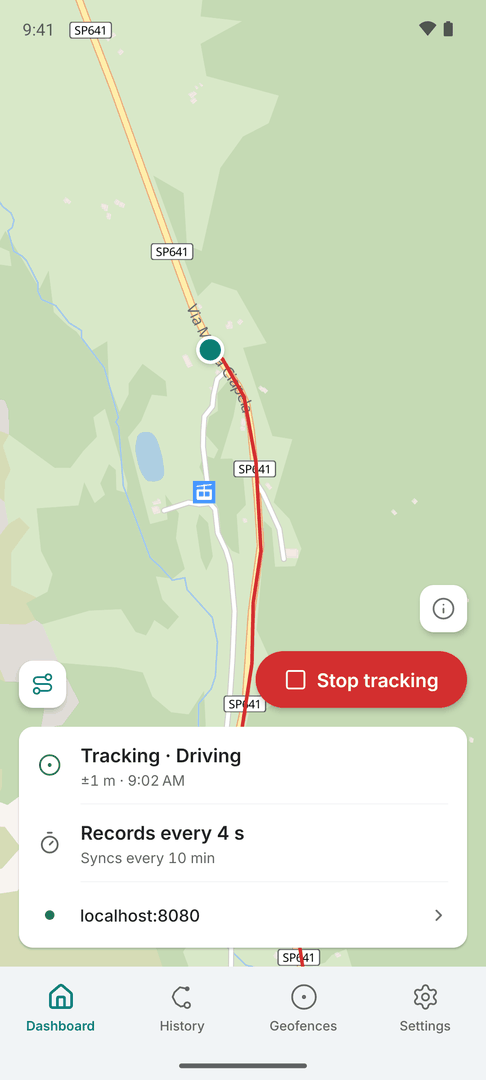
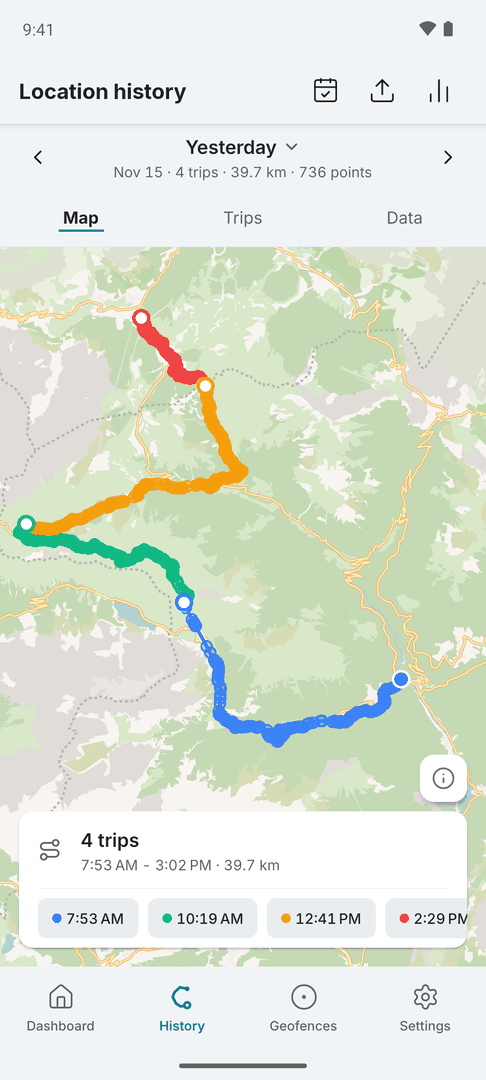
核心信息
| 软件名称 | Colota(dietrichmax/colota) |
| 当前版本 | v1.22.0 |
| 更新日期 | 2026-11-16 |
| 开源协议 | AGPL-3.0 |
| 软件分类 | Android 开源 APK |
| 关键词 | android、google-timeline、gps-tracker、gps-tracking、location、location-tracker |
本次更新内容
- 新增地理围栏功能,支持上报位置所属围栏及进出事件,方便服务器精准识别区域。
- 各追踪配置可独立设置精度过滤,密码管理器现支持自动填充备份密码,提升安全性与便利性。
- 设置变更或自动化启动时,当前活跃追踪配置将保持生效,避免意外中断。
- 修复了异常位置跳变记录问题,并解决屏幕关闭或应用退出后设置未同步的缺陷。
查看官方英文更新日志(原文)
## Highlights

- Option to send your server the geofences each point is in
- Option to send your server an event when you enter or leave a geofence
- Tracking profiles can set their own accuracy filter
- Password managers can fill in the backup password
- An active profile now stays in force when a setting changes or a shortcut or automation starts tracking
- Fixed impossible position jumps being recorded
- Fixed a settings change not reaching tracking when the screen was left or Colota closed right after it

## Which APK should I download?

Pick the build that matches your device:

- **arm64-v8a** - almost every phone from the last several years (recommended)
- **armeabi-v7a** - older 32-bit devices
- **universal** - one larger APK that runs on any device, if you are unsure

Each comes in two flavors: **gms** uses Google Play Services for location, **foss** uses Android's own LocationManager and needs no Google services.

## Changes

### What's New

- feat(docs): label code blocks with their language (#1064)
- feat(docs): date pages by their last commit (#1062)
- feat(docs): add a social card, structured data and robots.txt (#1059)
- feat(docs): rebuild the landing hero around the demo ride (#1049)
- feat(sync): send geofence enter and leave events (#1040)
- feat(sync): send the geofences each point is in as inregions (#1015)
- feat(profiles): set an accuracy filter per profile (#1027)

### Fixes

- fix(docs): show the light dashboard as the dark mode tile on a dark page (#1063)
- fix(docs): calm the landing page and give every screenshot a dark twin (#1053)
- fix(i18n): pass i18next an options object, never undefined (#1052)
- fix(service): tie the impossible-travel run to its anchor and check probe fixes (#1035)
- fix(docs): show the app screenshots in the landing hero (#1051)
- fix(docs): drop the repeated lead-ins in the backup callouts (#1050)
- fix(docs): Adds search to the docs (#1048)
- fix(docs): show a state layer when a button is hovered or pressed (#1047)
- fix(service): drop fixes that need impossible travel speed (#1023)
- fix(tracking): apply settings without stopping the tracking service (#1028)
- fix(settings): apply a pending change when the settings screen closes (#1026)
- feat(backup): let password managers save and fill the backup password (#1002)
- fix(android): restore the splits line the F-Droid recipe rewrites (#1011)

### Improvements

<details>
<summary>9 changes</summary>

- refactor(docs): build the site with Hugo (#1046)
- refactor(docs): build the site with Hugo (#1045)
- refactor(shared): move the outbound links into packages/shared (#1042)
- refactor(docs): group pages by app screen (#1041)
- refactor(shared): move space, size and the state-layer alpha into packages/shared (#1020)
- refactor(shared): move the colota://setup schema into packages/shared (#1018)
- refactor(mobile): move auto-export status and history into components and the mTLS bridge calls
下载地址
以下为官方原包,本站不二次打包;多个文件为不同包型,按需选择其中一个下载即可:
app-foss-arm64-v8a-release.apk(Android 安装包 | 17.7 MB)
app-foss-armeabi-v7a-release.apk(Android 安装包 | 16.5 MB)
app-foss-release.apk(Android 安装包 | 43.9 MB)
app-foss-x86-release.apk(Android 安装包 | 18.2 MB)
app-foss-x86_64-release.apk(Android 安装包 | 17.9 MB)
app-gms-arm64-v8a-release.apk(Android 安装包 | 18.0 MB)
app-gms-armeabi-v7a-release.apk(Android 安装包 | 16.8 MB)
app-gms-release.apk(Android 安装包 | 44.1 MB)
app-gms-x86-release.apk(Android 安装包 | 18.5 MB)
app-gms-x86_64-release.apk(Android 安装包 | 18.2 MB)
✅ 上方 SHA256 与官方发布值一致,可自行核对。
快速上手
- 运行下载好的 APK 安装包完成安装。
- 首次启动应用,根据界面提示完成初始设置。
- 配置服务器地址及认证信息以连接后端。
- 长按桌面图标,通过快捷方式开始或停止定位。
提示:支持通过 colota://setup 链接或二维码快速配置设备。
讨论(0 条)