Dangerzone 是一款把可疑文档转成安全 PDF 的效率工具,专治来路不明的邮件附件。它在沙箱里把 PDF、Office 文档或图片先渲染成纯像素数据,再在沙箱外重新拼成 PDF,剥离脚本与嵌入内容。适合记者、安全从业者以及常收陌生附件的普通用户。
核心亮点:
- 沙箱内转换,隔离可疑文档的潜在风险
- 支持 PDF、Office 文档与图片等多种格式
- 像素级重建,剥离脚本和嵌入对象
- 输出干净 PDF,放心打开阅读
当前版本 v0.11.1(2026-10-22 发布),开源协议 AGPL-3.0,GitHub 5,852 star。

核心信息
| 软件名称 | Dangerzone(freedomofpress/dangerzone) |
| 当前版本 | v0.11.1 |
| 更新日期 | 2026-10-22 |
| 开源协议 | AGPL-3.0 |
| 软件分类 | Windows 效率工具 |
| 关键词 | Windows 效率工具 |
本次更新内容
- 新版本可关闭或跳过更新检查,并支持从标准输入读取文档、输出安全 PDF,使用更灵活。
- 修复了离线更新沙箱时可能被恶意压缩包利用的安全漏洞,建议使用该更新方式的用户尽快升级。
- 新增对部分新版操作系统和 Tails 的支持,并改进 Linux 下镜像下载进度显示。
- 应用内不再渲染发布说明,文档迁移至独立站点,界面更简洁、资料更集中。
查看官方英文更新日志(原文)
We're pleased to announce that Dangerzone 0.11.1 has been released.
This release mostly includes stability improvements and security fixes, with a few new features.

The highlights for this release are:

* Users can now choose to disable or skip update checks.
* GitHub release notes are no longer rendered from Markdown to HTML in the application.
* Documents are now accepted from stdin, and safe PDFs are written to stdout.
* (Linux-only) Users now get progress reports for image downloads.
* Documentation is now published at [https\://docs.dangerzone.rocks](https://docs.dangerzone.rocks).

## Security fixes

An internal security assessment fixed two vulnerabilities in the `dangerzone-image load-archive` command, which is used to update the Dangerzone sandbox on offline (air-gapped) computers. A malicious archive could create or overwrite files on your computer, or be passed to Podman before Dangerzone checked that it came from us ([GHSA-m282-wfqf-935m](https://github.com/freedomofpress/dangerzone/security/advisories/GHSA-m282-wfqf-935m), [GHSA-pfm5-gp85-8g5p](https://github.com/freedomofpress/dangerzone/security/advisories/GHSA-pfm5-gp85-8g5p)).

Converting documents is not affected, and most users are not affected either. If you install sandbox updates with `dangerzone-image load-archive`, you are **strongly** advised to update and to load only those archives that you have prepared yourself. For more details, see our [security advisory](https://docs.dangerzone.rocks/0.11.1/advisories/2026-10-22/).

Also, the Dangerzone project now has a formal [security policy](https://github.com/freedomofpress/dangerzone/security/policy), so if you find other issues like this in our codebase, make sure to check it out.


## Platform changes

* Add support for Fedora 45
* Add support for Ubuntu 26.10
* Make Dangerzone work on Tails 7.10.1+

## Community contributions

For this release, we had help from community members. We want to thank:

* @marekl11, who added a mention to Winget as an alternative installation method, and fixed a typo ([#1557](https://github.com/freedomofpress/dangerzone/pull/1557), [#1556](https://github.com/freedomofpress/dangerzone/pull/1556)).
* @vbrekher, who fixed a long-standing issue in our GUI regarding unreadable documents ([#1558](https://github.com/freedomofpress/dangerzone/pull/1558)).
* All members who reported issues and opened discussions in our GitHub repo, thanks for helping us improve Dangerzone!

For a full list of the changes, see our [changelog](https://github.com/freedomofpress/dangerzone/blob/v0.11.1/CHANGELOG.md#0111).
下载地址
以下为官方原包,本站不二次打包,点击直接下载:
Dangerzone-0.11.1.msi(安装版 | 1.1 GB)
✅ 上方 SHA256 与官方发布值一致,可自行核对。
快速上手
- 运行下载好的安装包,按向导完成安装并启动 Dangerzone。
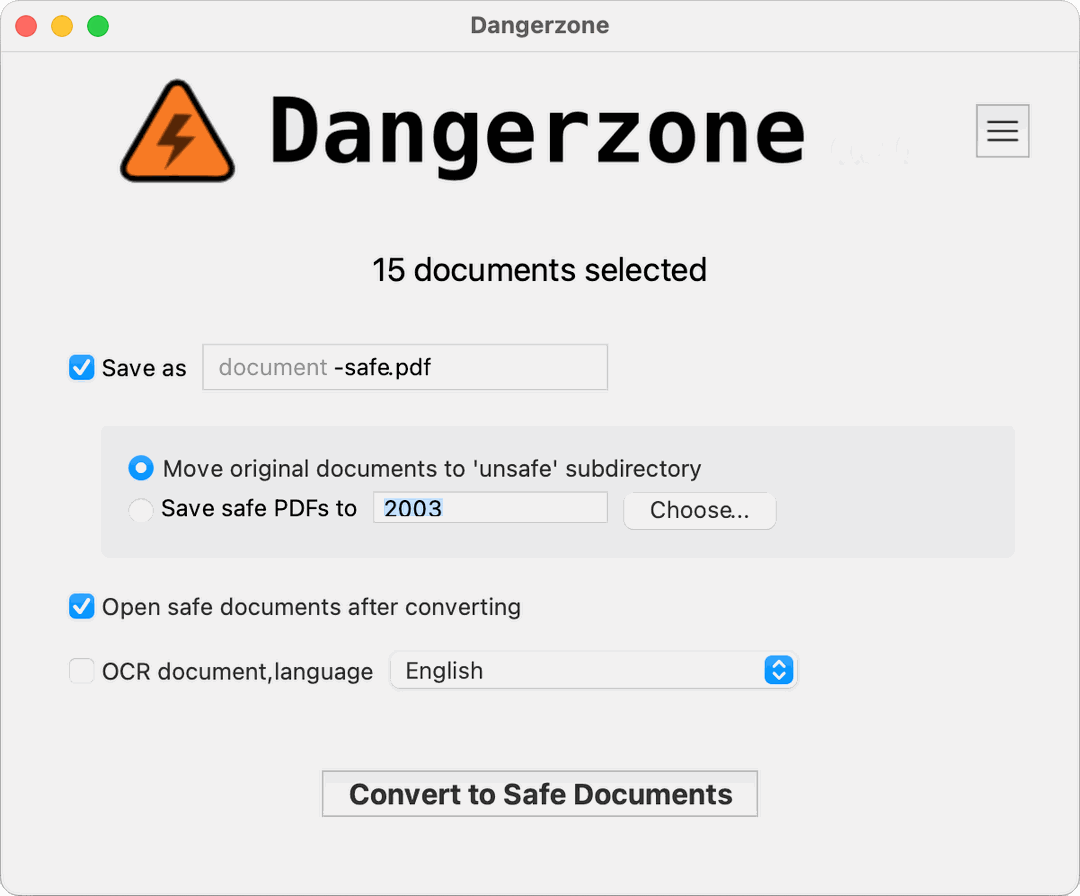
- 在窗口中点击选择文件按钮,挑选需要处理的 PDF、办公文档或图片。
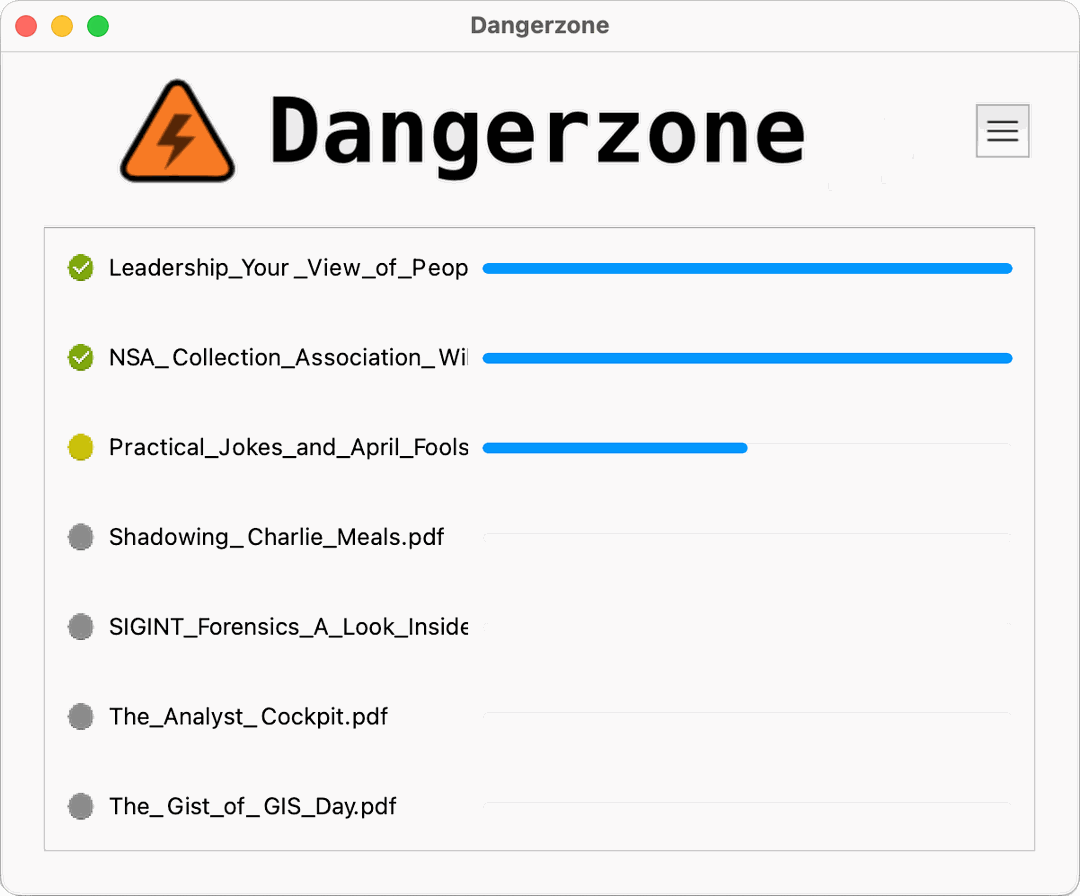
- 确认输出位置后开始转换,程序会在沙箱内把文档转为安全 PDF。
- 等待转换完成,在指定目录打开生成的 PDF 查看结果。
提示:转换在沙箱内进行,处理不可信附件时更安心。
讨论(0 条)