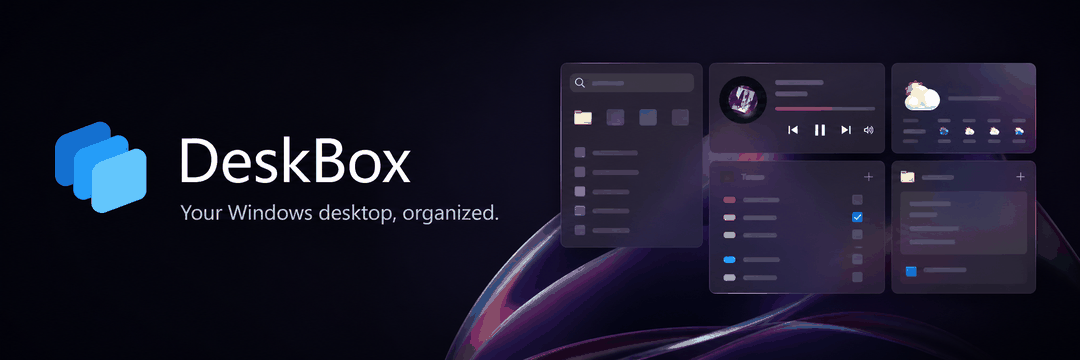
DeskBox 是一款免费开源的 Windows 桌面整理工具,用原生质感的 WinUI 3 小组件把散乱图标归类收纳,文件仍留在真实文件夹里,不改动原有结构。适合桌面常年堆满文件、想要清爽又不想换掉资源管理器的 Windows 用户。
核心亮点:
- 按真实文件夹映射桌面图标,整理后文件位置不变
- Mica 与亚克力材质小组件,贴合系统原生观感
- 附带待办、便签、搜索、天气与音乐等实用小工具
- 本地优先存储,文件与设置都留在自己电脑上
当前版本 v1.6.2(2026-11-25 发布),开源协议 GPL-3.0,GitHub 9,702 star。


核心信息
| 软件名称 | DeskBox(Tianyu199509/DeskBox) |
| 当前版本 | v1.6.2 |
| 更新日期 | 2026-11-25 |
| 开源协议 | GPL-3.0 |
| 软件分类 | Windows 效率工具 |
| 关键词 | desktop-cleanup、desktop-organizer、desktop-widget、desktop-widgets、dotnet10、file-management |
本次更新内容
- 桌面搜索组件回归,支持快捷指令与隐私模糊,剪贴板粘贴可独立使用
- F7唤醒图标秒显无闪烁,内存管理更平滑,恢复自定义壁纸并消除画面闪烁
- 胶囊窗口层级显示正常,批量隐藏不再重现,修复了堆叠弹出窗口的交互缺陷
- 全面修复重命名卡顿及输入法中断问题,自定义组件输入更流畅,待办拖拽排序更可靠
- 解决图片复制、非英文路径及Win10系统稳定性问题,提升整体运行兼容性
查看官方英文更新日志(原文)
# DeskBox 1.6.2

A comprehensive experience, smoothness, and stability update consolidating all post-1.6.0 improvements. DeskBox 1.6.2 brings back a redesigned adaptive Desktop Search widget (`+` / `;` / `>` quick prefixes and pointer-exit privacy blur), enables standalone `Alt+V` Quick Paste without a desktop widget, isolates folder and file pickers out of process, makes `F7` quick-reveal icons appear instantaneously without wake flashes, and resolves capsule Z-order, Custom Widget `<input>` focus, Todo reordering, Clipboard image copy, non-ASCII Shell launch, and Windows 10 / Microsoft Store stability issues.

Release date: 2026-11-25.

## Highlights

- **Desktop Search widget returns & standalone Quick Paste (`Alt+V`).** Adaptive Micro, Compact Bar, Medium, and Large Search widget layouts with `+ ` quick todo, `; ` quick note, `> ` command execution, instant math evaluation, optional history, and auto-blur privacy mask; global clipboard capture and `Alt+V` Quick Paste now work standalone without a desktop widget, paired with theme-aware acrylic menus and crisp text shadows.
- **Instant `F7` icon reveal, zero-flash wake & smoother memory trimming.** Retains visible first-screen file icons and hot compressed icon bytes across hidden states so `F7` / double-click wake displays icons on frame 0 instead of hydrating row by row; relaxes working-set trim cadence to eliminate hover/reveal page-fault stalls, pre-applies wipe clips and extends DWM commit grace to prevent first-frame flashes, restores custom/panoramic backgrounds on wake, and stops Glance photo blink on desktop refresh.
- **Capsule Z-order, stack popovers & zero-ghost batch hide.** Keeps expanded capsules above lower-row collapsed capsules across desktop clicks and group restacks while blocking pointer-through hover steals; cancels deferred layer-restore timers on batch hide so hidden capsules never reappear on the desktop; fixes unactivated stack popover outside-click light-dismiss, context-menu rename grace, and close-button lease leaks.
- **Reliable rename, Custom Widget `<input>` focus & Todo `All`-view drag.** Fixes unresponsive Rename/Edit actions and IME composition interruptions across files, folders, stacks, stack popovers, widget titles, Todo items, and Quick Capture notes; adds host keyboard activation, smart-capsule collapse blocking, and live retained-patch updates while typing in Custom Widget `<input>` / `<textarea>` controls; fixes Todo drag-to-reorder in the `All` filter across active and completed partitions.
- **Clipboard image copy, non-ASCII / `.lnk` / Store launch, out-of-process pickers & Windows 10 stability.** Fixes NativeAOT WinRT marshaling for Clipboard History image copy, `System.Kind`, and traditional calendars; fixes "The directory name is invalid" errors in non-ASCII/CJK right-click menus, quoted-directory `.lnk` shortcuts, and Microsoft Store `LocalCache` launches; isolates folder/file pickers inside `DeskBox.ThumbnailProxy.exe`; and resolves
下载地址
以下为官方原包,本站不二次打包;多个文件为不同包型,按需选择其中一个下载即可:
DeskBox_Setup_1.6.2_arm64.exe(安装版 | 34.5 MB)
DeskBox_Setup_1.6.2_x64.exe(安装版 | 35.5 MB)
✅ 上方 SHA256 与官方发布值一致,可自行核对。
快速上手
- 运行下载好的安装包,按向导完成安装并启动 DeskBox
- 首次启动后,在桌面添加文件或待办小组件,把常用文件拖入其中整理
- 将已有文件夹映射为小组件,让桌面直接显示该文件夹内容
- 按需添加快速笔记、搜索、天气或音乐小组件,保持常用工具随手可用
- 在设置中切换界面语言或材质外观,调整成适合自己的桌面布局
提示:文件与设置都保存在本机,整理时不会移动或改动原有文件。
讨论(0 条)