Dimble 是一款 macOS 菜单栏整理工具,把平时用不上的图标自动收起来,需要时悬停、点击或按快捷键就能唤出,也能在面板里查看。它把图标分成可见、隐藏、始终隐藏三类,支持拖拽布局和原生系统图标管理,免费开源、无需账号、不做统计,适合菜单栏图标太多、想保持清爽的 Mac 用户。
核心亮点:
- 三类分区管理图标,悬停或快捷键唤出
- 布局编辑器拖拽排序,一键应用到菜单栏
- 支持系统图标隐藏,受保护图标如实标注
- 免费开源无账号,不收集任何使用数据
当前版本 v0.4.1(2026-11-27 发布),开源协议 GPL-3.0,GitHub 1,367 star。

核心信息
| 软件名称 | Dimble(fif7y/dimble) |
| 当前版本 | v0.4.1 |
| 更新日期 | 2026-11-27 |
| 开源协议 | GPL-3.0 |
| 软件分类 | macOS 软件 |
| 关键词 | bartender-alternative、ice-alternative、macos、macos-app、menu-bar、menu-bar-manager |
本次更新内容
- 新版本加入快捷指令支持,可一键保存和恢复菜单栏布局,还能移动、显示或隐藏图标。
- 支持通过链接快速执行移动图标、显示隐藏等小操作,方便从浏览器或脚本调用。
- 新增中键点击和键盘快捷键来显示隐藏的图标,默认关闭,可在设置中开启。
- 修复了菜单栏图标显示、实时活动、全屏应用等多处问题,提升稳定性。
- 控制中心快捷键在图标隐藏时也能正常使用,无需额外设置。
查看官方英文更新日志(原文)
# Dimble 0.4.1

> **This is the last release before 1.0.0.** I'm freezing the code this week to get 1.0.0 ready, so nothing new goes in, only fixes. If something in 0.4.1 doesn't work for you, open an issue on GitHub, that's what this week is for.
>
> **Your menu bar works with Shortcuts.** Twelve actions get your layout, set it, move icons, show and hide them, and open Search. `dimble://` links do the smaller changes from Alfred, a script or a browser (#169, #146, thanks @rebdeg and @ssbodda-powern).
>
> **More ways into Always Hidden.** A middle-click on the chevron can show it, and so can its own keyboard shortcut. Both are off until you set them (#149, thanks @openforfuture).

Eleven betas went into this one. Dimble is also in Homebrew now, `brew install --cask dimble`. Most of the rest is fixes, for the Row's icons, Live Activities, full menu bars and full-screen apps.

New:

- Dimble has Shortcuts actions (#169, thanks @rebdeg). Get Menu Bar Layout gives back your whole layout as text, and Set Menu Bar Layout puts every icon where that text says, in one go. It also takes that text saved as a file, and the same text works on another Mac. Others move or open an icon, add or remove a separator, and show or hide the hidden icons. You can also turn reveal on hover or on click on and off, and open Search.
- `dimble://` links do the smaller changes without Shortcuts (#169). `dimble://move?icon=Tailscale&to=hidden` moves an icon, and there's `show`, `show-all`, `hide`, `toggle`, `add-separator` and `remove-separator`. Any web page can open a link, so links never read anything back, click an icon, change a setting or set the whole layout.
- `dimble://search?q=Tailscale` opens Search with the text typed in, for Alfred and the like (#146, thanks @ssbodda-powern).
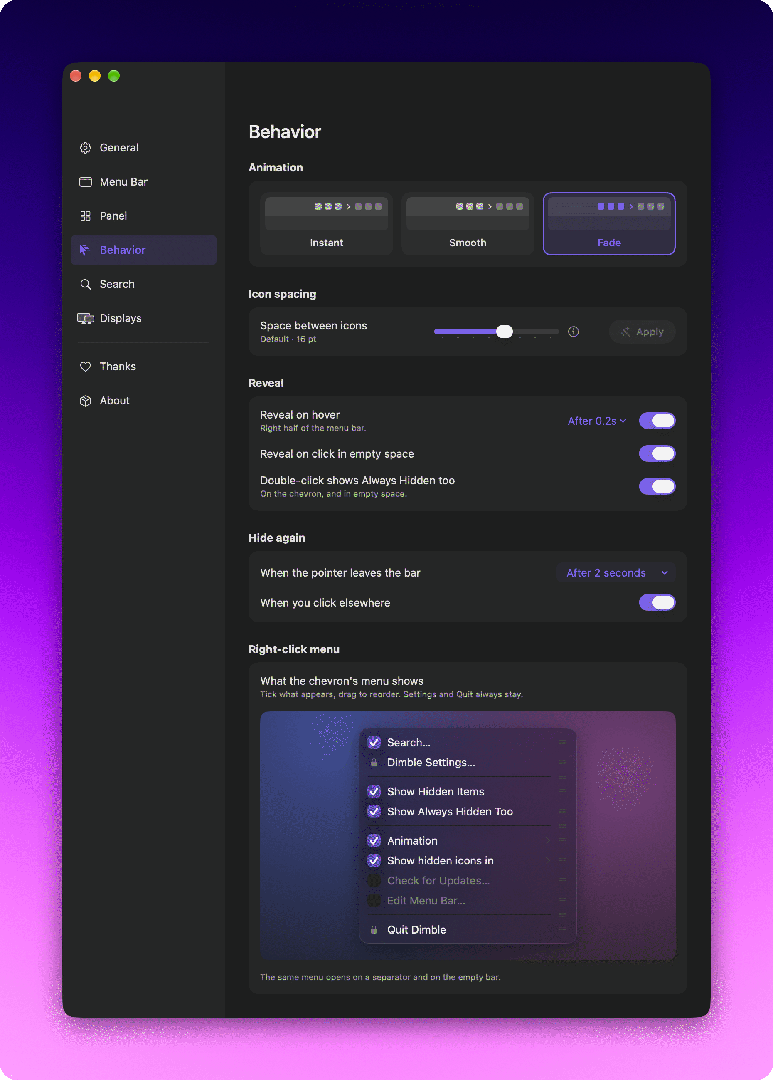
- Middle-clicking the chevron can reveal your hidden icons (#149, thanks @openforfuture). Settings › Behavior › Reveal › "Middle-click reveals" offers Hidden and Always Hidden together, or Always Hidden on its own.
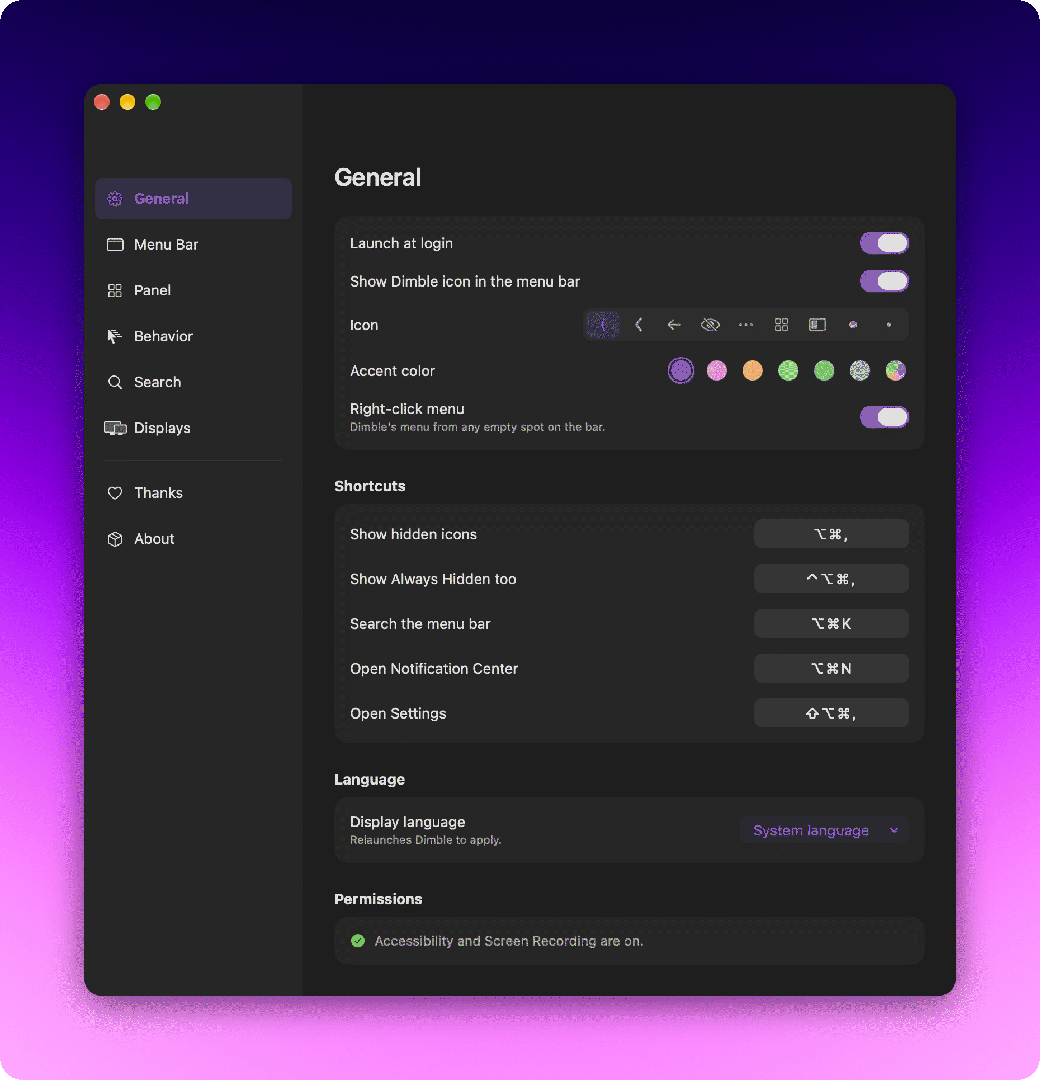
- A keyboard shortcut shows Always Hidden alone (#149). It's in Settings › General › Shortcuts as "Show Always Hidden only". The same key puts it away.
- A Shortcut button's icon can be picked in Settings (#162, thanks @Hydrogenxy). macOS keeps a shortcut's own icon in a folder only Full Disk Access opens, so Dimble can't show that one.
- fn C opens Control Center while your icons are hidden (#179, thanks @mityeah). macOS ignores its own shortcut then, so Dimble opens it for you, however long you hold the keys. There's nothing to set up. I tested it on macOS 27.3.

Changed:

- The line between Hidden and Always Hidden is off unless you turn it on (#171, #149, thanks @bortolatto-creator and @openforfuture). If you liked it in 0.4.0, it's in Settings › Behavior › Reveal, "Show a line between Hidden and Always Hidden".
- macOS 27.3's "System & App Protection Override" pill is off by default (#163, thanks @Titelive). It lists every app that can control others, so on a Mac with Dimble i
下载地址
以下为官方原包,本站不二次打包,点击直接下载:
Dimble-0.4.1.dmg(官方原包 | 6.6 MB)
✅ 上方 SHA256 与官方发布值一致,可自行核对。
快速上手
- 首次启动后,菜单栏会出现 Dimble 图标,点击可展开面板查看可见、隐藏与始终隐藏三个分区。
- 在布局编辑器中拖动应用图标调整分区顺序,按 Apply 一次性让菜单栏按布局排列。
- 也可按住 ⌘ 直接拖动菜单栏图标跨过箭头,Dimble 会自动记录该移动。
- 悬停或点击箭头让隐藏图标滑出,双击或按住 ⌥ 点击箭头显示始终隐藏的图标。
- 在设置中开启获取测试版更新,并留意各设置页顶部的更新横幅提示。
提示:图标被系统或应用打乱顺序时,稍作停顿 Dimble 会自动恢复布局。
讨论(0 条)