FineTune 是常驻 macOS 菜单栏的开源音频小工具,核心是按应用单独调节音量,还能把过轻的声音放大、把不同 App 的音频路由到不同扬声器,并配合均衡器和耳机曲线做频响校正。适合需要精细掌控每个应用声音、用多台输出设备或想改善耳机听感的人。
核心亮点:
- 按应用独立调节音量与静音,互不干扰
- 支持多设备输出与按应用音频路由
- 内置均衡器预设并支持 AutoEQ 耳机校正
- 全局快捷键与键盘操作,调节更顺手
当前版本 v1.9.0(2026-07-09 发布),开源协议 GPL-3.0,GitHub 10,098 star。

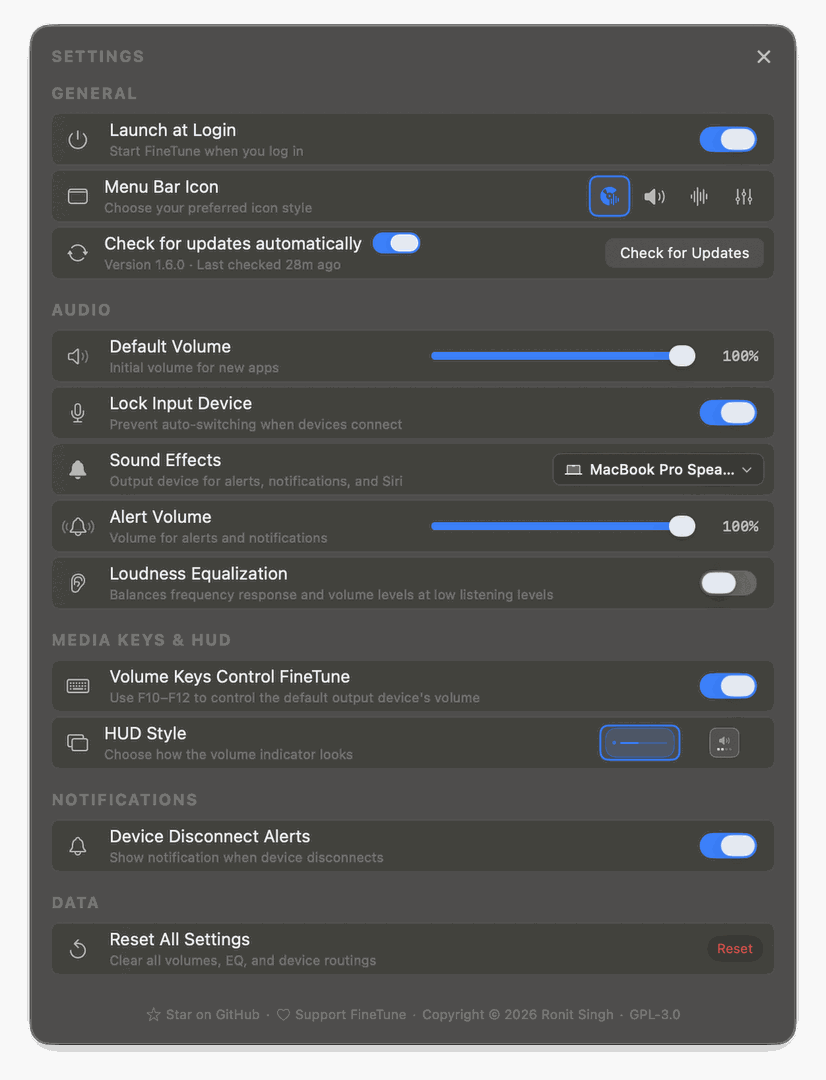
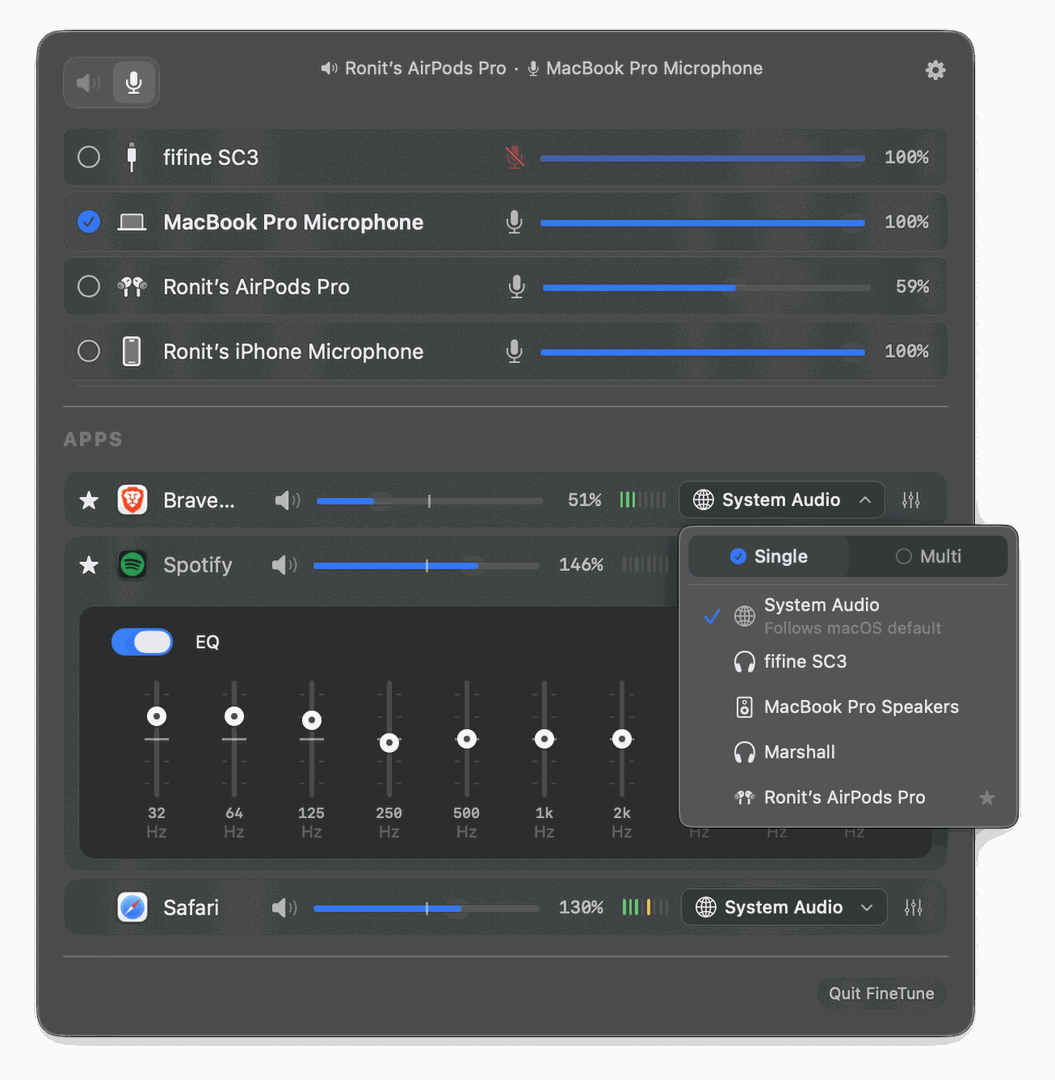
核心信息
| 软件名称 | FineTune(ronitsingh10/FineTune) |
| 当前版本 | v1.9.0 |
| 更新日期 | 2026-07-09 |
| 开源协议 | GPL-3.0 |
| 软件分类 | macOS 软件 |
| 关键词 | audio、audio-control、audio-utility、autoeq、equalizer、macos |
本次更新内容
- 现在可以为每个设备单独选择图标,图标库丰富且支持搜索,选择后会在所有相关界面同步显示。
- 修复了外接显示器调节音量时应用崩溃的问题,此前版本中的缺陷已解决。
- 外接显示器音量调节更可靠,部分显示器忽略首次指令的问题已通过重复发送解决。
- 菜单栏图标尺寸固定,音量、静音或切换设备时不再导致相邻图标移位。
查看官方英文更新日志(原文)
Pick your own icon for any device, and the menu bar icon stops nudging its neighbors. Two DDC fixes land alongside, including the crash on external-monitor volume changes that shipped in v1.8.0.

✨ **New Features**

🎨 **Choose Any Device's Icon**

  - Open edit mode in the popup and click a device's icon to pick a new one from a catalog of 85 symbols across five categories — Headphones & Earbuds, Speakers, Computers & Displays, Microphones, and Connectors & Other — or search by keyword ("soundbar", "projector", "aux").
  - A **Suggested** section leads with FineTune's automatic guess from the device's name and connection type, so the right symbol is usually the first one you see.
  - Your pick follows the device everywhere it appears: device rows, the app-row output picker, the input row, the System Sounds picker, and the menu bar icon when the device-aware style is on.

---

🐛 **Bug Fixes**

  - **Changing volume on a DDC monitor no longer crashes the app.** The Swift 6 migration in v1.8.0 left the debounced DDC write isolated to the main actor, and the runtime trapped the moment it ran on the DDC queue instead (#340, #348, #353, #356). Thanks @maleadt (#361).
  - **External-monitor volume changes stick.** Some monitors ignore the first DDC command, so FineTune now sends every VCP write twice — the same approach MonitorControl uses (#362). Thanks @maleadt.
  - **The menu bar icon stays put.** SF Symbols vary in width, so every volume, mute, or device change resized the status item and shifted the menu bar items beside it. All icons now draw on a shared fixed-size canvas (#367).

---

## New Contributors
* @maleadt made their first contribution in https://github.com/ronitsingh10/FineTune/pull/361

**Full Changelog**: https://github.com/ronitsingh10/FineTune/compare/v1.8.0...v1.9.0
下载地址
以下为官方原包,本站不二次打包,点击直接下载:
FineTune.dmg(官方原包 | 5.2 MB)
✅ 上方 SHA256 与官方发布值一致,可自行核对。
快速上手
- 首次启动后,按提示授予「屏幕与系统音频录制」权限,这是识别各应用音频所必需的。
- 点击菜单栏中的 FineTune 图标,正在播放声音的应用会自动出现在弹窗列表中。
- 拖动各应用旁的滑块调整音量或静音,也可选用增益预设提升偏小的声音。
- 展开应用行打开 EQ 面板,选择预设或自行调节,塑造想要的音色。
- 进入编辑模式(铅笔图标)拖动设备排序,可让指定设备在连接时自动切换。
提示:悬停任意滑块后滚动滚轮即可快速调节音量。
讨论(0 条)