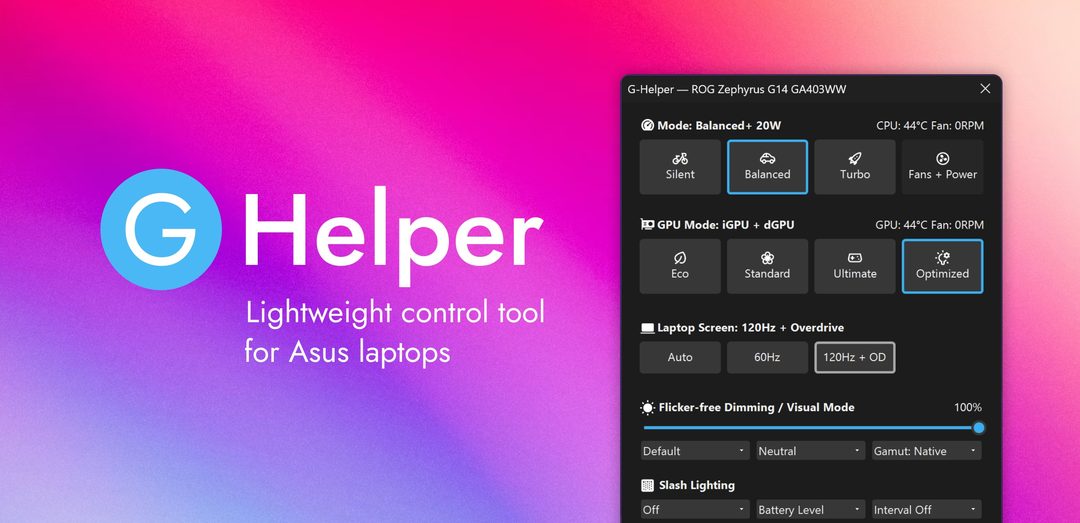
G-Helper 是华硕笔记本的轻量控制台,用来替代臃肿的 Armoury Crate。它能切换性能模式、调风扇曲线和功耗限制,还支持显卡自动切换与灯效控制。体积小、启动快,适合 ROG、TUF、幻系列、ProArt、Vivobook、Zenbook 以及 ROG Ally 等华硕机型用户。
核心亮点:
- 替代 Armoury Crate,体积小巧启动快
- 性能模式、功耗限制与风扇曲线可自定义
- 显卡自动切换,兼顾续航与性能
- 覆盖 ROG、TUF、幻系列与 ROG Ally 等机型
当前版本 v0.291(2026-11-02 发布),开源协议 GPL-3.0,GitHub 16,076 star。

核心信息
| 软件名称 | G-helper(seerge/g-helper) |
| 当前版本 | v0.291 |
| 更新日期 | 2026-11-02 |
| 开源协议 | GPL-3.0 |
| 软件分类 | Windows 效率工具 |
| 关键词 | ally、amd、armoury、asus、aura、cpu |
本次更新内容
- 新增耳机与键盘外设支持,耳机可调灯效和降噪,键盘自定义灯效更稳定。
- 悬浮窗可显示处理器和显卡频率,方便实时查看性能状态。
- 键盘背光可跟随环境光自动调节,并新增固态硬盘盒灯效支持。
- 修复部分机型快捷键、驱动检测和设置窗口显示问题,提升稳定性。
查看官方英文更新日志(原文)
### 🎧 [Headset support](https://github.com/seerge/g-helper/discussions/5964)
- [ROG Delta S](https://github.com/seerge/g-helper/issues/6250): RGB and AI noise cancellation
- New audio-reactive Music lighting mode for ROG Delta S, Cetra RGB and Clavis

### ⌨️ [External Keyboards support](https://github.com/seerge/g-helper/discussions/5710)
- Custom per-key RGB fix for ROG Strix Scope II 96 Wireless https://github.com/seerge/g-helper/issues/6233
- Custom lighting restored after sleep for ROG Strix Scope II X https://github.com/seerge/g-helper/issues/6249
- ROG logo button RGB control for ROG Strix Scope II X https://github.com/seerge/g-helper/issues/6212

### 🎮 Overlay
- Optional CPU / GPU clocks https://github.com/seerge/g-helper/issues/6260 (https://github.com/seerge/g-helper/pull/6268)

### 🚥 Aura
- Keyboard backlight follows ambient light sensor https://github.com/seerge/g-helper/issues/4575 (https://github.com/seerge/g-helper/pull/5802) (https://github.com/seerge/g-helper/pull/6221) (thanks @xaviergonz)
- RGB support for ROG Strix Arion SSD enclosure https://github.com/seerge/g-helper/issues/3025 (https://github.com/seerge/g-helper/pull/6196)
- Keyboard RGB fixes for Zephyrus S17 2021 https://github.com/seerge/g-helper/issues/6220

### 🖱️ Mouse Settings
- ROG Harpe Mini Core support https://github.com/seerge/g-helper/issues/6225 https://github.com/seerge/g-helper/issues/6232

### ⚙️ Other changes
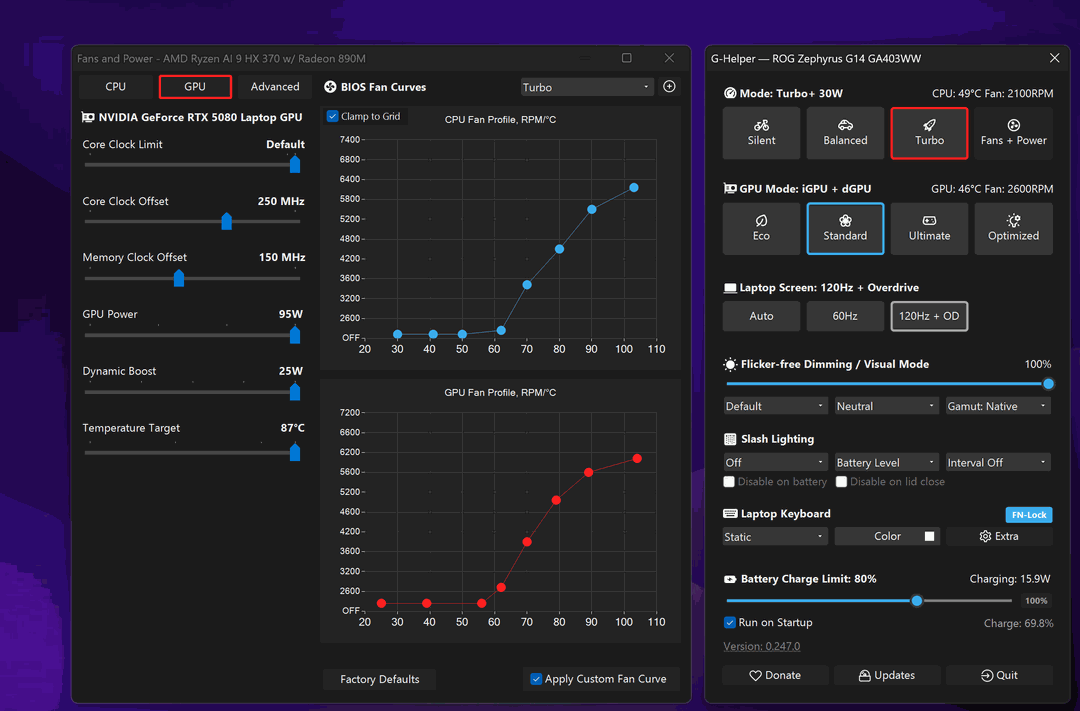
- Firmware fan floors shown on fan curve charts https://github.com/seerge/g-helper/issues/6270 (https://github.com/seerge/g-helper/pull/6274)
- Fixed Fn+C and flicker-free dimming hotkeys on ProArt PX13 https://github.com/seerge/g-helper/issues/6231
- Re-apply Fn-Lock after lid open / wake (https://github.com/seerge/g-helper/pull/6234) (https://github.com/seerge/g-helper/pull/6221)
- Hidden Fn+Numpad bindings on TUF A14 FA401 https://github.com/seerge/g-helper/issues/6253
- Hidden GPU settings on Zenbook S16 UX5606 https://github.com/seerge/g-helper/issues/6251
- Aura and OLED settings tweaks for ProArt H7407
- Fixed driver updates detection https://github.com/seerge/g-helper/issues/6259 https://github.com/seerge/g-helper/issues/6242
- Power limits and GPU settings tweaks for ProArt P16 H7607 (https://github.com/seerge/g-helper/pull/6218)
- Nebula ELMB toggle for ROG Strix Scar 18 G835LWG https://github.com/seerge/g-helper/issues/5822
- Fixed E-Reading mode asking for admin rights on Vivobook, Zenbook and ProArt
- Energy Saver button now turns Energy Saver off directly https://github.com/seerge/g-helper/issues/6169
- Extra delay before reapplying settings on wake up https://github.com/seerge/g-helper/issues/6123
- Fixed hotkeys stopping after ASUS services are re-stopped on startup https://github.com/seerge/g-helper/issues/6166

### 💻 UI Tweaks
- Fans + Power window no longer hidden behind top taskbar https://github.com/seerge/g-helper/issues/6263
- Fixed settings window position with PowerToys Command Palette Dock
下载地址
以下为官方原包,本站不二次打包;多个文件为不同包型,按需选择其中一个下载即可:
GHelper.exe(官方安装程序 | 5.8 MB)
GHelper.zip(便携版·解压即用 | 2.1 MB)
✅ 上方 SHA256 与官方发布值一致,可自行核对。
快速上手
- 运行下载好的 GHelper.exe,首次启动后程序会读取华硕笔记本硬件信息并显示主界面
- 在主界面切换性能模式,并按需调整功耗限制与风扇曲线
- 使用自动显卡切换功能,让程序根据供电状态自动切换独显与核显
- 在界面中查看并调节键盘背光、屏幕刷新率等常用设置
提示:若功能异常,可查阅项目 FAQ 与 Troubleshooting 页面排查。
讨论(0 条)