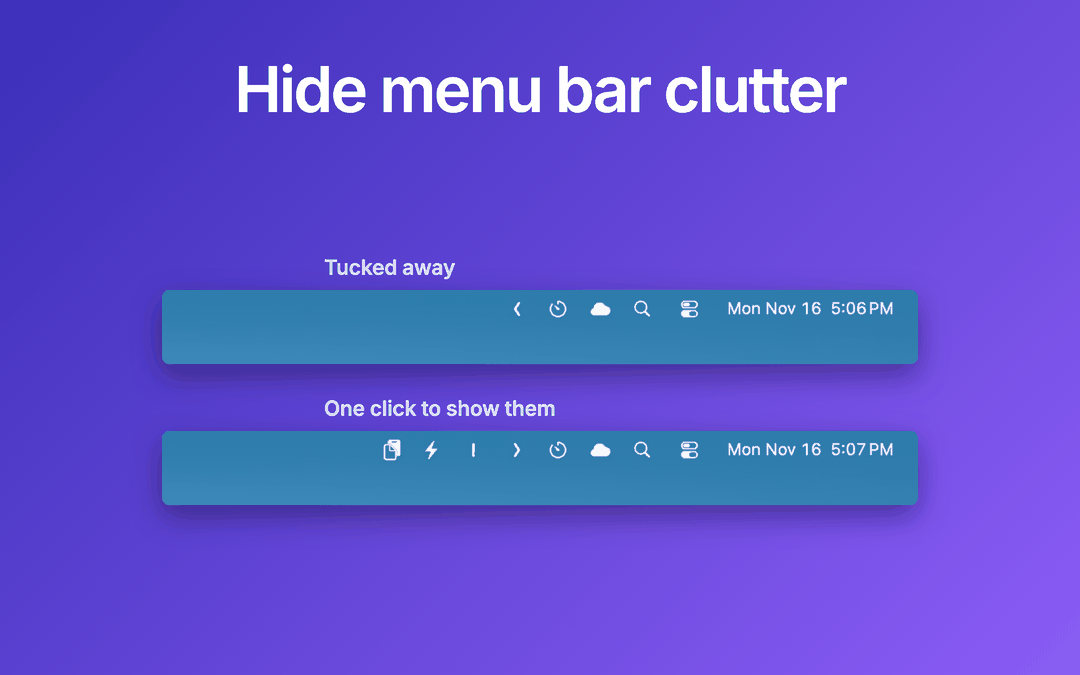
Hidden 是一款 macOS 菜单栏整理工具,能把杂乱的菜单栏图标一键收起,让顶部区域恢复清爽。它支持折叠区与常隐区两层收纳,还能用悬停、滚动、快捷键等方式唤出图标。适合菜单栏图标堆成山、追求桌面整洁的 Mac 用户。
核心亮点:
- 一键收起菜单栏图标,再点即可展开
- 常隐区独立收纳,点击箭头也不显示
- 支持悬停、滚动、摇动、快捷键唤出
- 可调隐藏延迟与箭头样式,操作顺手
当前版本 v1.13.4(2026-11-23 发布),开源协议 MIT,GitHub 15,577 star。


核心信息
| 软件名称 | Hidden(dwarvesf/hidden) |
| 当前版本 | v1.13.4 |
| 更新日期 | 2026-11-23 |
| 开源协议 | MIT |
| 软件分类 | macOS 软件 |
| 关键词 | macos、swift、utilities |
本次更新内容
- 新增应用语言设置,可跟随系统或自选语言,重启后生效,方便不同语言用户使用。
- 新增从商店版本恢复设置的选项,可随时导入此前保存的配置,并保留备份以防丢失。
- 修复设置窗口内容过长时底部被截断的问题,长页面现在可正常滚动查看。
- 修复从商店版本切换时导入提示可能永久消失的问题,提示不再被权限弹窗遮挡。
查看官方英文更新日志(原文)
### Added
- Settings › General › "App language": follow macOS, or pick any language the build ships. The list uses each language's own name, so 简体中文 is findable while the app is in another language. The choice is stored where macOS keeps an app's own language, so it takes effect after Hidden Bar restarts; macOS's per-app language panel writes the same value. The new row is translated in all 13 languages.
- Settings › Advanced › "Restore settings from the App Store version" (direct build): copies the settings the App Store version saved back into this version, any time, after a confirmation. Hidden Bar also keeps a private copy of those settings in `~/Library/Application Support/Hidden Bar/` the first time it can read them, so they stay reachable if macOS later blocks the App Store container or the App Store copy is removed.

### Fixed
- Settings: a long pane no longer cuts off its last rows. The window now measures the pane after its text wraps, and scrolls when the pane is taller than the window. In some languages the Advanced tab hid its bottom row.
- Switching from the App Store version: the import offer can no longer be lost for good. It used to appear once, and only while this version still had default settings. The Accessibility prompt no longer opens over the import alert, and the log now says why the offer did or did not show ("AppStoreMigration: import offer skipped: ...").
下载地址
以下为官方原包,本站不二次打包;多个文件为不同包型,按需选择其中一个下载即可:
Hidden-Bar-macos.zip(便携版·解压即用 | 2.6 MB)
Hidden-Bar-v1.13.4-macos.zip(便携版·解压即用 | 2.6 MB)
✅ 上方 SHA256 与官方发布值一致,可自行核对。
快速上手
- 将下载好的应用拖入「应用程序」文件夹,然后双击启动 Hidden。
- 首次启动后按住 ⌘ 键拖动菜单栏中的 Hidden 图标,把它移到其他图标之间。
- 点击菜单栏的箭头图标隐藏菜单栏项目,再次点击即可重新显示。
- 按住 Option 键点击箭头,可进入始终隐藏区域,该区域在点击箭头时保持隐藏。
- 打开设置,可调整隐藏延迟、全局快捷键、悬停/滚动/摇动显示方式以及箭头样式。
提示:按住 ⌘ 拖动图标可随时调整它在菜单栏中的位置。
讨论(0 条)