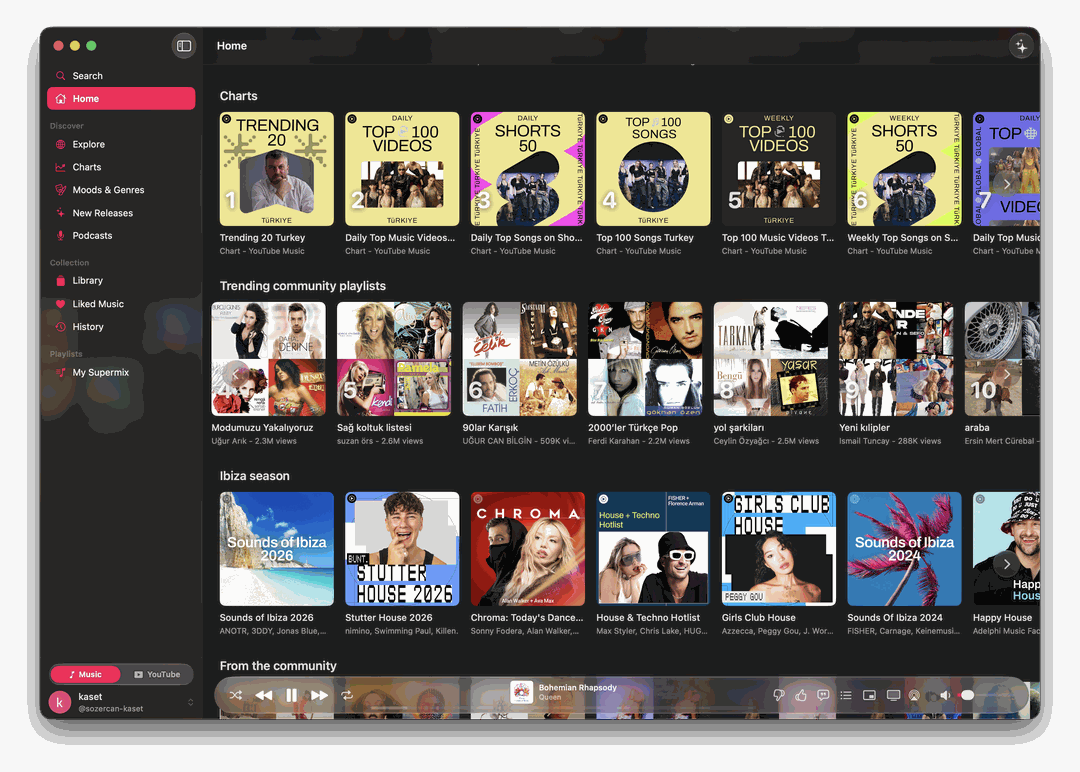
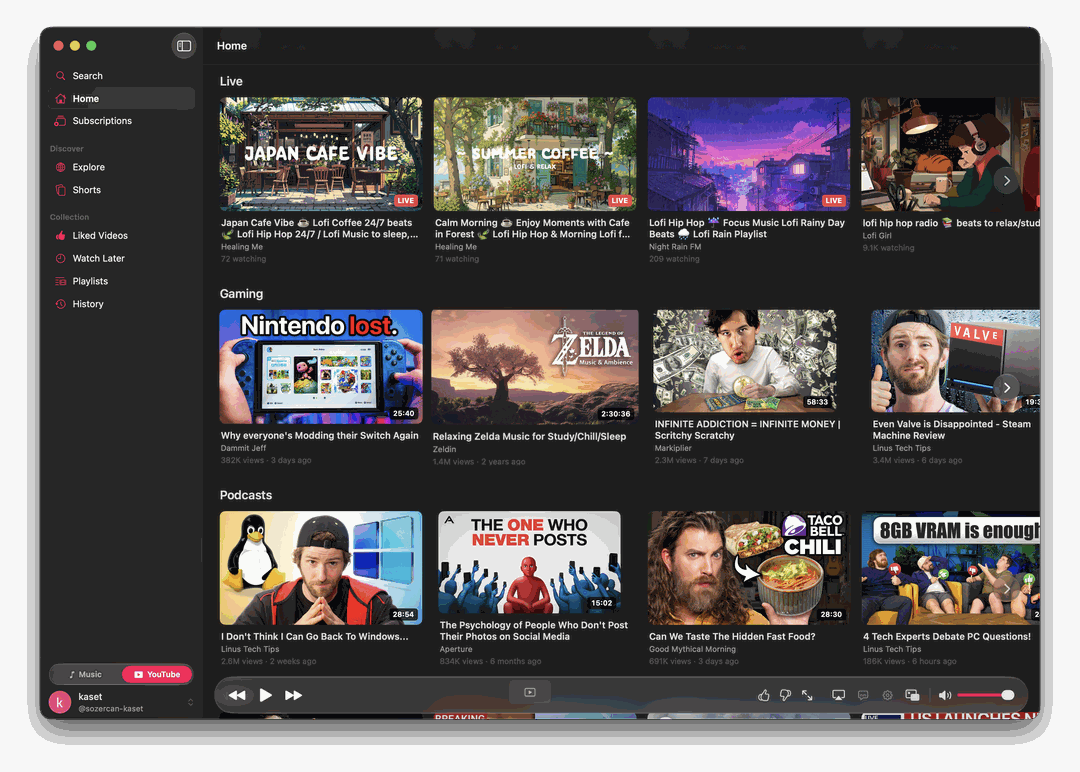
Kaset 是一款用 Swift 和 SwiftUI 编写的原生 macOS 客户端,让你不用打开浏览器就能听 YouTube Music 和看 YouTube。界面借鉴 Apple Music 风格,支持 Premium 订阅内容播放,还带均衡器、歌词和队列管理。适合习惯在 Mac 上听歌、又不想被网页版打断的用户。
核心亮点:
- 原生界面配 Liquid Glass 播放条,音乐与视频一键切换
- 支持 YouTube Music 完整播放,附带均衡器与同步歌词
- 智能随机播放会混入推荐曲目,队列可自由调整
- 集成系统媒体控制、快捷键、触控板反馈与分享菜单
当前版本 v0.14.2(2026-10-11 发布),开源协议 MIT,GitHub 2,614 star。

核心信息
| 软件名称 | Kaset(sozercan/kaset) |
| 当前版本 | v0.14.2 |
| 更新日期 | 2026-10-11 |
| 开源协议 | MIT |
| 软件分类 | macOS 软件 |
| 关键词 | apple-music、liquid-glass、mac-app、macos、macos-26、music |
本次更新内容
- YouTube 视频可显示悬浮播放控件,默认关闭,不影响音乐功能。
- 新版本兼容 YouTube Music 新版播放器,修复播放按钮和进度条失灵、歌曲跳转异常。
- 可独立选择浅色或深色外观,不再跟随系统,也可恢复系统默认。
- 右键菜单在各页面统一,新增复制链接,可直接从菜单播放专辑或歌单。
- 长歌单和多个页面滚动更流畅,播放时占用资源更少。
- 修复点赞按钮、喜欢列表清空、播放按钮消失等问题,并支持脚本控制播放队列。
查看官方英文更新日志(原文)
## What's New

⭐️ If you're enjoying this app, please share and star it! ❤️

### 📺 Player Controls on YouTube Videos

YouTube videos can now show their controls on top of the video, like most video players. Turn on **Show Controls on Video** in **Settings → YouTube**. The controls hide when you're not using the mouse. It's off by default and doesn't change YouTube Music.

### ▶️ Works With YouTube Music's New Player

YouTube Music is rolling out a new player, and playback broke for people who got it. The play button and progress bar stopped responding, and songs could restart or jump to a song outside your queue. Kaset now works with both the old and new player (thanks @draded!).

### 🌗 Light and Dark Mode

Kaset can now stay in Light or Dark mode no matter what macOS uses. Choose it from **View → Appearance** or **Settings → General**, or pick System Default to follow macOS (thanks @dubmono!).

### 🖱️ Consistent Right-Click Menus

Right-clicking a song, album, playlist, artist, podcast, or episode now shows the same menu wherever you are in Kaset, including pages that had no menu before, like Explore and Charts. You can play an album or playlist straight from its menu, and Share now has **Copy Link** (thanks @AnthonyLenglet!).

### ⚡ Smoother Scrolling

Long playlists and Liked Music scroll smoothly now, even with thousands of songs. Home, Explore, Charts, New Releases, and Moods scroll more smoothly too (thanks @friedtori!). Kaset also uses much less CPU while music is playing.

### 📜 Control the Queue With AppleScript

Scripts and automation tools can now play a list of songs, add songs to the queue or play them next, and remove songs from the queue (thanks @friedtori!).

### 🐛 Fixes and improvements

- Like buttons on playlist and album songs work again. In v0.14.1, clicking one played the song instead (thanks @friedtori!).
- Liked Music no longer empties itself while you scroll shortly after launch (thanks @friedtori!).
- When you start a radio or play a song from Search, Up Next shows which songs you've liked right away (thanks @WGlegola!).
- The Play and Subscribe buttons no longer disappear when Kaset isn't the active window (thanks @anandghegde!).
- Artist and album names in the player bar can be clicked again when playing from a sidebar playlist (thanks @tsibog!).
- The sign-in window now has a close button and no longer shows a confusing passkey message.
- Kaset has a website: https://sozercan.github.io/kaset/

## New Contributors

- @rohanrony made their first contribution in https://github.com/sozercan/kaset/pull/521
- @draded made their first contribution in https://github.com/sozercan/kaset/pull/537
- @dubmono made their first contribution in https://github.com/sozercan/kaset/pull/500
- @anandghegde made their first contribution in https://github.com/sozercan/kaset/pull/492

**Full Changelog:** https://github.com/sozercan/kaset/compare/v0.14.1...v0.14.2
下载地址
以下为官方原包,本站不二次打包,点击直接下载:
kaset-v0.14.2.dmg(官方原包 | 17.7 MB)
✅ 上方 SHA256 与官方发布值一致,可自行核对。
快速上手
- 运行下载好的安装包,把 Kaset 拖入「应用程序」文件夹完成安装。
- 首次启动后,用侧边栏顶部的来源切换在 Music 与 YouTube 之间选择要浏览的内容。
- 在搜索框查找歌曲、专辑、艺人、播放列表或播客,点击即可开始播放。
- 打开播放器栏调整播放,可查看歌词、管理队列并开启智能随机播放。
- 在设置中可切换界面语言、配置均衡器与智能随机播放的节奏和预排数量。
提示:关闭窗口后音乐仍会继续播放,退出应用才会停止。
讨论(0 条)