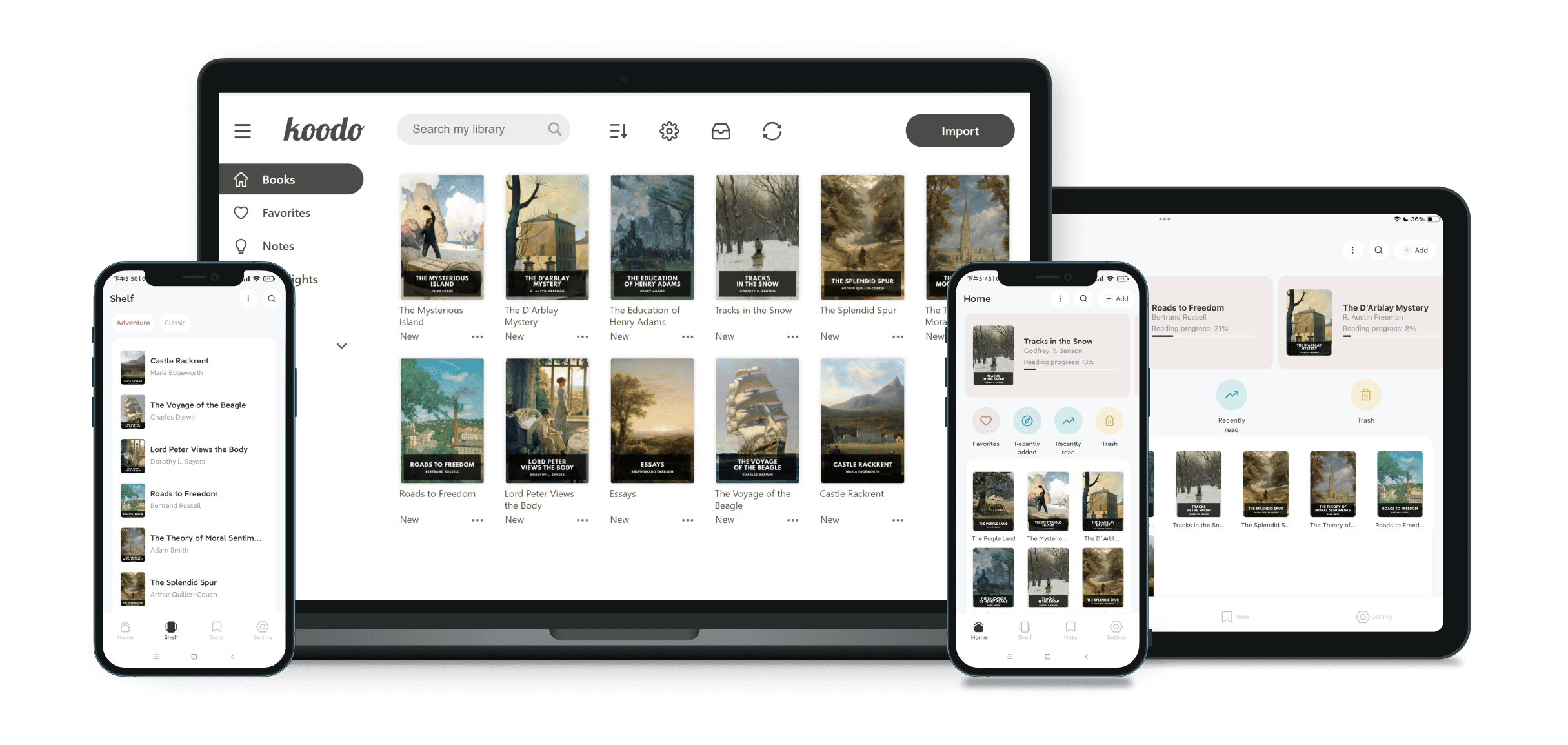
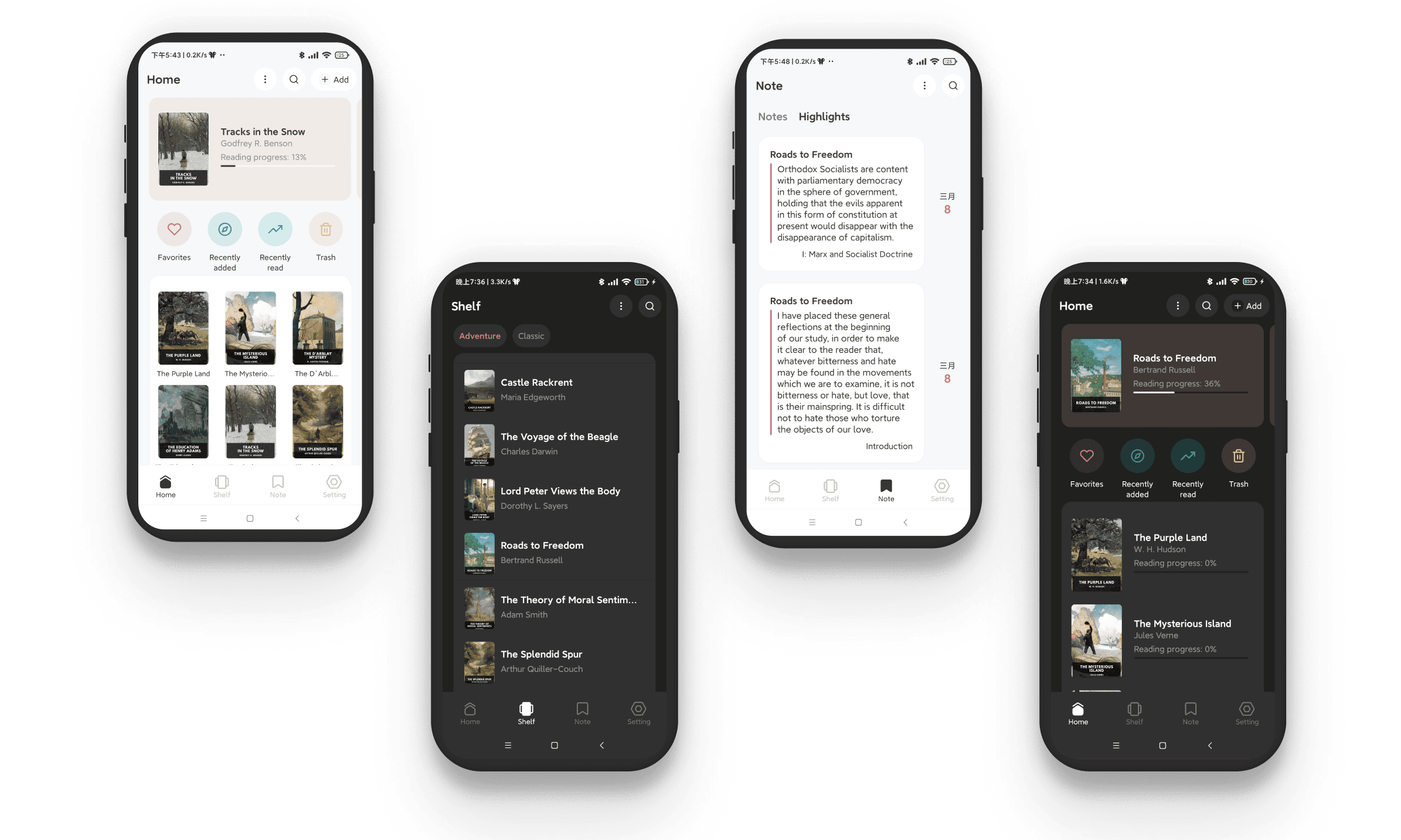
Koodo Reader 是一款开源全格式电子书阅读器,几乎能打开你手头所有电子书和漫画格式,还支持多端同步与云盘备份。内置翻译、词典、语音朗读和笔记导出,阅读体验可深度定制。适合书虫、漫画党和需要跨设备管理书库的读者。
核心亮点:
- 支持电子书、漫画、文档等海量格式
- 多端同步书库与阅读进度
- 内置翻译词典与语音朗读
- 笔记高亮可导出到常用工具
当前版本 v2.4.6(2026-10-07 发布),开源协议 AGPL-3.0,GitHub 28,695 star。
核心信息
| 软件名称 | Koodo Reader(troyeguo/koodo-reader) |
| 当前版本 | v2.4.6 |
| 更新日期 | 2026-10-07 |
| 开源协议 | AGPL-3.0 |
| 软件分类 | Windows 效率工具 |
| 关键词 | book、cb7、cbr、cbt、cbz、comic |
本次更新内容
- 目录直接显示页数,无需手动开启总页数功能,查阅更方便。
- 修复脚注弹窗、阅读进度记录和目录高亮等问题,阅读体验更稳定。
- 加强安全防护,修复元数据漏洞,导入外部链接图书时增加确认步骤。
- 移动版优化翻页和应用动画流畅度,修复授权、滑块、选字及听书卡顿等问题。
- 新增涂鸦橡皮擦、AI 问书快捷发送、漫画图片下载及封面重新同步功能。
查看官方英文更新日志(原文)
## New Features

- The table of content now displays the number of pages by default; there is no need to enable the “Total Pages” feature separately.
- Software security has been optimized to address an arbitrary code execution vulnerability caused by metadata.
- An additional confirmation step has been added when importing books via external links using the URL scheme to enhance security.
- The “Ask AI” feature now supports the Ctrl + Enter shortcut for submitting questions.
- Added an eraser tool to Doodle Mode
- Added support for 7 languages on the official website
- (Mobile) Added a feature to resync all book covers; go to Settings > Sync options
- (Mobile) Optimized the smoothness of page-turning animations
- (Mobile) Optimized the smoothness of certain app animations
- (Mobile) Added an option to download images in CBZ comic mode

## Fixes
- Fixed an issue where footnotes in some books did not appear in a pop-up window
- Fixed an issue where reading progress could not be tracked for some books containing special styles
- Fixed an issue where table of contents highlighting did not work after enabling “Total Pages”
- Fixed an issue where page numbers were not displayed in the table of contents for some TXT books
- (Mobile) Fixed an issue where authorization via the browser failed on older iOS versions, resulting in a blank page
- (Mobile Version) Fixed abnormal slider behavior on iOS
- (Mobile Version) Fixed an issue where swiping on an image triggered image preview in scroll mode
- (Mobile Version) Fixed an issue where text could not be selected in the Android version after enabling recommended layout under certain conditions
- (Mobile Version) Fixed stuttering issues when enabling TTS for some book
- (Mobile) Fixed an issue on iOS where the horizontal bar in the bottom navigation bar did not automatically hide during reading
- (Mobile) Fixed an issue where footnotes for some books did not appear in a pop-up window
- (Mobile) Fixed an issue where reading progress could not be tracked for some books containing special styles
- (Mobile) Fixed an issue where page numbers were not displayed on the table of contents for some TXT books

> [!TIP]
> You can also download the installation package for this version from the [our self-hosted mirror](https://dl.koodoreader.com/latest.html).

## 新增

- 现在目录默认展示页数,不需要额外启用总页数功能
- 优化软件安全性,解决由元数据导致的任意代码执行漏洞
- 通过url scheme 导入外部链接的图书时,增加额外的确认步骤以提升安全性
- AI 问书增加 Ctrl + Enter 快捷键用于发送问题
- 涂鸦模式新增橡皮擦功能
- 官网增加对7门语言的支持
- (移动版)新增重新同步全部图书封面的功能,请前往设置-同步选项
- (移动版)优化平滑翻页动画流畅度
- (移动版)优化部分应用动画的流畅度
- (移动版)CBZ 漫画模式下新增下载图片的选项

## 修复
- 修复部分图书脚注不弹窗显示的问题
- 修复部分包含特殊样式的图书无法记录阅读进度
- 修复启用总页数之后,目录高亮失效的问题
- 修复部分 TXT 图书目录页数不显示的问题
- (移动版)修复在低版本 iOS 系统上无法通过浏览器完成授权,页面一片空白的问题
- (移动版)修复 iOS 版滑块操作异常
- (移动版)修复滚动模式下,在图片上滑动会触发预览图片的问题
- (移动版)修复部分情况下,安卓版启用推荐排版之后,无法选择文字的问题
- (移动版)修复部分图书听书时的卡顿问题
- (移动版)修复 iOS 版阅读时底部导航栏横条不自动隐藏的问题
- (移动版)修复部分图书脚注不弹窗显示的问题
- (移动版)修复部分包含特殊样式的图书无法记录阅读进度
- (移动版)修复部分 TXT
下载地址
以下为官方原包,本站不二次打包;多个文件为不同包型,按需选择其中一个下载即可:
Koodo-Reader-2.4.6-x64-Portable.exe(便携版·解压即用 | 107.8 MB)
Koodo-Reader-2.4.6-x64.exe(官方安装程序 | 108.3 MB)
✅ 上方 SHA256 与官方发布值一致,可自行核对。
快速上手
- 运行下载好的安装包,按提示完成安装后启动 Koodo Reader
- 首次启动后点击导入按钮,选择本地书籍文件加入书架
- 在书架中点击书籍封面即可打开阅读,支持多种电子书格式
- 阅读时用工具栏调整字号、字体、行距、背景色与亮度,并可切换夜间模式
- 选中文字可添加书签、笔记与高亮,也可使用翻译、词典和语音朗读
提示:阅读设置与笔记会自动保存在本地,无需手动保存。
讨论(0 条)