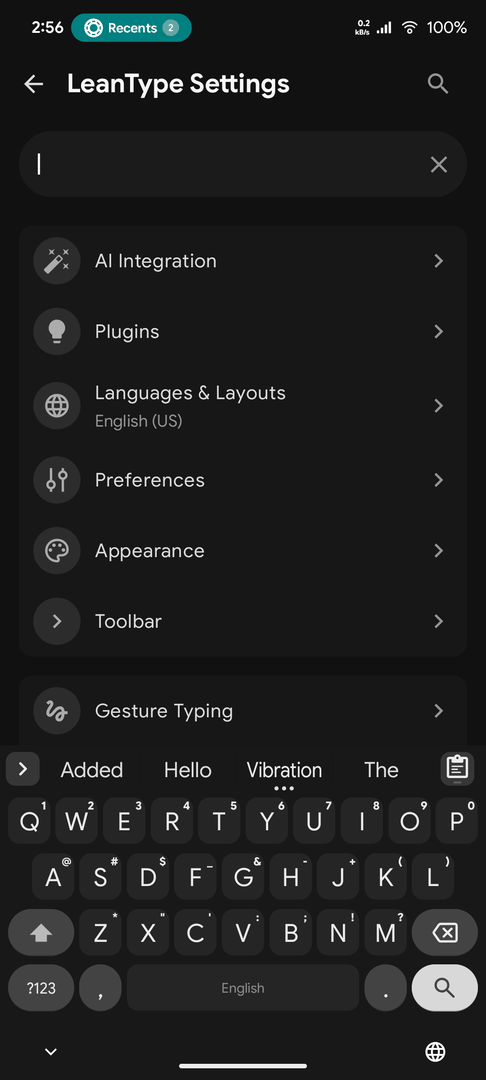
LeanType 是一款基于 HeliBoard 的安卓开源输入法,主打隐私与可玩性。它不追踪用户,还提供完全无网络权限的离线版本。内置 AI 润色、改写、翻译,支持本地 Whisper 语音、手写和拍照识字,手势输入、剪贴板历史和主题定制也一应俱全,适合注重隐私又爱折腾的安卓用户。
核心亮点:
- 无追踪设计,离线版无网络权限
- AI 写作工具支持云端与本地模型
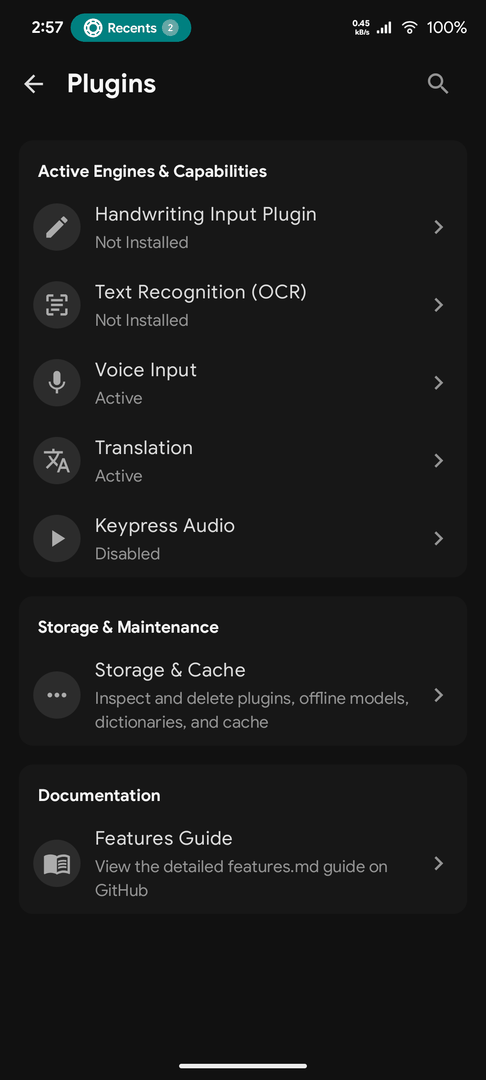
- 本地语音、手写和拍照识字全离线
- 手势输入、剪贴板与主题深度定制
当前版本 v4.3.8(2026-11-26 发布),开源协议 GPL-3.0,GitHub 1,237 star。
核心信息
| 软件名称 | LeanType(LeanBitLab/LeanType) |
| 当前版本 | v4.3.8 |
| 更新日期 | 2026-11-26 |
| 开源协议 | GPL-3.0 |
| 软件分类 | Android 开源 APK |
| 关键词 | ai-tools、android、aosp、customisation、free-software、gemini-api |
本次更新内容
- 修复了此前版本中自动纠错误将有效词汇替换为表情符号的问题
- 优化了无词库语言下的自动纠错逻辑,避免无效替换
- 确保用户自定义的快捷方式优先于系统自动纠错规则生效
查看官方英文更新日志(原文)
### 💖 Support Our Work

Keep LeanType fast and independent. As a community-funded, open-source project, we rely on users like you to stay alive. If LeanType saves you time every day, consider backing us on [GitHub Sponsors](https://github.com/sponsors/LeanBitLab) or [Open Collective](https://opencollective.com/leanbitlab-org) or simply share it with a friend!

## LeanType 4.3.8

### Fixed
- **Words auto-corrected to emojis (#932)**: In 4.3.7, typing a keyword from an emoji dictionary could replace the word with an emoji, even when it was a valid word. With Auto-correct shortcuts on, only your personal dictionary shortcuts now override valid words.
- **No emoji auto-correct (#931)**: Auto-correct no longer replaces a typed word with an emoji, for example in a language that has an emoji dictionary but no word list. Shortcuts you map to an emoji in your personal dictionary still apply.

### Choose Your Flavor

| Flavor | Primary Focus | AI Engine | Plugins Setup | Internet | Release Updater | Size |
|:---|:---|:---|:---|:---|:---|:---:|
| **`1-LeanType_4.3.8-standard-release.apk`** | **Recommended** | Cloud AI | In-app download or file import | Optional (AI/plugins) | View Release | 13.1 MB |
| **`2-LeanType_4.3.8-offline-release.apk`** | **Offline** | Local LLM plugin | Browser download + file import | Zero Internet (no permission) | None | 12.7 MB |
| **`1-LeanType_4.3.8-standard-lite-release.apk`** | **Lite** (English-only) | Cloud AI | Standard + app language import (Android 11+) | Optional (AI/plugins) | View Release | 8.9 MB |
| **`2-LeanType_4.3.8-offline-lite-release.apk`** | **Offline Lite** (English-only) | Local LLM plugin | Offline + app language import (Android 11+) | Zero Internet (no permission) | None | 8.4 MB |
下载地址
以下为官方原包,本站不二次打包;多个文件为不同包型,按需选择其中一个下载即可:
1-LeanType_4.3.8-standard-lite-release.apk(Android 安装包 | 8.9 MB)
1-LeanType_4.3.8-standard-release.apk(Android 安装包 | 13.1 MB)
2-LeanType_4.3.8-offline-lite-release.apk(Android 安装包 | 8.4 MB)
2-LeanType_4.3.8-offline-release.apk(Android 安装包 | 12.7 MB)
✅ 上方 SHA256 与官方发布值一致,可自行核对。
快速上手
- 运行下载好的安装包完成安装,首次启动后按提示在系统设置中启用 LeanType 键盘并设为默认输入法。
- 在键盘设置中按需选择主题、按键音效与布局,可开启壁纸模糊、浮动键盘等外观选项。
- 进入语言与词典设置,下载所需语言词典;中文、日文、韩文输入需启用 CJK 插件。
- 在插件与功能页开启手势输入、剪贴板历史、文本扩展和内联算式等实用功能。
- 如需 AI 写作工具,在设置中配置 Gemini、Groq、OpenAI 或自建服务,离线版则使用设备端模型。
提示:离线版无网络权限,云端 AI 功能不可用,按需选择标准版。
讨论(0 条)