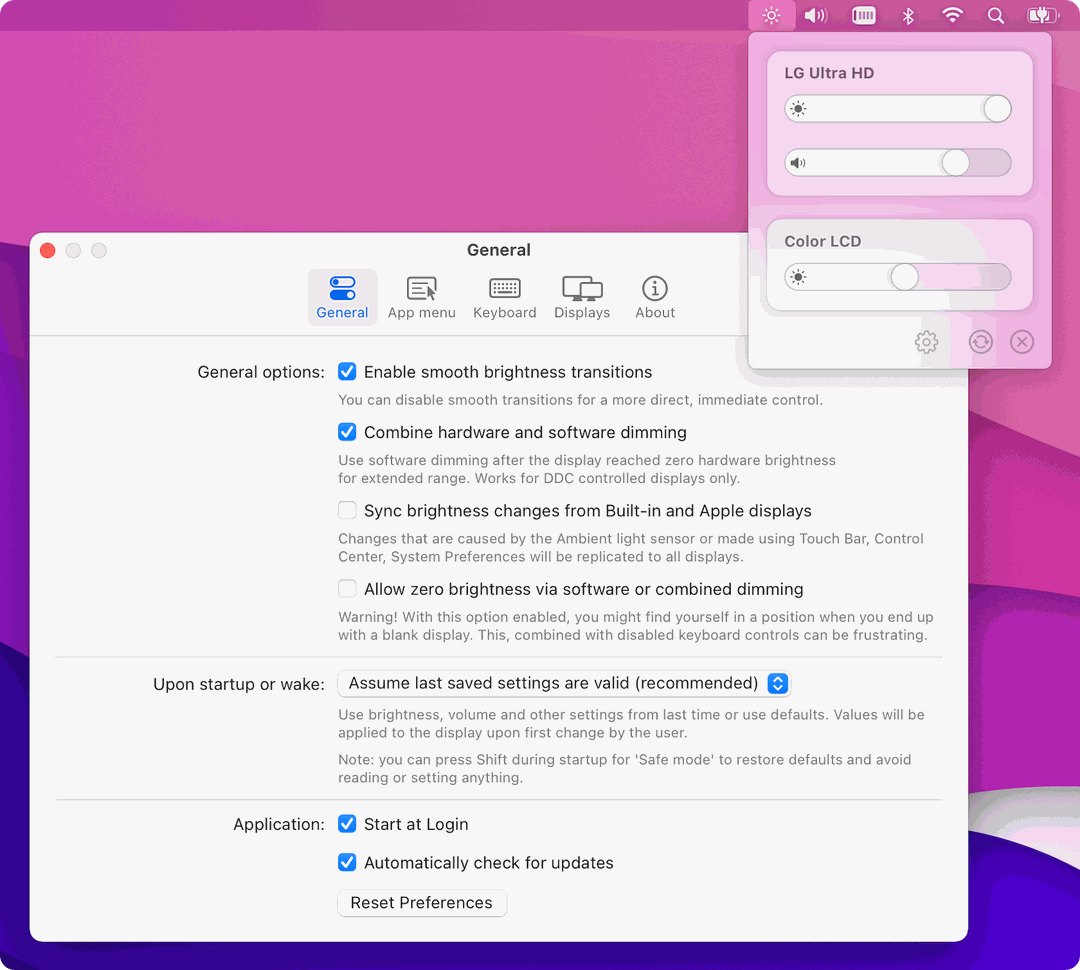
MonitorControl 是一款 macOS 菜单栏小工具,让外接显示器的亮度和音量调节像内置屏一样顺手。它支持 DDC 协议、原生 OSD 弹窗、键盘快捷键和滑块控制,还能同步多屏亮度。适合用外接显示器办公、又不想反复按显示器实体按键的 Mac 用户。
核心亮点:
- 菜单栏滑块与键盘均可调节外接屏亮度、音量、对比度
- 调用系统原生 OSD 弹窗,调节反馈与内置屏一致
- 支持 DDC、Apple 原生协议、Gamma 调光等多种方式
- 可同步多台显示器亮度,并支持自定义快捷键
当前版本 v4.4.0(2026-09-15 发布),开源协议 MIT,GitHub 34,735 star。
核心信息
| 软件名称 | MonitorControl(MonitorControl/MonitorControl) |
| 当前版本 | v4.4.0 |
| 更新日期 | 2026-09-15 |
| 开源协议 | MIT |
| 软件分类 | macOS 软件 |
| 关键词 | apple、brightness、control、ddc、display、external-monitor |
本次更新内容
- 新版本修复了与最新 macOS 系统的兼容问题,让软件能继续正常使用。
- 恢复了此前系统上熟悉的屏幕调节提示界面,操作反馈更直观。
- 修复了与系统语音助手交互时设置窗口反复弹出的问题。
- 修复了自定义键盘快捷键录制异常的问题,并包含其他小错误修正。
查看官方英文更新日志(原文)
This is a maintenance update addressing compatibility issues with macOS 27 Golden Gate and macOS 26 Tahoe, helping keep our beloved MonitorControl going in its original glory.

It is for those who have grown attached to MonitorControl just the way it is, and still prefer its simple, familiar way of doing things over some of the fancier alternatives out there.

## What's Changed

- Restored the traditional OSD for macOS 26 and macOS 27.
- Fixed app Settings appearing on every interaction with the macOS 27 Siri app.
- Fixed custom keyboard shortcut recording issues on macOS 27.
- Various minor bug fixes.

If you need more features please consider switching to **[BetterDisplay](https://betterdisplay.pro)**.
下载地址
以下为官方原包,本站不二次打包,点击直接下载:
MonitorControl.4.4.0.dmg(官方原包 | 19.4 MB)
✅ 上方 SHA256 与官方发布值一致,可自行核对。
快速上手
- 把 .dmg 里的 MonitorControl 应用拖到「应用程序」文件夹,然后在其中双击启动它。
- 首次启动按提示前往「系统设置」的「隐私与安全性」中,把 MonitorControl 加入「辅助功能」,以启用原生键盘亮度与媒体键。
- 点击菜单栏的亮度图标,用其中的滑块调节外接显示器的亮度、音量与对比度。
- 打开「Settings…」自定义选项,勾选「Show advanced settings」可查看更多进阶设置。
- 用键盘亮度键或媒体键直接控制显示器,也可在设置里自定义快捷键。
提示:若键盘快捷键无效,先确认已在辅助功能中授权并重启应用。
讨论(0 条)