Mosh 是一款远程终端工具,专为弱网和移动场景设计。它能在网络断开、休眠唤醒或切换 Wi-Fi 与蜂窝数据时保持会话不断,并通过本地预测回显让打字几乎无延迟。适合经常用 SSH 连服务器、又常在地铁或移动网络下操作的人。
核心亮点:
- 断网休眠后会话仍存活,重连即恢复
- 支持 IP 漫游,换网络无需重连
- 本地预测回显,高延迟下打字也跟手
- 自适应帧率,弱网下 Ctrl-C 仍及时生效
当前版本 v1.4.0(2022-10-27 发布),开源协议 GPL-3.0,GitHub 14,669 star。
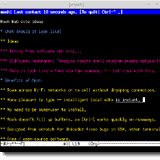
核心信息
| 软件名称 | Mosh(mobile-shell/mosh) |
| 当前版本 | v1.4.0 |
| 更新日期 | 2022-10-27 |
| 开源协议 | GPL-3.0 |
| 软件分类 | macOS 软件 |
| 关键词 | macOS 软件 |
本次更新内容
- 新版本支持终端剪贴板复制和真彩色显示,远程操作时颜色更准确、复制更方便。
- 新增预测输入可关闭覆盖模式,大段粘贴时不再做预测,避免内容错乱。
- 修复了窗口缩放、背景色擦除和启动后偶尔卡住等问题,连接更稳定。
- 连接日志可写入系统日志,便于排查问题;远程命令启动失败时会短暂停顿提示。
查看官方英文更新日志(原文)
The Mosh team is pleased to announce the long-awaited 1.4.0 release. This release has a mix of bug fixes and new features.

## Summary of what's new

New features:
* Support OSC 52 clipboard copy integration (Alex Cornejo)
* Allow non-inserting prediction (--predict-overwrite) (John Hood)
* Don't do prediction on large pastes into mosh-client (John Hood)
* Add true color support (Kang Jianbin)
* Add syslog logging of connections (Tom Judge)
* If exec()ing the remote command fails, pause briefly (John Hood)

Bug fixes:
* ignore unknown renditions (Keith Winstein)
* Overlays were getting set to the wrong colors (John Hood)
* Fix issue with incorrect true-color background erase colors (John Hood)
* Use HAVE_UTEMPTER instead of HAVE_UPTEMPTER (Michael Jarvis)
* Apply latest consecutive resize, not earliest (Peter Edwards)
* Use CLOCK_MONOTONIC_RAW when available (Harry Sintonen)
* Add tmux and alacritty to title_term_types (Naïm Favier)
* Don't sometimes hang just after launching ssh (Kalle Samuels)

Internal changes:
* Reformat printed strings in source (John Hood)
* Code cleanups (John Hood, Anders Kaseorg, Benjamin Barenblat, Alex Chernyakhovsky)
* Always use non-blocking sockets for recvmsg() (John Hood)
* Add Perl compile (John Hood)
* Improvements to the test suite (John Hood)
* Fixes to autoconf configure (Anders Kaseorg)
* Cleanups to our cryptography code (Benjamin Barenblat, Alex Chernyakhovsky)

Infrastructure changes:
* Add support for OCLint static checker (John Hood)
* Switch from Travis-CI to Github Actions (Wolfgang E. Sanyer, Alex Chernyakhovsky)
* Add code coverage and fuzzing infrastructure (Alex Chernyakhovsky)

For a complete list of changes since 1.3.2: https://github.com/mobile-shell/mosh/compare/mosh-1.3.2...mosh-1.4.0

Source code is available in an official distribution tarball at:
https://mosh.org/mosh-1.4.0.tar.gz

Please report any issues to GitHub or to our IRC channel at irc://irc.libera.chat/mosh

## What's Changed (generated by GitHub automatically)
* Bump version to 1.4.0 by @bbarenblat in https://github.com/mobile-shell/mosh/pull/1231
* Reformat printed strings in source by @cgull in https://github.com/mobile-shell/mosh/pull/869
* Support OCLint static checker; do some source cleanup by @cgull in https://github.com/mobile-shell/mosh/pull/826
* Ignore unknown rendition numbers by @keithw in https://github.com/mobile-shell/mosh/pull/919
* Add Perl compile by @cgull in https://github.com/mobile-shell/mosh/pull/937
* mosh.pl: Fix the error message if getaddrinfo is missing by @andersk in https://github.com/mobile-shell/mosh/pull/940
* Use HAVE_UTEMPTER instead of HAVE_UPTEMPTER by @mojotx in https://github.com/mobile-shell/mosh/pull/944
* mosh.pl: Allow shell expansion of --server with --local by @andersk in https://github.com/mobile-shell/mosh/pull/947
* Type Select::got_signal as volatile sig_atomic_t by @andersk in https://github.com/mobile-shell/mosh/pull/954
* Re
下载地址
以下为官方原包,本站不二次打包;多个文件为不同包型,按需选择其中一个下载即可:
mosh-1.4.0-osx-build-report.tbz(官方原包 | 163.6 KB)
mosh-1.4.0.pkg(官方原包 | 1.5 MB)
✅ 上方 SHA256 与官方发布值一致,可自行核对。
快速上手
- 运行下载好的安装包,按提示完成安装,将 mosh 命令行工具装入系统路径。
- 打开终端,输入 mosh 加用户名和主机地址,如 mosh user@host,回车发起连接。
- 按提示输入远程主机密码或使用密钥认证,SSH 完成握手后自动启动远程会话。
- 连接建立后即可在终端中正常操作,网络中断或切换网络时会话保持不断。
- 若命令不在默认路径,可用 –client 与 –server 参数指定客户端和服务端位置。
提示:需保证远程主机已安装 mosh-server,且终端使用 UTF-8 环境。
讨论(0 条)