NAPS2 是一款主打极简操作的文档扫描工具,支持 Windows、Mac 和 Linux 平台。它能轻松连接各类扫描仪,将纸质文件快速转为 PDF 或图片,并内置 OCR 识别功能。界面清爽无广告,无论是家庭用户整理资料,还是办公人员处理文档,都能让扫描工作变得省心又高效。
核心亮点:
- 跨平台支持 Windows、Mac 及 Linux 系统
- 兼容 WIA、TWAIN、SANE 等多种扫描协议
- 集成 OCR 技术实现文档文字识别
- 导出 PDF、TIFF、JPEG 等常用格式
当前版本 v8.6.1(2026-11-19 发布),开源协议 GPL-2.0,GitHub 4,823 star。

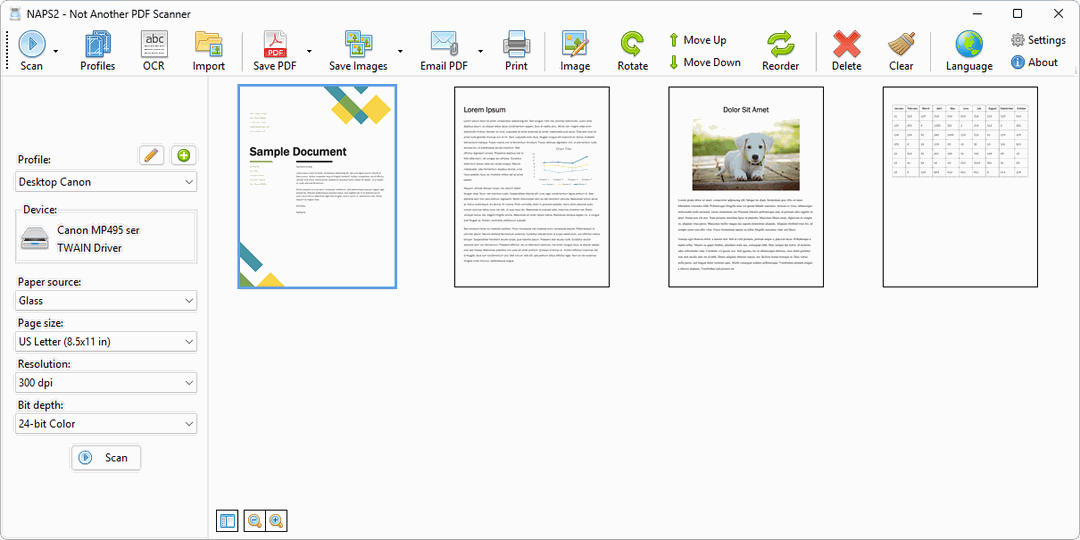
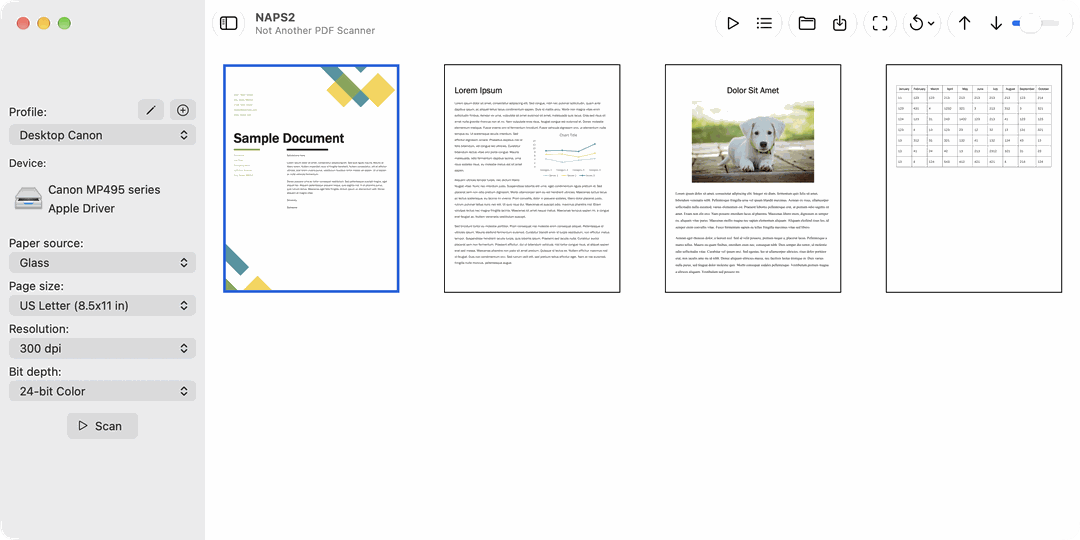
核心信息
| 软件名称 | NAPS2(cyanfish/naps2) |
| 当前版本 | v8.6.1 |
| 更新日期 | 2026-11-19 |
| 开源协议 | GPL-2.0 |
| 软件分类 | Windows 效率工具 |
| 关键词 | csharp、dotnet、escl、linux、macos、ocr |
本次更新内容
- PDF设置新增关闭JBIG2压缩选项,满足不同文档兼容需求。
- OCR引擎升级并修复多页编辑、特殊路径及双面扫描识别问题。
- 修复自动保存文件名异常、导入PDF图片旋转及自动更新兼容性。
- 优化高分屏窗口布局,修复Mac窗口焦点及Linux系统崩溃问题。
查看官方英文更新日志(原文)
Changes in 8.6.1:
- Added an option to disable JBIG2 compression in PDF settings
- OCR: Upgraded to Tesseract 5.5.4
- Bug fixes:
  - Auto Save: Fixed ".1" being added to file names with date placeholders when only one file is saved
  - Edit with: Fixed edits not applying when editing multiple pages or with some editors
  - PDF: Fixed rotated or cropped images in imported PDFs
  - OCR: Fixed wrong OCR results with duplex scanning + "Flip duplexed pages"
  - OCR: Fixed OCR not working for paths with non-English characters
  - Windows: Auto-update now installs the ARM64 version on ARM64 PCs
  - Windows: Fixed window padding on hidpi screens
  - Mac: Fixed the main window not reopening after being closed
  - Mac: Fixed the app not being focused when launched
  - Mac: Fixed icon button styles
  - Linux: Fixed a crash on Fedora 45 and others
  - Linux: Fixed some layout errors
  - Console: Show an error when using OCR components that aren't installed
下载地址
以下为官方原包,本站不二次打包;多个文件为不同包型,按需选择其中一个下载即可:
naps2-8.6.1-win-arm64.exe(官方安装程序 | 42.2 MB)
naps2-8.6.1-win-x64.exe(官方安装程序 | 45.4 MB)
naps2-8.6.1-win-x64.msi(安装版 | 51.4 MB)
naps2-8.6.1-win-x64.zip(便携版·解压即用 | 64.2 MB)
✅ 上方 SHA256 与官方发布值一致,可自行核对。
快速上手
- 运行下载好的安装包或解压后的程序,启动 NAPS2 主界面。
- 在左侧设备列表中选择已连接的扫描仪,点击“扫描”按钮开始获取文档页面。
- 扫描完成后,点击顶部工具栏的“保存”按钮,选择 PDF 或图片格式导出文件。
提示:支持 OCR 功能,可在保存前识别扫描件中的文字。
讨论(0 条)