Pebrel 是一款用 Rust 打造的 GPU 加速终端模拟器,同时整合 SSH 工作区与 AI 命令行会话管理。它支持分屏终端、SSH/SFTP、Claude Code 与 Codex 工作流,SSH 会话断线后仍能保持不中断。适合经常远程开发、重度使用 AI 编程助手,又想要流畅终端体验的开发者。
核心亮点:
- GPU 加速渲染,终端滚动与输出更顺滑
- SSH 会话持久化,网络波动也不掉线
- 分屏终端,可并排跑多个 AI 命令行
- 内置 SSH、SFTP 与原生文档阅读器
当前版本 v2.6.1(2026-11-20 发布),开源协议 GPL-3.0,GitHub 3,856 star。


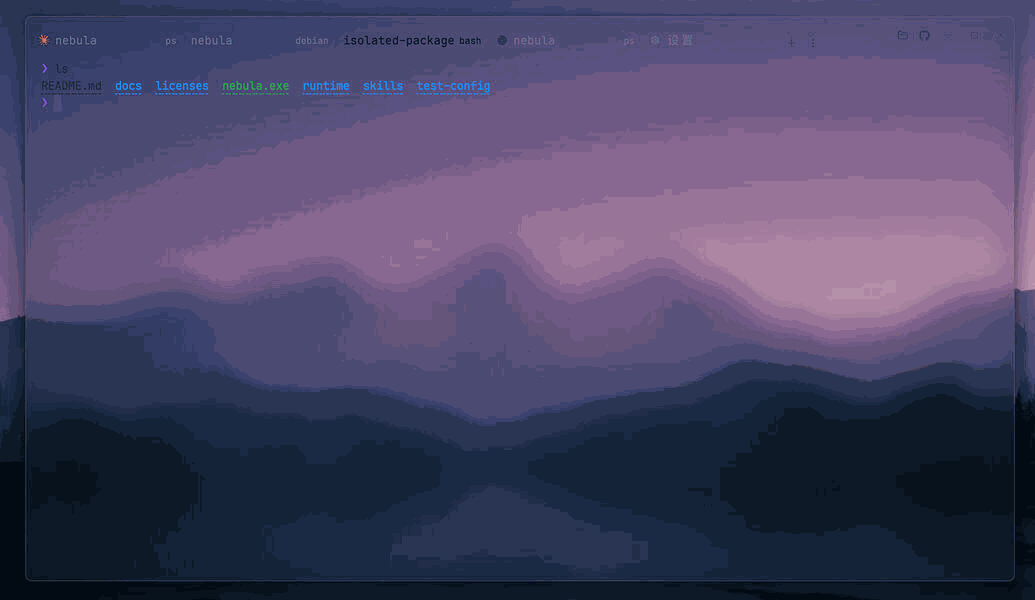
核心信息
| 软件名称 | Pebrel(Kuddev/pebrel) |
| 当前版本 | v2.6.1 |
| 更新日期 | 2026-11-20 |
| 开源协议 | GPL-3.0 |
| 软件分类 | Windows 效率工具 |
| 关键词 | ai-cli、ai-terminal、claude-code、codex、conpty、developer-tools |
本次更新内容
- 修复登录自启动、窗口最小化快捷键及关闭确认框误操作等多项 Windows 使用问题,操作更可靠。
- 修复升级或卸载时误删用户自定义右键菜单项、菜单指向旧安装目录的问题。
- 修复 TIFF 截图无法粘贴到终端、SSH 粘贴图片偶发失败及 SFTP 目录无法浏览的问题。
- 修复重启后本地对话、终端历史输出丢失的问题,重新打开可恢复原会话与内容。
- 修复管理员窗口中打开目录忽略默认 Shell 配置、以及对话恢复异常的问题。
查看官方英文更新日志(原文)
# Pebrel 2.6.1 ## English macOS, Linux, and Android downloads are Preview builds. ### Fixed - Fixed enabling launch at login on Windows when the user’s Startup folder is missing. Addresses [#1028](https://github.com/Kuddev/pebrel/issues/1028). - Fixed pasting TIFF screenshots into terminal panes. Addresses [#1016](https://github.com/Kuddev/pebrel/issues/1016). - Fixed Windows upgrades and uninstalls removing user-edited WSL context menu registry entries. - Fixed opening a directory in an existing elevated Windows window ignoring the configured default shell profile. Addresses [#1042](https://github.com/Kuddev/pebrel/issues/1042). - Fixed SSH agent hooks dropping a complete answer that fits the message limit when unrelated tool output makes the event too large. - Fixed local OMP conversations losing their session on restart. On Windows with PowerShell 7, reopening Pebrel restores the same conversation after a normal close or forced exit. Addresses [#1027](https://github.com/Kuddev/pebrel/issues/1027). - Fixed Windows terminal tabs losing their previous output when waking from sleep. Addresses [#992](https://github.com/Kuddev/pebrel/issues/992). - Fixed Windows ignoring the `esc` alias when configured as the shortcut to minimize the window. - Fixed Windows upgrades leaving the WSL context menu pointed at the previous installation directory. - Fixed SFTP browsing after a cached channel closes. SSH image paste now retries a temporary channel refusal once before starting the upload. - Fixed reopening Pebrel to an idle shell when automatic Codex recovery is enabled and a saved tab has no thread ID. The tab now opens the Codex conversation picker. - Fixed a close confirmation acting on the wrong tab or split when its position changed while the dialog was open. ## 中文 macOS、Linux 和 Android 下载为预览版。 ### 修复 - 修复 Windows 用户的启动文件夹缺失时无法启用登录自启动的问题。对应 [#1028](https://github.com/Kuddev/pebrel/issues/1028)。 - 修复 TIFF 截图无法粘贴到终端窗格的问题。对应 [#1016](https://github.com/Kuddev/pebrel/issues/1016)。 - 修复 Windows 升级或卸载时误删用户改过的 WSL 右键菜单注册表项的问题。 - 修复在已打开的 Windows 管理员窗口中打开目录时忽略默认 Shell 配置的问题。对应 [#1042](https://github.com/Kuddev/pebrel/issues/1042)。 - 修复 SSH 上的 Agent 因工具输出过长而丢失完整答复的问题。答复本身未超出消息上限时会完整送达。 - 修复本地 OMP 对话在重启后丢失会话的问题。在 Windows 的 PowerShell 7 中,正常关窗或强制退出后重新打开 Pebrel 均可恢复原对话。对应 [#1027](https://github.com/Kuddev/pebrel/issues/1027)。 - 修复 Windows 终端标签休眠唤醒后丢失原有滚动历史的问题。对应 [#992](https://github.com/Kuddev/pebrel/issues/992)。 - 修复 Windows 在配置文件中使用 `esc` 绑定最小化窗口时,按 Esc 键无效的问题。 - 修复 Windows 更改安装目录升级后,WSL 右键菜单仍指向旧目录的问题。 - 修复缓存通道关闭后 SFTP 目录无法浏览的问题。向 SSH 标签粘贴图片时,若服务器临时拒绝打开通道,会在开始上传前重试一次。 - 修复已开启 Codex 自动恢复、但标签缺少对话 ID 时,重开 Pebrel 只看到空闲 Shell 的问题。现在会在原标签打开 Codex 对话选择器。 - 修复关闭确认框打开期间标签或分屏位置变化后,确认操作会关错目标的问题。 ## Contributors <p> <a href="https://github.com/Kuddev"><img src="https://avatars.githubusercontent.com/u/292709043?v=4&s=96" width="48" height="48" alt="Kuddev" title="Kuddev" /></a> <a href="https://github.com/WilliamWang1721"><img src="https://avatars.githubuser
下载地址
以下为官方原包,本站不二次打包;多个文件为不同包型,按需选择其中一个下载即可:
Pebrel-v2.6.1-windows-arm64-setup.exe(安装版 | 33.4 MB)
Pebrel-v2.6.1-windows-arm64.zip(便携版·解压即用 | 39.3 MB)
Pebrel-v2.6.1-windows-x64-setup.exe(安装版 | 35.0 MB)
Pebrel-v2.6.1-windows-x64.zip(便携版·解压即用 | 40.7 MB)
✅ 上方 SHA256 与官方发布值一致,可自行核对。
快速上手
- 运行下载好的安装包,按向导完成安装后从开始菜单启动 Pebrel
- 首次启动后进入终端界面,可在标签页中新建终端会话
- 需要远程连接时打开 SSH 工作区,填写主机信息建立连接
- 在终端中直接运行 Claude Code 或 Codex 等 AI 命令行会话
- 用分屏功能把多个终端或 AI 会话并排显示,方便对照操作
提示:分屏可同时跑多个 AI 会话,切换标签页即可快速对照输出。
讨论(0 条)