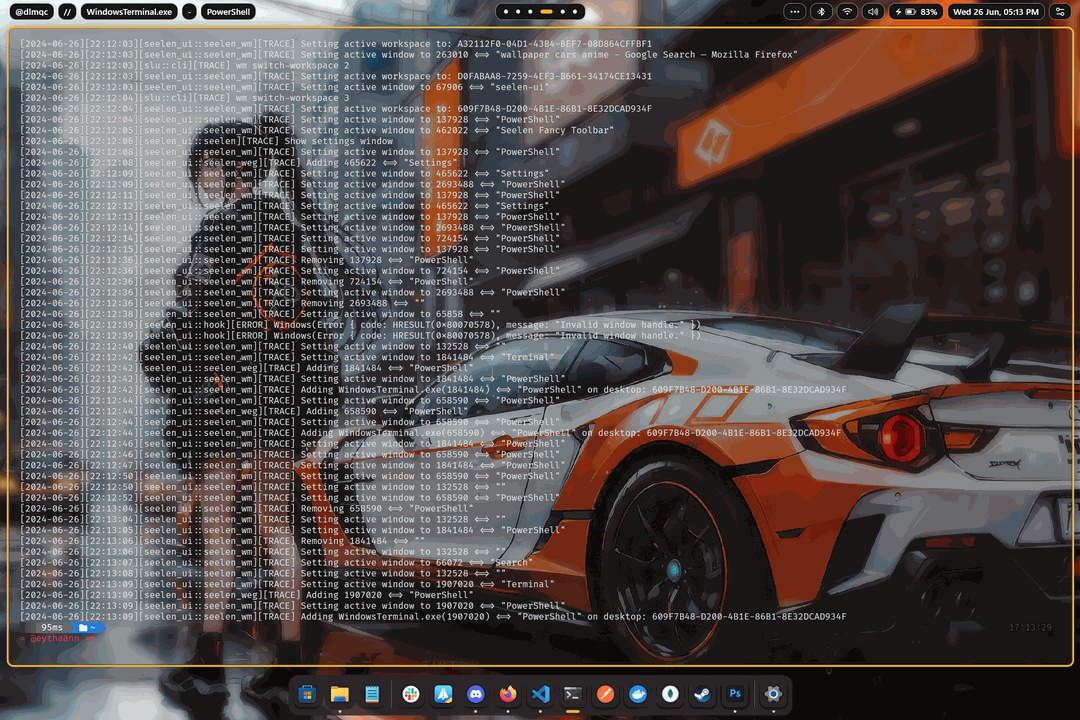
Seelen UI 是一款面向 Windows 的桌面环境替换工具,并非简单的主题包,而是把任务栏、Dock、启动器、窗口管理和通知中心等日常元素整体重做,支持 CSS/JSON 主题引擎与插件小组件,还能根据壁纸自动生成协调的强调色。适合想让系统界面彻底改头换面、追求个性化工作流的 Windows 用户。
核心亮点:
- 整体替换任务栏、Dock、启动器与通知中心
- CSS/JSON 主题引擎,可自制或安装社区主题
- 根据壁纸实时生成协调的强调色
- 插件小组件系统,自由扩展桌面功能
当前版本 v2.8.11(2026-11-16 发布),开源协议 AGPL-3.0,GitHub 18,607 star。

核心信息
| 软件名称 | Seelen-UI(eythaann/Seelen-UI) |
| 当前版本 | v2.8.11 |
| 更新日期 | 2026-11-16 |
| 开源协议 | AGPL-3.0 |
| 软件分类 | Windows 效率工具 |
| 关键词 | app-launcher、desktop-application、dock、finder、multilanguage、seelen |
本次更新内容
- 新增命令行退出与重启指令,可优雅关闭或重启软件,操作更省心。
- 任务栏支持窗口实时预览,悬停已打开应用即可查看,且不会抢走当前焦点。
- 网络弹窗新增网卡信息,已知无线网络立即显示,后台扫描不耽误使用。
- 修复批量添加壁纸只保留一张、应用从任务栏启动后藏在窗口后面等问题。
- 修复旧版系统启用任务栏时资源管理器崩溃,以及网络弹窗首次打开不扫描无线网络的问题。
查看官方英文更新日志(原文)
### features

- cli: `slu quit` and `slu restart` commands to gracefully close or restart Seelen UI.
- dock: live window previews (paused on performance mode, static snapshots are shown instead).
- dock: hovering an open app shows its window previews without stealing the focus.

### enhancements

- close popup if triggered and already shown.
- add network adapters to network popup.
- widgets: popups can be triggered by hover (`TriggerSource`), they don't take focus and hide on cursor out.
- network popup: Wi-Fi networks already known by the system are shown instantly while the scan runs in background.

### fix

- adding several wallpapers at once only keeping one of them.
- apps spawning behind windows when launched from dock.
- explorer crashing on Windows 10 when the dock is enabled, caused by the native taskbar being hidden in an endless
  loop.
- network popup not scanning Wi-Fi networks on first open or when opened by hover.

## What's Changed
* fix translation by @Sekai-Moeru in https://github.com/eythaann/Seelen-UI/pull/1954
* fix(positioning): don't cloak Firefox windows while animating by @z1pp090 in https://github.com/eythaann/Seelen-UI/pull/1912
* fix(apps-menu): fix keyboard activation by @v01d-gh in https://github.com/eythaann/Seelen-UI/pull/1975
* build(deps-dev): bump qs from 6.16.0 to 6.17.1 by @dependabot[bot] in https://github.com/eythaann/Seelen-UI/pull/1976
* build(deps-dev): bump antd from 6.6.5 to 6.7.0 by @dependabot[bot] in https://github.com/eythaann/Seelen-UI/pull/1950
* build(deps-dev): bump follow-redirects from 1.16.1 to 1.16.3 by @dependabot[bot] in https://github.com/eythaann/Seelen-UI/pull/1960
* build(deps-dev): bump fast-uri from 3.1.7 to 3.1.9 by @dependabot[bot] in https://github.com/eythaann/Seelen-UI/pull/1946
* build(deps): bump react-router from 8.4.0 to 8.5.1 by @dependabot[bot] in https://github.com/eythaann/Seelen-UI/pull/1948
* build(deps): bump encoding_rs from 0.8.35 to 0.8.44 by @dependabot[bot] in https://github.com/eythaann/Seelen-UI/pull/1949
* build(deps-dev): bump svelte-check from 4.7.6 to 4.7.8 by @dependabot[bot] in https://github.com/eythaann/Seelen-UI/pull/1933
* build(deps): bump rust-i18n from 4.2.1 to 4.2.4 by @dependabot[bot] in https://github.com/eythaann/Seelen-UI/pull/1932
* build(deps): bump serde_with from 3.16.1 to 3.24.0 by @dependabot[bot] in https://github.com/eythaann/Seelen-UI/pull/1701
* build(deps): bump sha2 from 0.10.9 to 0.11.1 by @dependabot[bot] in https://github.com/eythaann/Seelen-UI/pull/1937
* build(deps-dev): bump toml from 4.3.0 to 5.0.1 by @dependabot[bot] in https://github.com/eythaann/Seelen-UI/pull/1945
* fix(weg): stop hiding the native taskbar in a loop by @thd2020 in https://github.com/eythaann/Seelen-UI/pull/1969
* feat(weg): add live window previews by @Young-skyyy in https://github.com/eythaann/Seelen-UI/pull/1984

## New Contributors
* @Sekai-Moeru made their first contribution in https://github.com/eythaann/Seelen-UI/pull/1954
* @v01d-gh made their fi
下载地址
以下为官方原包,本站不二次打包;多个文件为不同包型,按需选择其中一个下载即可:
Seelen.UI_2.8.11_arm64-setup-fixed.exe(安装版 | 227.2 MB)
Seelen.UI_2.8.11_arm64-setup.exe(安装版 | 44.2 MB)
Seelen.UI_2.8.11_x64-setup-fixed.exe(安装版 | 245.9 MB)
Seelen.UI_2.8.11_x64-setup.exe(安装版 | 46.5 MB)
✅ 上方 SHA256 与官方发布值一致,可自行核对。
快速上手
- 运行下载好的安装包,按向导完成安装,安装完成后启动 Seelen UI。
- 首次启动后,在设置中开启动态强调色,让界面颜色随壁纸自动变化。
- 打开主题设置,浏览并应用内置或社区主题,调整桌面外观。
- 在插件或小组件设置中,添加所需的小组件并调整位置。
- 根据需要配置任务栏、停靠栏、应用启动器等桌面元素。
提示:应用主题前可先备份当前配置,方便恢复。
讨论(0 条)