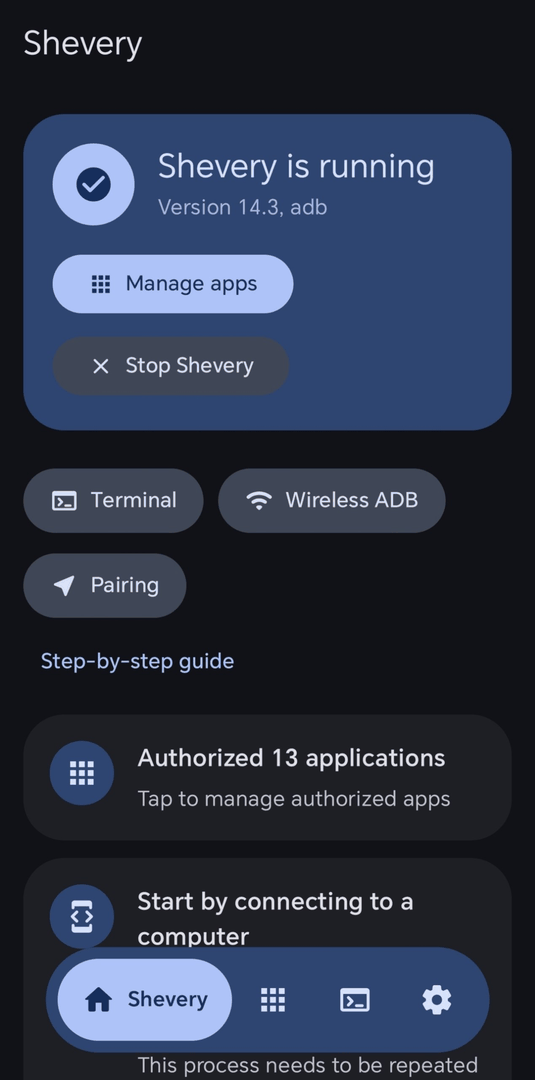
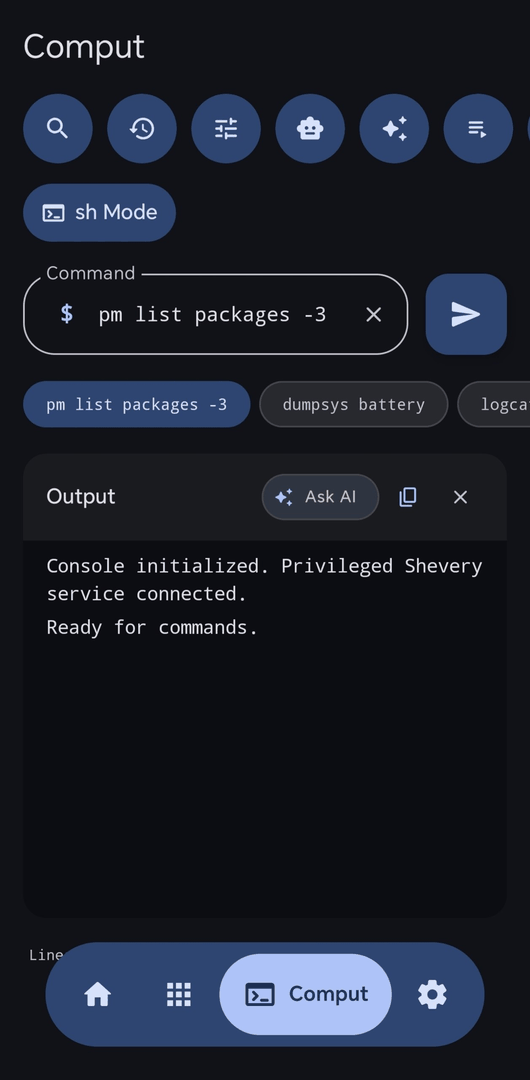
Shevery 是一款用 Jetpack Compose 打造的现代化安卓设备管理器,基于 Shizuku 思路重构,支持 ADB、Root、Shizuku、Dhizuku 等多种提权方式。它把设备所有者管理、生物识别保护、ADB 模块安装和 AI 命令助手整合进一个界面,适合喜欢折腾权限、自动化与系统调优的安卓进阶用户。
核心亮点:
- Compose 与 Material 3 打造的现代化管理界面
- 支持设备所有者管理、权限委托与所有权转移
- 生物识别与锁屏密码保护敏感操作
- ADB 模块安装、策略控制与本地 WebUI
当前版本 v14.6.5(2026-11-15 发布),开源协议 Apache-2.0,GitHub 1,698 star。

核心信息
| 软件名称 | Shevery(HmnDev-Tech/shevery) |
| 当前版本 | v14.6.5 |
| 更新日期 | 2026-11-15 |
| 开源协议 | Apache-2.0 |
| 软件分类 | Android 开源 APK |
| 关键词 | adb、android17、dhizuku、privileges、root、shizuku |
本次更新内容
- 底层核心改用更安全高效的实现,提升运行稳定性与防护能力。
- 新增智能日志查看功能,可复制或下载日志方便反馈问题。
- 新增界面缩放、自定义端口、首页诊断卡片等实用设置选项。
- 完善对设备管理类权限的支持,并补全中文翻译与安装说明。
查看官方英文更新日志(原文)
## Overview

Shevery **14.6.5** (`versionCode` `1068`) brings a full Rust rewrite of the native layer, stronger IPC and binder security enforcement, expanded Dhizuku UserService support, new manager usability and diagnostics features, and dynamic commit-count versioning.

---

## Highlights

### Native Rust Architecture
- Rewrote the legacy C/C++ native layer (`starter`, `rish`, `adb_pairing`) in **Rust**, removing BoringSSL and `libc++` native build dependencies:
  - `starter`: SELinux context transition, cgroup v1/v2 setup, process enumeration, and `app_process` launch.
  - `rish`: PTY management, raw `termios`, `SIGWINCH` self-pipe handling, and JNI bridges.
  - `adb_pairing` & ADB crypto: pure-Rust SPAKE2 (`curve25519-dalek`), HKDF-SHA256, AES-128-GCM, packet framing/checksums, and RSA-2048 Montgomery public key encoding.
  - Stealth & module helpers: Rust Stealth APK binary swapper, AXML manifest patcher, DEX header fixer, APK v2 Merkle digest, SHA-256 tree fingerprinter, and FD tail reader.
- Integrated `cargo-ndk` across all four ABIs (`arm64-v8a`, `armeabi-v7a`, `x86`, `x86_64`).

### Security Hardening
- Enforced `callingUid` validation across `SheveryProvider` and privileged IPC endpoints, plus package ownership validation in `ClientManager`.
- Extended `android.app.Service` in `DhizukuService` with caller authentication on all binder calls.
- Enforced custom module access permissions, blocked `cwd`/environment injection, and hardened the `adb` shim.
- Zeroized SPAKE2 secret material, added nonce overflow guards, and closed leaked file descriptors across `rish`/`starter`.

### Manager, Diagnostics & Compatibility
- **Smart Logs Diagnostics**: added Shevery smart logs viewer with copy and download support.
- **Appearance & Settings**: added experimental **Autoscale** option, custom TCP port support (#385), optional home diagnostics card (#389), firewall search and auto-block, and app search in **Hide Developer options**.
- **Dhizuku & Device Owner**: added isolated `:dhizuku_user_service` process with UserService lifecycle, `remoteProcess`, lock-task listeners, real versions, scope auth, and API-level-guarded `DevicePolicyManager` delegation scopes.
- **Localization**: completed `zh-rTW` and `zh-rCN` translations and aligned Chinese READMEs with side-by-side install guidance.

### Tooling, Refactoring & Tests
- Updated `build.gradle` so `gitCommitCount` (`versionCode`) dynamically computes the total repository commit count via `git rev-list --count HEAD` (`1068` in this release), and bumped `Shevery-API` to `14.6.5`.
- Upgraded Gradle, AGP, Kotlin, AndroidX, Material3 (`1.5.0-rc01`), and Rust dependencies.
- Migrated non-critical manager, server, common, and stub utilities from Java to Kotlin.
- Expanded unit test coverage across API, manager, server, errorprotect, tasker, and Rust crates.

### Bug Fixes
- Fixed UTF-8 byte overflow when patching AXML manifest labels in Stealth builds.
- Removed unconditional `|| true` fallback in `AdbMdn
下载地址
以下为官方原包,本站不二次打包,点击直接下载:
shevery-release.apk(Android 安装包 | 10.0 MB)
✅ 上方 SHA256 与官方发布值一致,可自行核对。
快速上手
- 运行下载好的安装包,按提示完成安装;若系统提示未知来源,允许本次安装即可。
- 首次启动后按引导完成初始化,授予应用所需的基础权限,进入主界面。
- 在设置中开启所需功能开关,如生物识别保护或模块策略,按需调整。
- 进入模块相关界面安装并管理 ZIP 模块,可启用或停用、查看运行日志。
- 如需自动化,可在设置中开启兼容选项,配合任务类应用调用。
提示:首次使用建议先浏览设置项,按需开启功能,避免权限过多。
讨论(0 条)