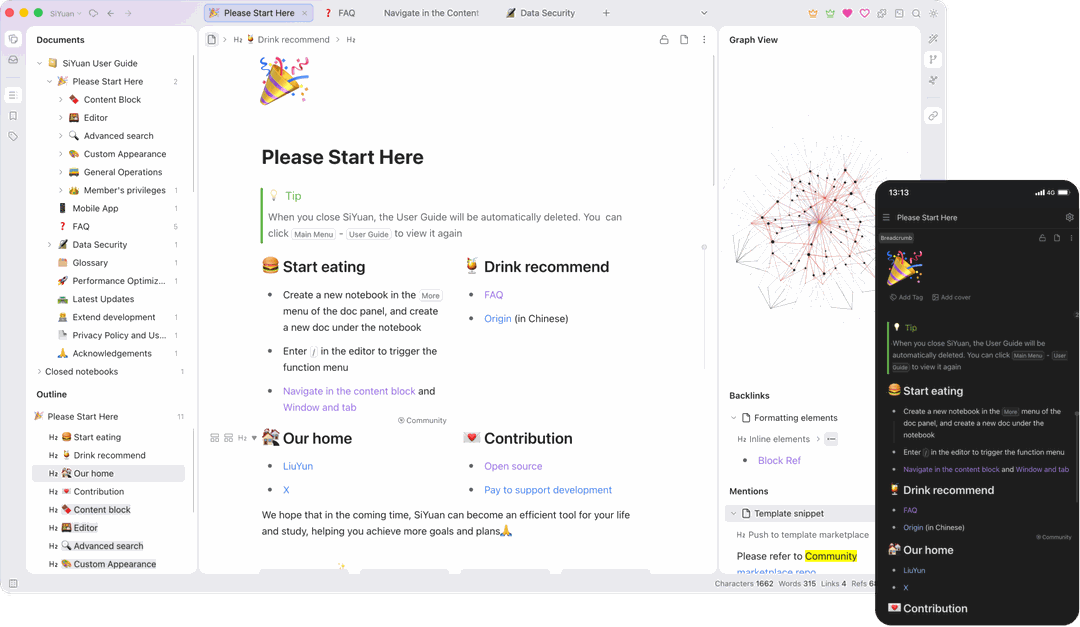
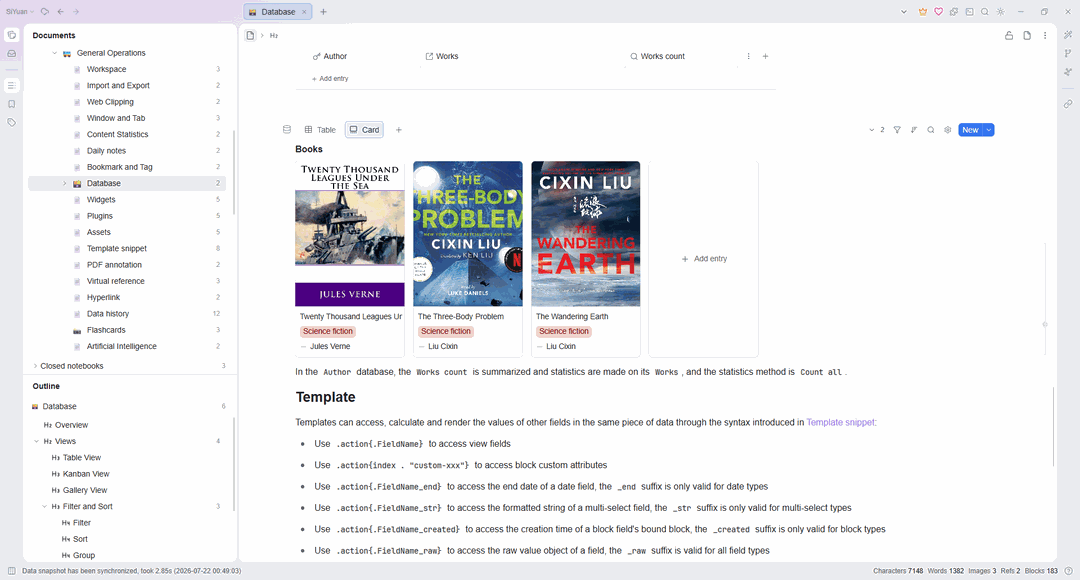
思源笔记是一款国产开源的双链笔记工具,主打本地优先,数据存在自己设备上,不依赖云端。它支持 Markdown、块级引用和双向链接,能把零散想法串成知识网络,还内置 AI 智能体辅助整理。适合注重隐私、喜欢自建服务或想搭建个人知识库的用户。
核心亮点:
- 本地优先存储,数据完全掌握在自己手里
- 块级引用加双向链接,轻松构建知识网络
- 原生 Markdown 支持,迁移和导出都方便
- 支持 Docker 自托管,多端同步灵活可控
当前版本 v3.8.12(2026-11-24 发布),开源协议 AGPL-3.0,GitHub 47,357 star。

核心信息
| 软件名称 | 思源笔记(siyuan-note/siyuan) |
| 当前版本 | v3.8.12 |
| 更新日期 | 2026-11-24 |
| 开源协议 | AGPL-3.0 |
| 软件分类 | Windows 效率工具 |
| 关键词 | agentic-ai、ai-agent、knowledge-base、local-first、markdown、mcp |
本次更新内容
- 标签面板新增手动排序及按添加时间排序功能,方便个性化整理。
- 移动端优化图片预览交互,并支持直接分享资源文件,使用更便捷。
- 桌面端编辑器支持相对文档链接,数据库单元格对齐更精准,提升编辑体验。
- 新增越南语界面及内置俄语用户指南,多语言支持更加完善。
- 修复iOS端启动崩溃问题,提升同步稳定性,并引入AI溯源功能。
查看官方英文更新日志(原文)
## Upgrade notice

Plugins that rely on the desktop main menu’s previous identifier, `barWorkspace`, should use `barMainMenu` for the button ID and menu events. [Details](https://github.com/siyuan-note/siyuan/issues/21544)

## Overview

This release adds manual ordering for sibling tags and sorting by most recent addition in the tag panel. Mobile image preview gestures and controls are improved, and asset files can now be shared from mobile.

The desktop Markdown editor supports relative document links, and database cell editors are better aligned. This release also adds a Vietnamese interface and a built-in Russian user guide, and introduces the official SiYuan connector for WorkBuddy.

Watch the release overview: [YouTube](https://youtu.be/aiTfeTa8Tlk)

## Changelogs

Below are the detailed changes in this version.

### Enhancement

* [Support manual sorting of sibling tags in the tag panel](https://github.com/siyuan-note/siyuan/issues/21508)
* [Support sorting the tag panel by most recent addition](https://github.com/siyuan-note/siyuan/issues/21509)
* [Improve sync reliability when putFile writes overlap snapshot indexing](https://github.com/siyuan-note/siyuan/issues/21510)
* [Support relative document links in the desktop Markdown editor](https://github.com/siyuan-note/siyuan/issues/21542)
* [Improve database cell editor alignment](https://github.com/siyuan-note/siyuan/issues/21546)
* [Support Vietnamese interface language](https://github.com/siyuan-note/siyuan/issues/21548)
* [Support in-process OCR in dynamically linked Linux builds](https://github.com/siyuan-note/siyuan/issues/21555)
* [Improve mobile image preview gestures and controls](https://github.com/siyuan-note/siyuan/issues/21557)
* [Add official SiYuan connector for WorkBuddy](https://github.com/siyuan-note/siyuan/issues/21574)
* [Support sharing asset files on mobile](https://github.com/siyuan-note/siyuan/issues/21590)
* [Support AI provenance in block attributes](https://github.com/siyuan-note/siyuan/issues/21630)

### Bugfix

* [SiYuan may exit during startup on iOS](https://github.com/siyuan-note/siyuan/issues/21556)

### Document

* [Add a built-in Russian user guide](https://github.com/siyuan-note/siyuan/pull/21585)

### Refactor

* [Upgrade to Electron v44.11.5](https://github.com/siyuan-note/siyuan/issues/21607)

### Development

* [Improve naming consistency for the desktop main menu](https://github.com/siyuan-note/siyuan/issues/21544)

## Download

* [B3log](https://b3log.org/siyuan/en/download.html)
* [GitHub](https://github.com/siyuan-note/siyuan/releases)
下载地址
以下为官方原包,本站不二次打包,点击直接下载:
siyuan-3.8.12-win.exe(官方安装程序 | 232.4 MB)
✅ 上方 SHA256 与官方发布值一致,可自行核对。
快速上手
- 运行下载好的安装包,按向导完成安装后启动思源笔记,首次启动会进入工作空间设置界面。
- 在工作空间设置中指定数据存放位置,确认后进入主界面,即可开始新建文档记录内容。
- 在主界面通过新建文档、输入内容并使用块级编辑整理笔记,需要时在设置中开启同步等选项。
- 如需命令行方式启动,可在终端执行思源笔记的启动命令,再通过浏览器访问本地服务使用。
提示:数据默认保存在工作空间目录,建议定期备份该文件夹。
讨论(0 条)