Thaw 是一款开源的 macOS 菜单栏管理器,能一键收拢杂乱的菜单栏图标,需要时再按需唤回,还能用快捷键快速定位任意图标。它支持分组、多配置切换和禅模式,所有操作都能通过 thaw:// 链接被 Raycast、快捷指令或脚本调用。完全免费、无订阅无账号无追踪,适合菜单栏图标多到爆炸、追求清爽桌面的 Mac 用户。
核心亮点:
- 一键隐藏多余菜单栏图标,按需唤回
- 快捷键搜索定位任意菜单栏图标
- 支持图标分组、多配置切换与布局定制
- 禅模式屏蔽干扰,操作可脚本化调用
当前版本 v2.1.0(2026-10-14 发布),开源协议 GPL-3.0,GitHub 12,673 star。

核心信息
| 软件名称 | Thaw(thaw-app/Thaw) |
| 当前版本 | v2.1.0 |
| 更新日期 | 2026-10-14 |
| 开源协议 | GPL-3.0 |
| 软件分类 | macOS 软件 |
| 关键词 | macos、macos-app、menu-bar、menu-bar-manager、menubar-app、swift |
本次更新内容
- 新版本带来触发条件功能,菜单栏项目可根据电量、网络、应用等变化自动调整位置和显示状态。
- 新增分组、间隔和排序功能,相关项目可整体移动隐藏,布局管理更灵活。
- 新增禅模式和简洁模式,一键收起菜单栏或简化设置界面,操作更省心。
- 外观自定义更丰富,菜单栏可单独设置形状、色调和边框,换壁纸后自动配色。
- 更新后原有配置和快捷键自动保留,部分触发条件需手动开启,屏幕录制变为可选。
查看官方英文更新日志(原文)
**macOS 26 only**

Hey, we have a website! The docs, the changelog and the roadmap are at [getthaw.app](https://www.getthaw.app).

The feature release for macOS 26 that 2.0.0 promised. Items can move on their own when something happens, related items stay together in groups, Zen Mode closes the whole menu bar with one hotkey, and Simple Mode fits Settings on one page. Screen Recording is now optional. Six betas led here, and most of what changed after the first one came from your reports. The beta entries below have the detail.

After you update:

1. Profiles, saved layouts and hotkeys carry over. There is nothing to redo.
2. Trigger conditions other than battery and power stay off until you switch them on under **Trigger Sources**.
3. If you'd rather Thaw never restarts apps for a spacing change, set **When applying spacing** to **Wait until next restart** in Settings > Displays.
4. With Homebrew, use the `thaw` cask. `thaw@beta` is Thaw 3, which needs macOS 27. [#1221](https://github.com/thaw-app/Thaw/issues/1221)
5. If something looks wrong, [open an issue](https://github.com/thaw-app/Thaw/issues).

### New

#### Triggers

- **Items move when something happens.** A trigger can react to battery level, power, an app, the network, a VPN, Wi-Fi, Bluetooth, an audio device, a display, a time, a Focus, a place, Energy Mode, heat, the camera or microphone, a script, or another icon changing. Conditions can be combined, and an action can be reversed. By @alvst in [#735](https://github.com/thaw-app/Thaw/issues/735) and [#965](https://github.com/thaw-app/Thaw/issues/965).
- **Icon-change triggers can be strict or loose.** Loose ignores tiny redraws, strict reacts to any change, and the editor shows the icon it compares against. [#1006](https://github.com/thaw-app/Thaw/issues/1006)
- **A trigger can follow an external drive**, so a drive's helper app shows while the drive is plugged in. Requested by @lucifercraig12345-create in [#1053](https://github.com/thaw-app/Thaw/issues/1053).

#### Layout

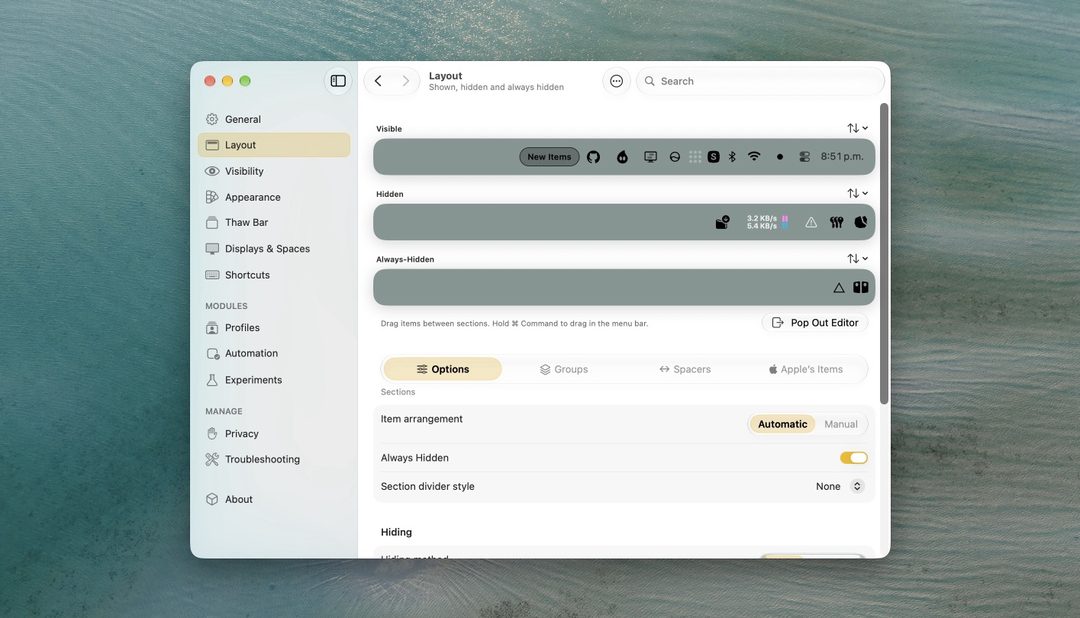
- **Groups keep related items together.** They move and hide as one, even across sections.
- **Spacers add a gap** of the width you choose, with an optional fill.
- **Sort a section A to Z** from its heading in Layout. [#936](https://github.com/thaw-app/Thaw/issues/936)
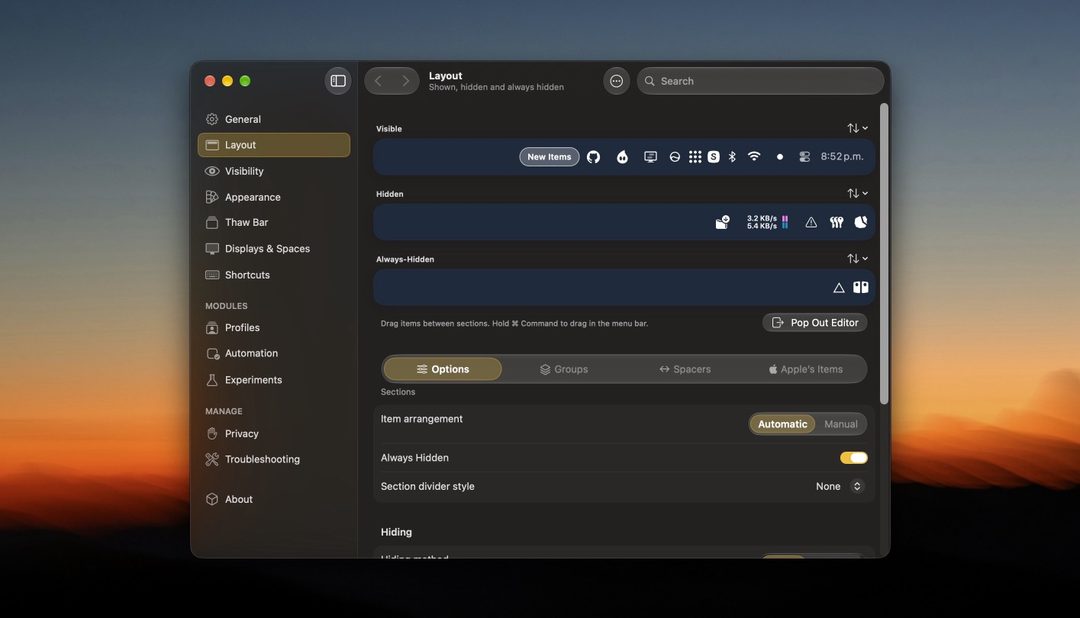
- **Layout opens in its own window**, and you can open an item straight from it. [#985](https://github.com/thaw-app/Thaw/issues/985)
- **Opened items can stay a while.** An item you open from search or the Thaw Bar can stay up to 30 seconds after its menu closes. Set it under Settings > General > After revealing. [#342](https://github.com/thaw-app/Thaw/issues/342)

#### Modes and profiles

- **Zen Mode** closes every section with one hotkey. Hovering, automatic reveals and blinking icons can't open them until you turn it off.
- **Simple Mode** shows Settings as one page. Switch it off to get everything back.
- **A profile can follow a Space**, the way it already follows a display, and each Space c
下载地址
以下为官方原包,本站不二次打包,点击直接下载:
Thaw.dmg(官方原包 | 13.4 MB)
✅ 上方 SHA256 与官方发布值一致,可自行核对。
快速上手
- 打开下载好的 Thaw.dmg,将 Thaw 拖入「应用程序」文件夹完成安装。
- 首次启动 Thaw 后,按提示授予辅助功能权限,以便它管理菜单栏项目。
- 在菜单栏点击 Thaw 图标,隐藏不需要的菜单栏项目,需要时再让它们重新显示。
- 在设置中把菜单栏项目整理成分组、切换不同配置,或开启 Zen Mode 减少干扰。
- 用键盘快捷键快速搜索并定位任意菜单栏项目,也可通过 thaw:// 链接触发操作。
提示:首次运行若被系统拦截,可在「系统设置」中允许打开。
讨论(0 条)