TimePlanner 是一款免费开源的 Android 日程任务规划应用,主打时间块管理,用时间轴直观呈现每天的安排。支持按日期独立排程、任务精确起止时间、重叠检测与待办收件箱,界面简洁、操作顺手。适合喜欢用时间块法规划生活与工作的效率控,以及注重隐私、偏好开源应用的用户。
核心亮点:
- 时间轴视图直观排布每日任务块
- 每个日期独立排程,互不干扰
- 任务设定精确起止时间并防重叠
- 未定时任务放入收件箱随时转排期
当前版本 v2.0.0(2026-08-01 发布),开源协议 Apache-2.0,GitHub 702 star。

核心信息
| 软件名称 | TimePlanner(v1tzor/TimePlanner) |
| 当前版本 | v2.0.0 |
| 更新日期 | 2026-08-01 |
| 开源协议 | Apache-2.0 |
| 软件分类 | Android 开源 APK |
| 关键词 | adaptive-design、alarmmanager、android、charts、clean-architecture、compose |
本次更新内容
- 新增可视化时间轴模式,可直接拖动调整任务时间,并自动适配系统时间格式。
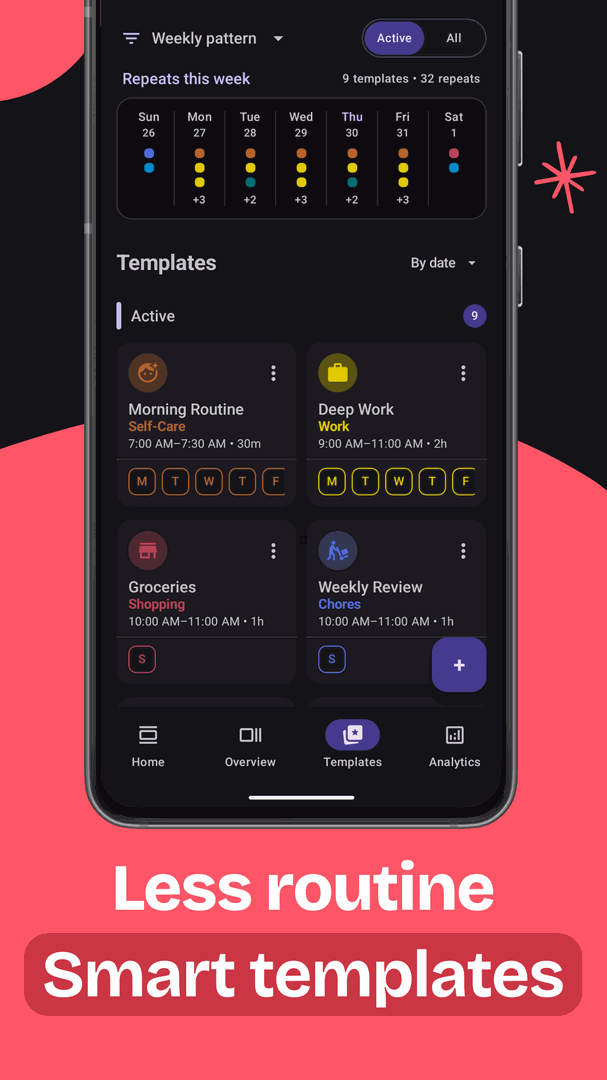
- 模板功能全面升级,支持灵活重复规则和独立编辑,重复任务管理更可靠。
- 通知系统重建,任务运行时显示持续通知,内容更丰富,且能在重启后自动恢复。
- 分析功能全新改版,提供多时间范围的工作量统计和分类排名,助你了解时间分配。
- 整体界面和导航优化,支持自适应布局,操作更流畅。
查看官方英文更新日志(原文)
# TimePlanner v2.0.0

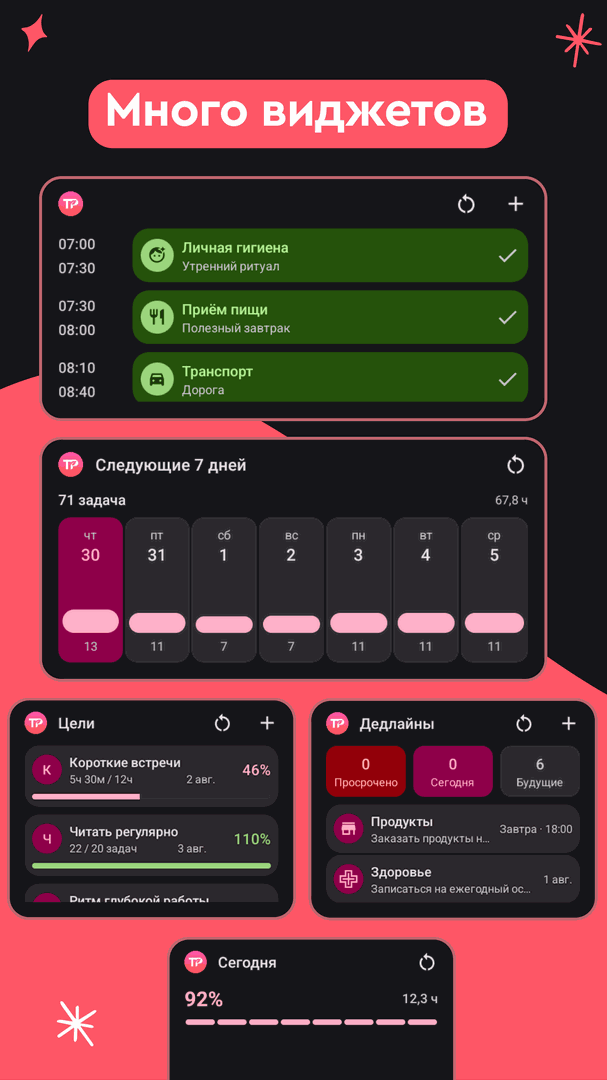
TimePlanner 2.0.0 is the biggest update in the app’s history. Daily planning, templates, analytics, goals, widgets, notifications, navigation, and adaptive layouts have all been rebuilt or significantly improved.

## What's Changed

### New Timeline and Daily Planning

- Added a visual Timeline mode alongside the classic agenda.
- Added direct task moving and resizing on the timeline.
- Added automatic 12/24-hour timeline formatting based on the system setting.
- Added a new time-range selector to the task and template editors.
- Added configurable duration presets. (Issue: [#122](https://github.com/v1tzor/TimePlanner/issues/122))
- Added workload statistics for schedule days. (Issue: [#66](https://github.com/v1tzor/TimePlanner/issues/66))
- Improved task shifting and schedule reorganization.
- Improved time-conflict detection and fixed overlapping-task UI behavior. (Issue: [#130](https://github.com/v1tzor/TimePlanner/issues/130))
- Added sharing text from other applications directly to TimePlanner. (Issue: [#147](https://github.com/v1tzor/TimePlanner/issues/147))

### Templates and Recurring Tasks

- Completely redesigned the Templates screen.
- Added an explicit Unlink action so a task can be edited independently from its template.
- Added flexible recurrence by weekday, N-th weekday of a month, day of month, and annual date.
- Added the ability to quickly stop and remove active template repeats. (Issue: [#119](https://github.com/v1tzor/TimePlanner/issues/119))
- Added persistent links between templates and generated or manually created tasks.
- Improved propagation of template changes to recurring tasks, including the current day. (Issue: [#145](https://github.com/v1tzor/TimePlanner/issues/145))
- Fixed recurring-task generation when existing tasks occupy overlapping time slots. (Issue: [#130](https://github.com/v1tzor/TimePlanner/issues/130))
- Improved handling of recurring tasks in short months and across calendar boundaries.
- Recurring occurrences that conflict with existing tasks are now safely skipped.
- Notes can be edited without accidentally breaking the task’s template association.

### Notifications

- Completely rebuilt task notification scheduling and delivery.
- Added an ongoing notification while a task is running. (Issue: [#118](https://github.com/v1tzor/TimePlanner/issues/118))
- Notification content now includes the task name, time range, category, and note. (Issue: [#123](https://github.com/v1tzor/TimePlanner/issues/123))
- Added reliable notification cancellation when notifications are disabled or a task is changed or deleted.
- Added automatic notification restoration after reboot, application update, date or time changes, timezone changes, and exact-alarm permission changes.
- Fixed late and duplicate notifications for running or already completed tasks.
- Fixed notification behavior for tasks crossing midnight.
- Fixed notification channel and scheduling issu
下载地址
以下为官方原包,本站不二次打包,点击直接下载:
2.0.0-timeplanner-release.apk(Android 安装包 | 5.6 MB)
✅ 上方 SHA256 与官方发布值一致,可自行核对。
快速上手
- 运行下载好的安装包完成安装,首次启动后进入主界面,按提示允许通知等必要权限。
- 在日期上创建当天日程,可在议程与时间线视图之间切换查看安排。
- 添加任务并设置准确的开始与结束时间,保存前应用会提示避免时间重叠。
- 把没有固定时间的任务放进收件箱,时间确定后再转为已排期任务。
- 在时间线中拖动、拉伸、编辑或标记完成任务,并用主分类整理任务。
提示:先建好当天日程再添加任务,排期会更清晰。
讨论(0 条)