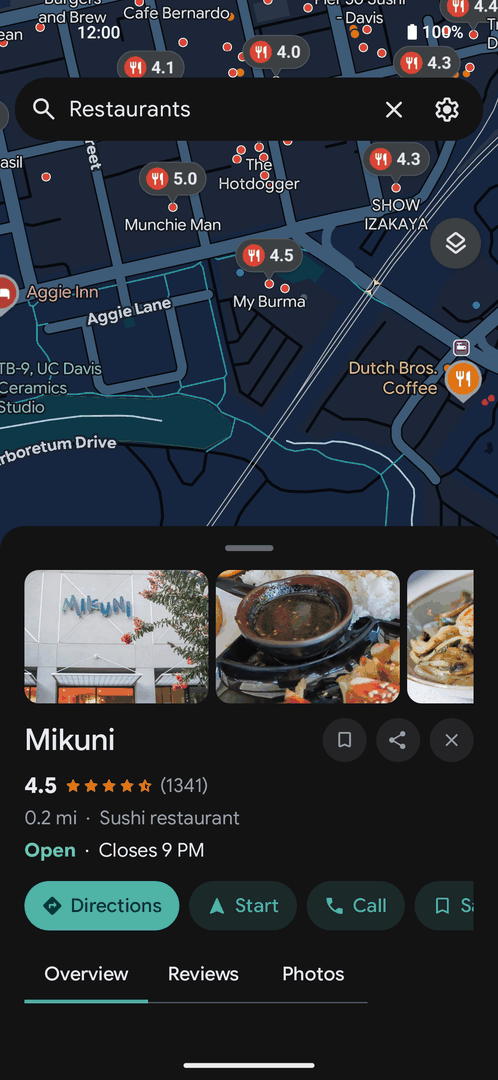
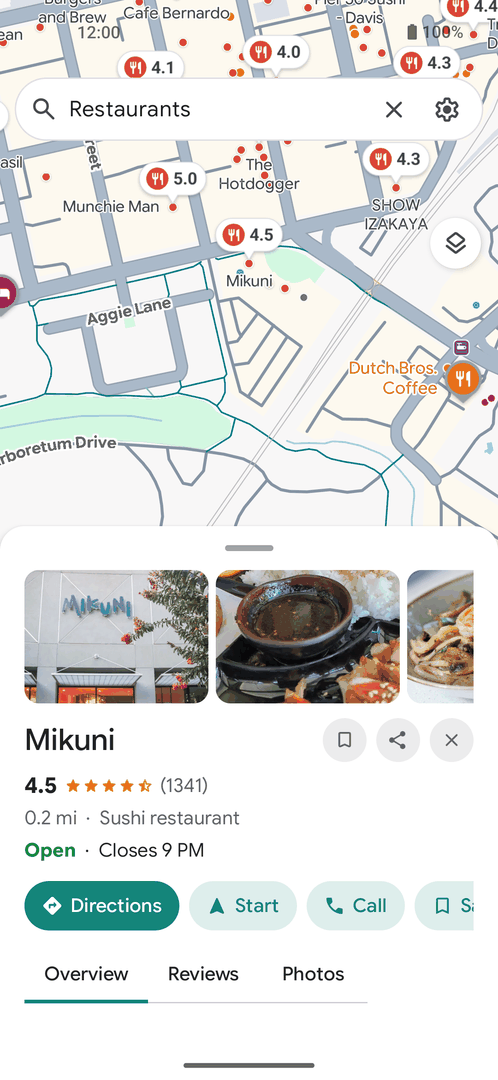
Vela 是一款面向 Android 的开源离线地图导航应用,用 OpenStreetMap 矢量底图搭配开放地点数据,提供逐向路线指引。它不依赖 Google 账号、Play 服务或 API 密钥,适合注重隐私、使用去谷歌化系统的用户,也兼容普通安卓手机。
核心亮点:
- 开源矢量底图,平移缩放不向谷歌发请求
- 整合开放地点数据,搜索与路线指引齐全
- 无需谷歌账号与 Play 服务,隐私友好
- 支持逐向导航,可识别路况与封路信息
当前版本 v0.5.2621(2026-10-19 发布),开源协议 GPL-3.0,GitHub 2,531 star。

核心信息
| 软件名称 | Vela(PimpinPumpkin/Vela) |
| 当前版本 | v0.5.2621 |
| 更新日期 | 2026-10-19 |
| 开源协议 | GPL-3.0 |
| 软件分类 | Android 开源 APK |
| 关键词 | alpr、android、android-auto、degoogle、degoogled、flock |
本次更新内容
- 新增斯洛文尼亚语支持,并更新多种语言的翻译,界面文字更准确。
- 导航箭头会沿路线转弯处平滑转向,路口分叉和变道显示更自然。
- 保存地点会显示名称,重新打开时还能看到该地址上的商户信息。
- 离线地图会显示各区域上次更新时间,并支持一键依次更新全部区域。
- 车机界面简化操作按钮,速度徽标可单独开关,路线线条更醒目。
查看官方英文更新日志(原文)
What's changed in 0.5.2621

- Translations: update Slovenian
- Translations: update Romanian
- Translations: update Polish
- Translations: update Slovenian
- Translations: update Turkish
- Translations: update Polish
- Vela identifies as Chrome 156 to Google, the current stable
- Translations: add Slovenian
- Translations: update Italian
- The road-ahead bar's lights and stop signs are the map's own glyphs (#828)
- The car screen's arrow follows the route at the drive's own progress, the way OsmAnd and Organic Maps anchor it, so a wide fix at a corner cannot flip it (#818)
- The road-ahead bar shows a light and a stop sign with their own glyphs instead of plain dots (#828)
- A saved address or pin reopens with the businesses on it under Also at this location, so a saved spot that has become a shop still leads to its page
- A wide fix at a stop no longer swings the arrow or shows a speed, on the phone and the car screen, and a phone at rest reads as parked (#818, #819)
- House numbers, footprints and open places of a region that is not downloaded draw again: the streamed archives are read by Vela, since the map engine's own PMTiles path fails them (#827)
- Brazilian phones keep Brazil's spoken directions after the Portuguese split, and the tables are tested (#825)
- Translations: update Portuguese
- Translations: update German
- Update NavStrings.kt
- A list can be exported on its own from its editor (#822)
- A recorded drive notes which location providers were on, and on GrapheneOS its network location, SUPL, PSDS and geocoder choices (#818)
- Saved places show their names under the pins from a neighborhood zoom (#823)
- Turn arrows bend at the line's own corner, so a fork's arrow runs through the split and a lane change is no kink; the turn bubble sits on the corner (#804)
- Zoom to the next turn turns the camera toward the turn it frames, and runs on the car screen too (#781)
- The car's no-route notice is two sentences, no em dash (English and Romanian)
- Translations: update translation files
- Translations: update Portuguese
- Translations: update Hebrew
- Android Auto: the drive screen keeps mute and end, recenter and overview; the route line is wider and the phone's blue
- Android Auto: the speed badge is off by default and has its own switch, the limit sign stays
- Offline maps: each installed region's row says when it was last updated (#801)
- The traffic layer stops asking for tiles past zoom 16, so a close-up view no longer mixes stretched far-out tiles with bare patches (#800)
- Android Auto: the speed badge and the limit sign scale with the car's screen (#817)
- Revert the bake's junction-node stop rule, taken over by #807
- Turn arrows on the route through the turns ahead while navigating (#804)
- Drawings and custom maps draw above the satellite imagery instead of under it (#816)
- Road features bake: a stop sign on a junction node takes the minor road's bearing, an all-way stop none (#805)
- Saved routes are named from the start w
下载地址
以下为官方原包,本站不二次打包,点击直接下载:
vela-maps-v0.5.2621.apk(Android 安装包 | 111.3 MB)
✅ 上方 SHA256 与官方发布值一致,可自行核对。
快速上手
- 运行下载好的安装包完成安装,首次启动后允许应用获取定位权限,地图会加载开放街道数据。
- 在地图上拖动或缩放浏览,点击地点可查看名称与详情,无需登录任何账号。
- 在搜索框输入目的地或地址,从结果中选择地点,即可查看位置信息。
- 点击路线按钮输入起点和终点,选择驾车模式,开始逐向导航。
- 导航中偏离路线时应用会自动重新规划,按屏幕提示行驶即可。
提示:首次使用建议在室外等定位信号良好处打开,地图加载更快。
讨论(0 条)