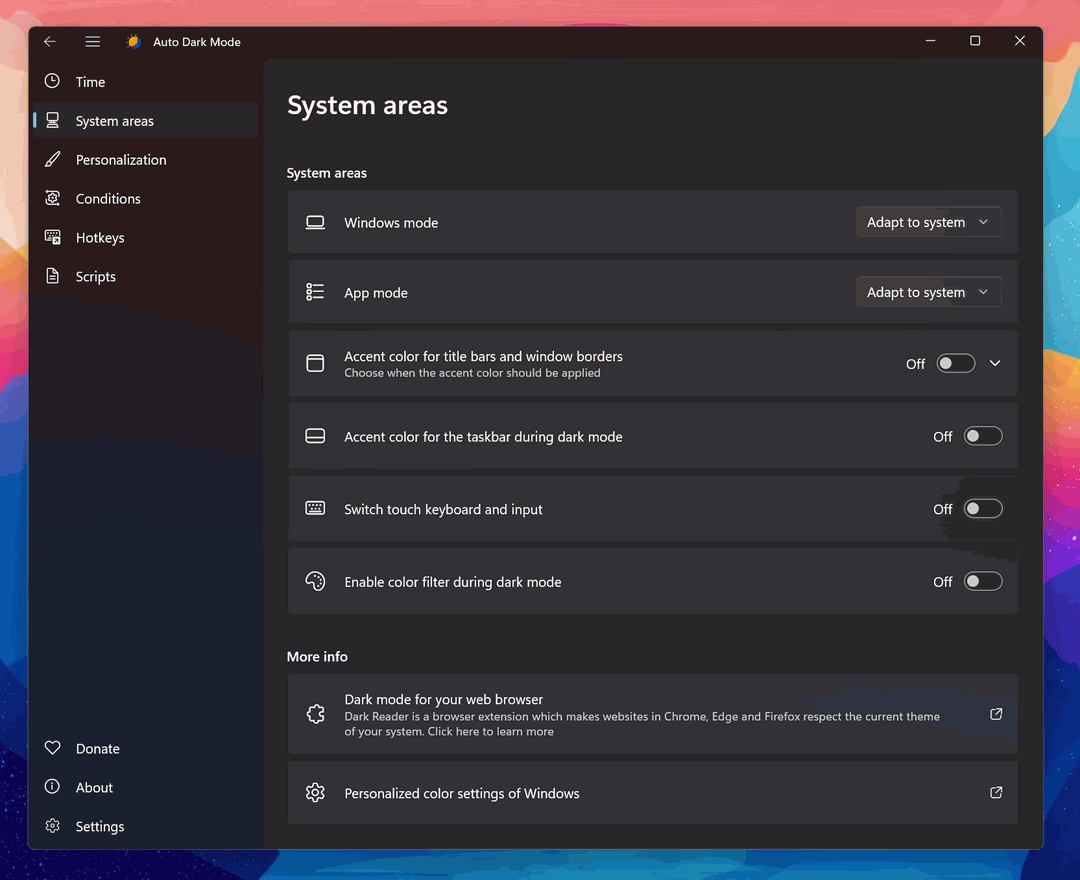
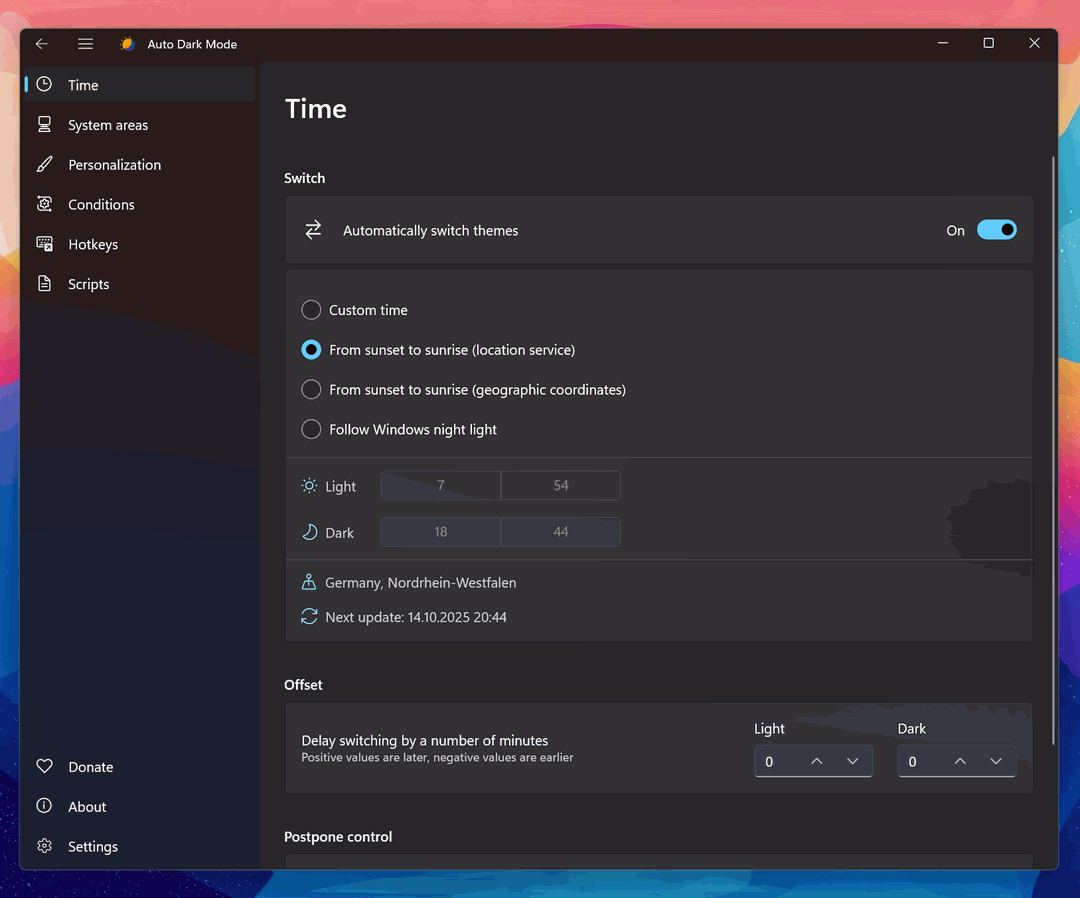
这是一款开源的 Windows 自动深色模式切换工具,能按日出日落或自定义时段让系统主题、应用外观和壁纸在明暗之间自动过渡。它轻量省资源,支持多套主题方案与条件触发,适合讨厌手动改设置、追求护眼和桌面一致性的 Windows 用户。
核心亮点:
- 按日出日落或自定义时段自动切换明暗主题
- 同步调整系统主题、应用外观与桌面壁纸
- 支持多套主题方案与条件触发灵活配置
- 轻量开源,常驻后台资源占用低
当前版本 v11.1.1.1(2026-08-16 发布),开源协议 GPL-3.0,GitHub 9,803 star。

核心信息
| 软件名称 | Auto Dark Mode(AutoDarkMode/Windows-Auto-Night-Mode) |
| 当前版本 | v11.1.1.1 |
| 更新日期 | 2026-08-16 |
| 开源协议 | GPL-3.0 |
| 软件分类 | Windows 效率工具 |
| 关键词 | csharp、dark-theme、darkmode、light-theme、lightweight、theme-switch |
本次更新内容
- 修复了意大利语与中文界面语言混淆的问题,语言显示更准确。
- 解决了关闭窗口后窗口大小和所选语言设置不保存的问题,设置更稳定。
- 修复了导航视图标题被截断的显示问题,界面更完整。
- 更新了多项翻译,多语言支持更完善。
- 已知问题:条件页面的进程列表在输入时不会过滤,后续版本将修复。
查看官方英文更新日志(原文)
**This is a hotfix release for Auto Dark Mode 11.1.0.**

A huge thank you to our incredible community for spotting and reporting these issues so quickly!

Did you miss our massive 11.1 update? Discover all the exciting new features in the [full changelog here](https://github.com/AutoDarkMode/Windows-Auto-Night-Mode/releases/tag/11.1.0.23).

# Download
| Download link | sha256 hash |
| - | - |
| [Installer for Windows x86 and x64 (recommended for most machines)](https://github.com/AutoDarkMode/Windows-Auto-Night-Mode/releases/download/11.1.1.1/AutoDarkMode_Setup_11.1.1.1_x86.exe) | 89BCC3D49F87A5F7DFD245FA366EA426039111FED7E3DE44B5CBFC1C2871508A|
| [Installer for Windows ARM64 (recommended for Qualcomm based notebooks or tablets)](https://github.com/AutoDarkMode/Windows-Auto-Night-Mode/releases/download/11.1.1.1/AutoDarkMode_Setup_11.1.1.1_ARM64.exe) | 9369A9F710889FB9C4954354F35976536038F5AD6FED4A3C8D92BD3A258D72D3|

# Changelog (11.1.1.1)

**Full Changelog:** https://github.com/AutoDarkMode/Windows-Auto-Night-Mode/compare/11.1.0.23...11.1.1.1

## Fixes
- Italian language was accidentally mixed up with Chinese (resolves #1249 by @Spiritreader).
- Under some circumstances Auto Dark Mode didn't save the window size nor the selected language after closing the app window (fixed by @Spiritreader).
- Fixed a bug where the Navigation View Header got cut off (in #1248 by @ChenYiLins).
- Many updates to the translations.

## Known Issues
- The process list on the condition page isn't filtering processes while typing (tracked in #1105).

## Known limitations
Auto Dark Mode comes with a few limitations, either due to Windows or because of technical reasons.
You can find the full list here: [List of known limitations](https://github.com/AutoDarkMode/Windows-Auto-Night-Mode/wiki/Known-limitations)
下载地址
以下为官方原包,本站不二次打包;多个文件为不同包型,按需选择其中一个下载即可:
AutoDarkMode_11.1.1.1_x86.zip(便携版·解压即用 | 145.6 MB)
AutoDarkMode_Setup_11.1.1.1_ARM64.exe(安装版 | 100.0 MB)
AutoDarkMode_Setup_11.1.1.1_x86.exe(安装版 | 105.6 MB)
✅ 上方 SHA256 与官方发布值一致,可自行核对。
快速上手
- 运行下载好的安装包,按向导提示完成安装,无需管理员权限即可使用。
- 首次启动后进入设置界面,在主题切换相关选项中启用按日出日落时间自动切换浅色与深色主题。
- 按需勾选桌面壁纸、鼠标光标、强调色等切换项,让这些元素随主题一起变化。
- 在设置中调整切换时间或使用推迟功能,灵活控制下一次主题切换的时机。
提示:玩游戏时不会自动切换,避免卡顿,可放心使用。
讨论(0 条)