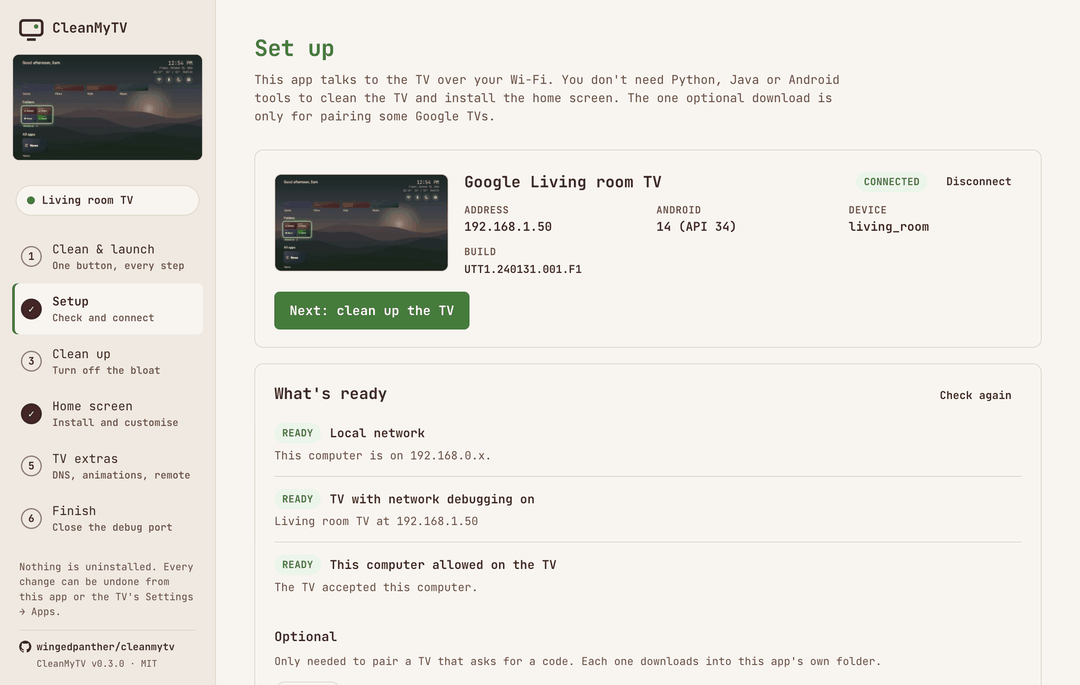
CleanMyTV 是一款帮安卓电视和电视盒子瘦身的桌面工具,在电脑上通过 Wi-Fi 连接电视,一键关闭预装臃肿应用和广告,还能换上清爽无广告的 CleanMyTV Home 主屏。不用装 Python、Java 或 adb,普通电视用户照着向导就能操作,适合想摆脱电视广告和预装软件的人。
核心亮点:
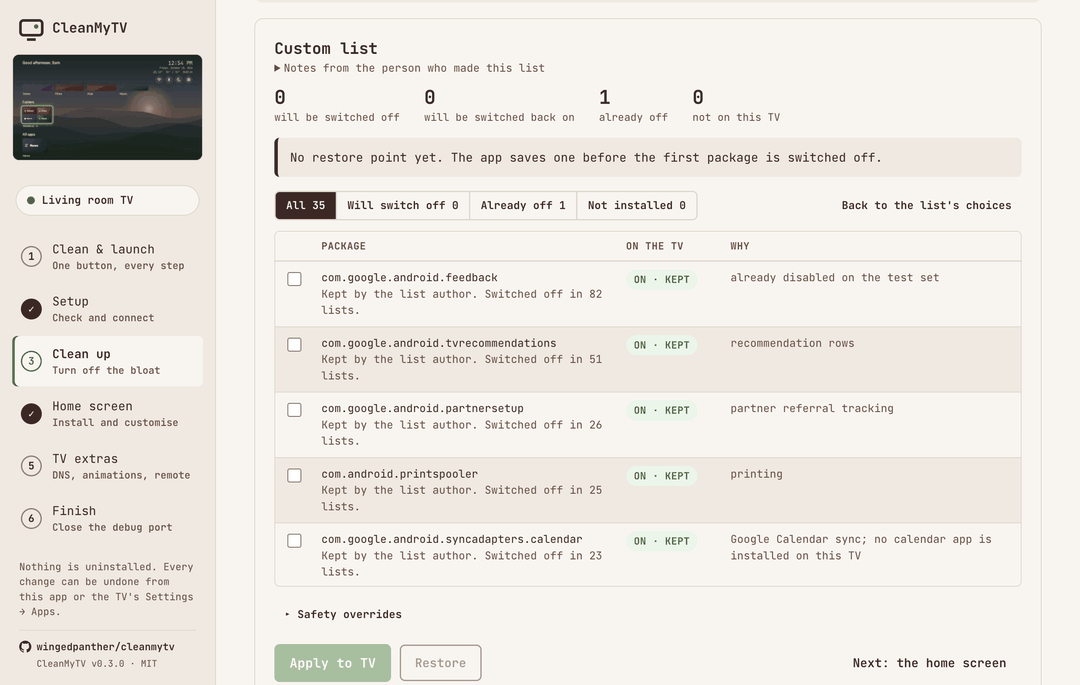
- 电脑端一键关闭电视预装臃肿应用与广告
- 内置无广告主屏,可自定义布局主题壁纸
- 无需 Python、Java、adb,新手也能上手
- 支持回滚与故障排查,操作可恢复
当前版本 v0.14.0(2026-11-26 发布),开源协议 MIT,GitHub 793 star。

核心信息
| 软件名称 | Cleanmytv(wingedpanther/cleanmytv) |
| 当前版本 | v0.14.0 |
| 更新日期 | 2026-11-26 |
| 开源协议 | MIT |
| 软件分类 | TV 盒子软件 |
| 关键词 | ad-free、adb、android、android-tv、chromecast、debloat |
本次更新内容
- 新增三种主屏幕布局和社区主题,并支持毛玻璃效果与时钟字体自定义,让界面更个性化。
- 加入屏幕时间统计功能,可查看各应用使用时长、设置每日限额与目标,并支持PIN码保护。
- 电视端新增搜索、周天气预报、幻灯片屏保、便签和访客模式,提升使用便利性。
- 优化应用管理,新应用自动归位,数字键快速打开应用,双击主页返回上次应用。
- 修复YouTube TV播放问题,并允许遥控器按键自定义功能,改善兼容性与操作体验。
查看官方英文更新日志(原文)
Three new home screen layouts, themes people share, and screen time. CleanMyTV Home is now 1.13.51. The new layouts and themes are fresh, so expect a few small glitches. If something looks off, open an issue with a photo of the screen, or attach the file from Activity → Send a report. **New layouts** Pick one under Layout in the desktop app, or in Customize on the TV. | | | | |---|---|---| | 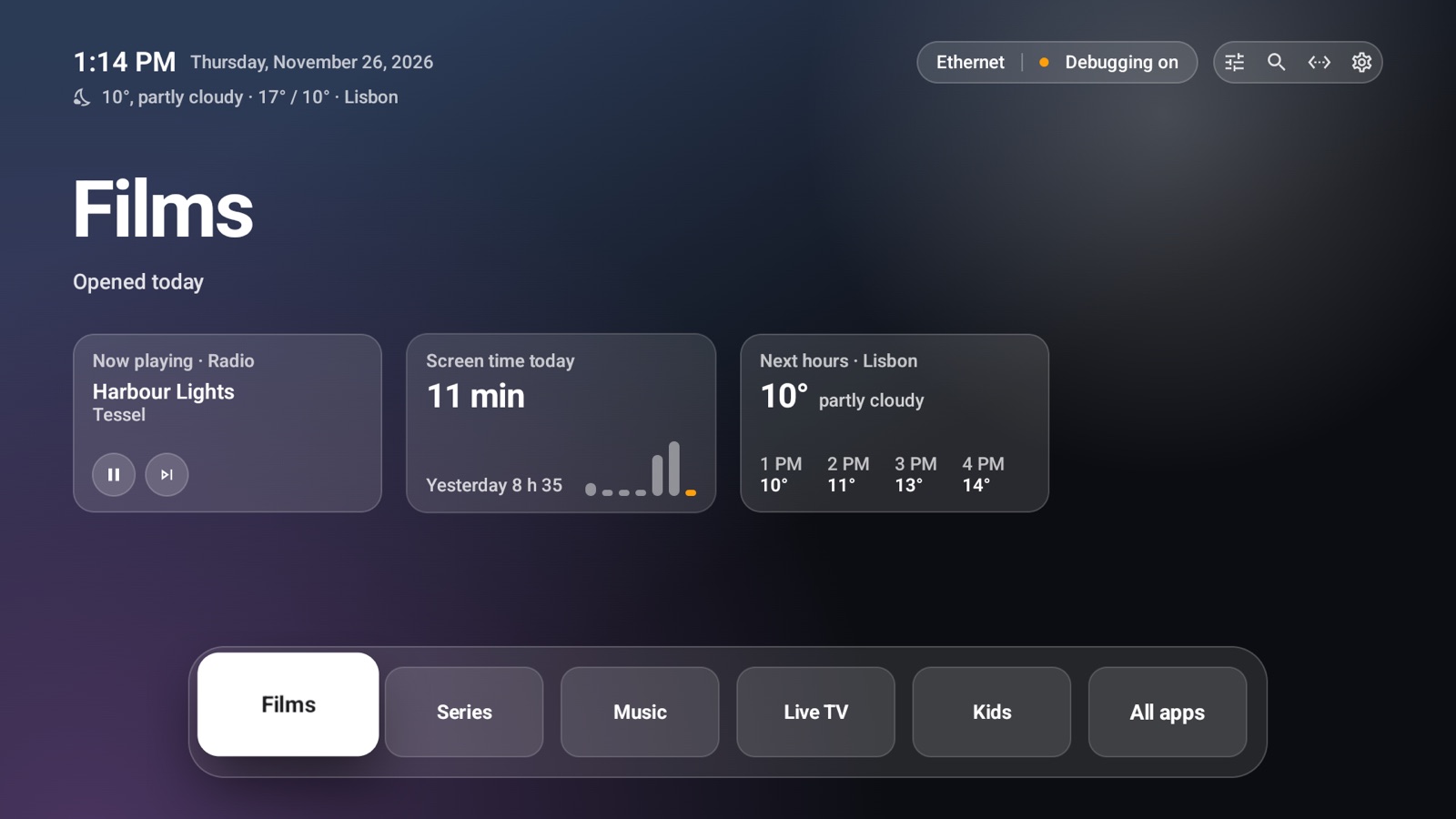 | 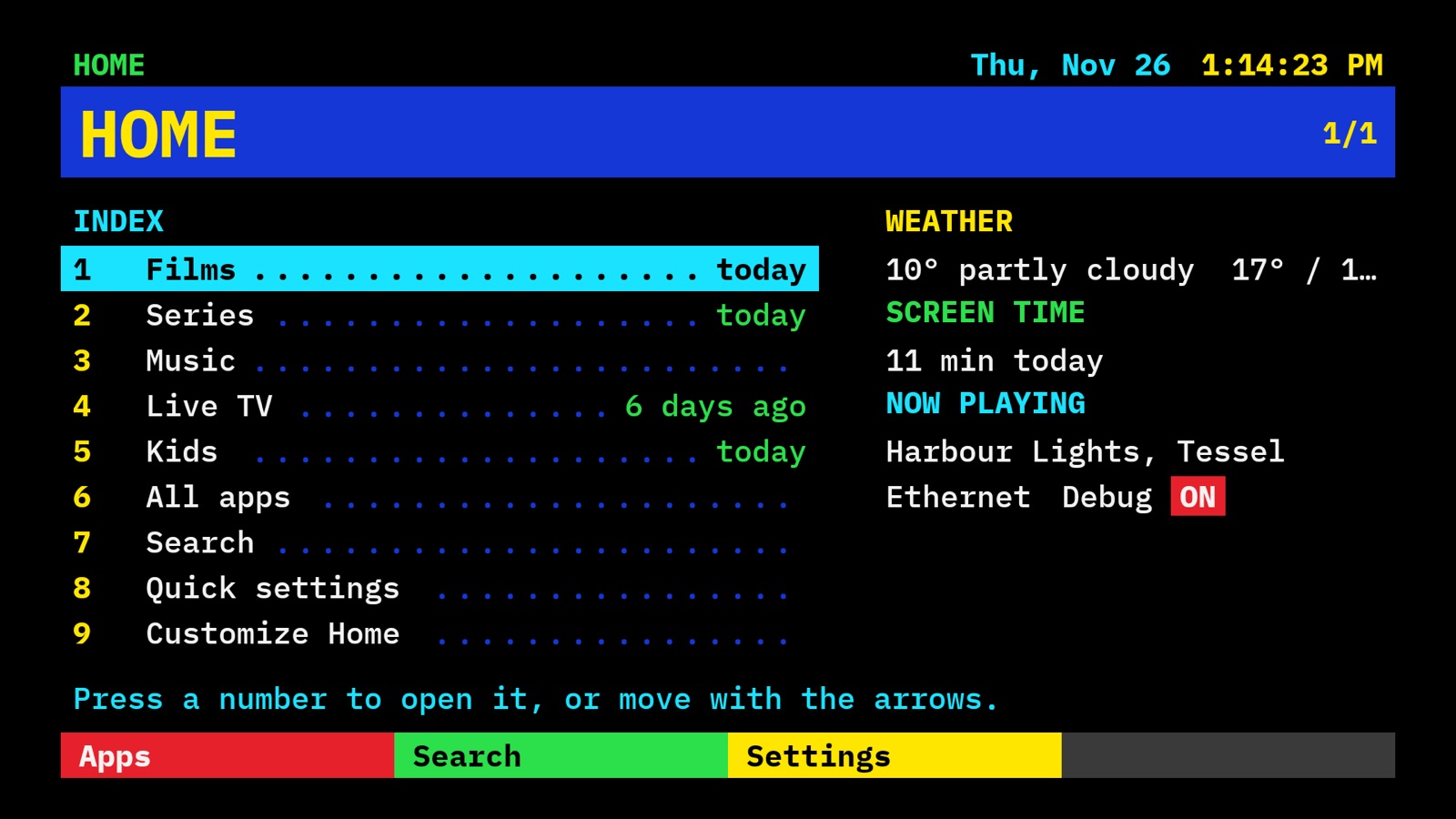 | 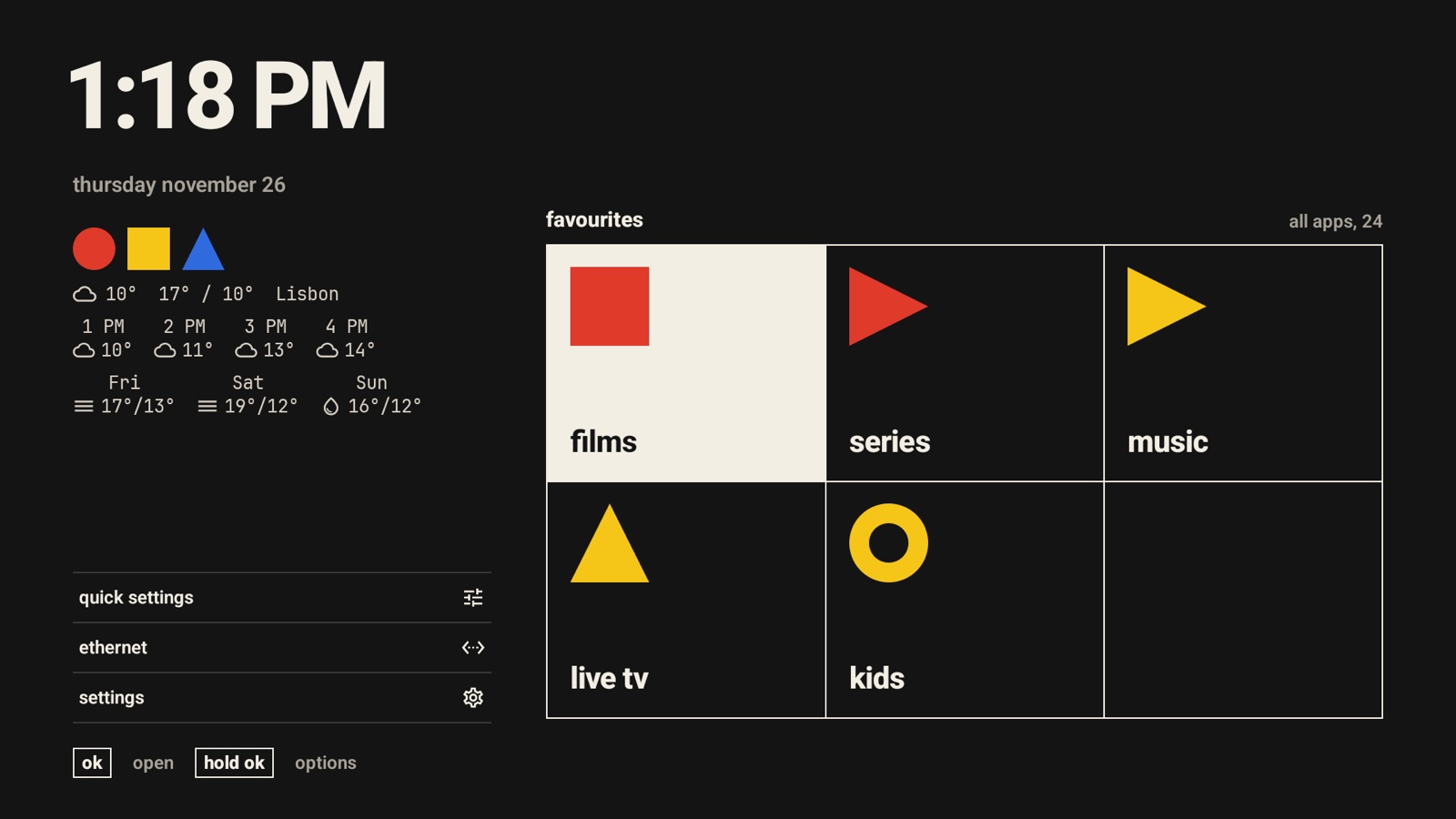 | | **Glass** | **Teletext** | **Bauhaus** | - **Glass:** the focused dock app in large type, with what it has for you to continue. Cards under it show what's playing, screen time and the weather. The dock sits in a glass tray. Play, pause and skip from the Now playing card. - **Teletext:** numbered pages of text on black, like the old broadcast text service. A number key opens a line. The Today page has the weather by the hour, screen time and what's playing. - **Bauhaus:** a big bold clock and three shapes on the left, with the top bar icons listed under them. Apps on the right. **Themes** - **Community themes:** themes shared by other people now come with the app, in Look & wallpaper. The first is Glass, made by rduttshukla. - **Frosted glass (#151):** the dock and the clock can sit on frosted glass made from your wallpaper. Two sliders set how much. Thanks to rduttshukla. - **Clock font:** the clock in its own monospace font, or the same font as the rest of Home. - **Themes carry more:** the glass behind tiles, the dock and the clock, and the clock font, all go into a `.cmtvtheme` file. - **Menus in the theme's colours (#150):** menus and the Now playing card follow the theme's background instead of always being green. Thanks to kemizt. - **Hide the All apps heading (#151)**, and **take every theme off the TV in one click (#145)**. Thanks to philarv. **Screen time** - Home adds up how long each app is on, each day. A card shows today, the last 7 days and the top apps. Press it for the dashboard. - Set a daily limit per app and a daily goal, and put a PIN on the dashboard. - HDMI inputs show by name, like PS5. Time sitting on Home or the screensaver doesn't count. - The desktop app has a Screen time tab with the same numbers. They stay on the TV. **Also on the TV** - **Search this TV:** a keyboard for the remote, or your voice, finds apps, their info pages, the TV's settings and Home's own. - **Weather for the week (#143)** next to the hourly forecast. Thanks to dimotj. - **Slideshow screensaver** with the clock and what's playing. Home can also open on the app you usually use at that hour. - **Notes on the TV:** a note sent from the desktop app stays on Home until someone presses OK. - **Guests:** a Guest Wi-Fi icon shows a QR code for your Wi-Fi, and
下载地址
以下为官方原包,本站不二次打包,点击直接下载:
CleanMyTV-Home-1.13.51.apk(Android 安装包 | 2.1 MB)
✅ 上方 SHA256 与官方发布值一致,可自行核对。
快速上手
- 运行下载好的安装包,按提示完成安装后启动 CleanMyTV 桌面程序。
- 在电脑上确认电视与电脑处于同一 Wi-Fi,按界面提示连接你的 Android TV。
- 连接后选择清理项,关闭电视预装的冗余应用,并安装 CleanMyTV Home 桌面。
- 在桌面程序中配置无广告主屏的布局与外观,设置会同步到电视上生效。
提示:首次使用可先看用户指南,遇到问题可回滚清理操作。
讨论(0 条)