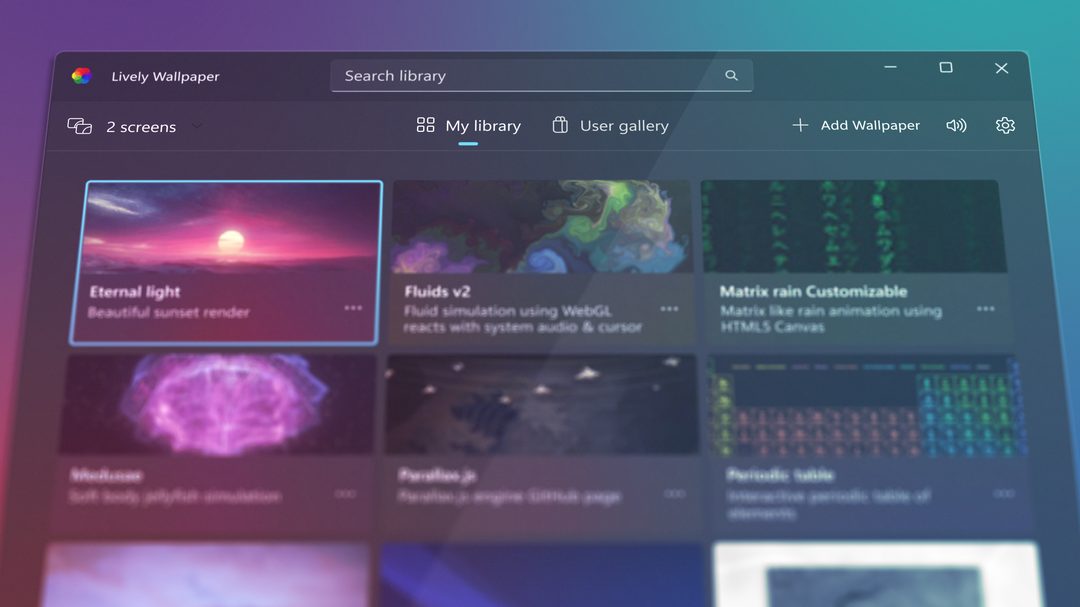
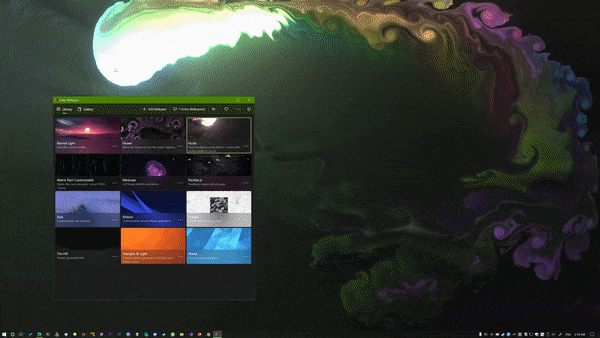
Lively Wallpaper 是一款开源的 Windows 动态壁纸工具,能把视频、网页、甚至小游戏直接铺到桌面上,还支持把任意壁纸变成屏保。它用原生框架开发,性能占用可控,全屏游戏或使用电池时会自动暂停。适合喜欢折腾桌面、想让电脑更有氛围感的 Windows 用户。
核心亮点:
- 视频、网页、程序都能当壁纸,拖进去就能用
- 全屏游戏或电池供电时自动暂停,省资源
- 任意壁纸可设为屏保,支持多显示器
- 提供命令行与开发者 API,可做交互壁纸
当前版本 v2.2.1.0(2025-09-18 发布),开源协议 GPL-3.0,GitHub 20,187 star。

核心信息
| 软件名称 | Lively Wallpaper(lively-community/lively) |
| 当前版本 | v2.2.1.0 |
| 更新日期 | 2025-09-18 |
| 开源协议 | GPL-3.0 |
| 软件分类 | Windows 效率工具 |
| 关键词 | csharp、desktop、desktop-wallpaper、dynamic-desktop、dynamic-wallpaper、fluent-design |
本次更新内容
- 新增按显示器控制壁纸音频输出,多屏用户可指定仅某个屏幕的壁纸发声。
- 壁纸可视化器可选择音频来源设备,支持跟随系统默认或固定设备。
- 应用内可直接切换测试版或稳定版,方便提前体验新功能并反馈问题。
- 修复导入崩溃后壁纸未清理、更新通知错误、暂停规则失效及翻译链接无效等问题。
- 优化跨屏布局的暂停逻辑,并更新内置播放器与社区翻译。
查看官方英文更新日志(原文)
This follow-up update v2.2.1.0 builds on the previous release, bringing improvements and bug fixes.
For the list of v2.2.0 changes, [click here.](https://github.com/rocksdanister/lively/releases/tag/v2.2.0.0)

### Audio by Display

https://github.com/user-attachments/assets/267b8451-f69e-4f42-9249-8da6789990c0

- You can now choose which display's wallpaper is allowed to play audio.
- In Per-screen layout, only the wallpaper on the selected display will output sound.

Note: This feature is only available when using the "Grid" or "All process" pause algorithm.

### Visualizer Audio Source

https://github.com/user-attachments/assets/4b034f30-1d28-40e3-9ea3-1c8b3c89da15

- You can now choose which audio device the wallpaper visualizer uses.
- The Default option follows the system's default playback device and updates automatically if the system default changes.
- If you pick a specific device, it will stay fixed and only switch if that device is disconnected.

### Join the Beta Channel

https://github.com/user-attachments/assets/8e128d4e-300a-4b59-869f-f5c4ea361d06

Lively has grown so much over the years that it's no longer possible for me to personally test every feature or account for every way people use it. Joining the beta and reporting any issues early is a great way to help.

- You can now switch to Beta or Testing release directly from within the application.
- Test releases are updated more frequently and may contain bugs - join only if you're comfortable with potential issues.

Similarly you can switch back to the stable release, but because settings or configuration may change between versions, you might occasionally need to delete the settings file to fully revert.

When you encounter a problem, report it in the GitHub issues and mention that you're using the beta build.

**Note:** This feature is not available for Microsoft Store version.

## Enhancements
- In Span layout, wallpaper pausing now depends on the "Display pause" rule:
Per screen: Pauses only when windows cover all screens.
All screen: Pauses when a window covers any screen.

## Fixes
- Fixed wallpapers not being cleaned up when a crash occurred during import.
- Fixed incorrect update notifications inside the app.
- Fixed application pause rules not applying correctly.
- Fixed language translation link not working.

## Updates
- Updated MPV player.
- Updated CefSharp player.
- Updated community translation.

## SHA256
98f4e96bb8e2c416384eeaf48016eadaea9dce8263b8d212052775ebcf2d7e34
下载地址
以下为官方原包,本站不二次打包;多个文件为不同包型,按需选择其中一个下载即可:
lively_command_utility.zip(便携版·解压即用 | 9.4 MB)
lively_player_cefsharp.zip(便携版·解压即用 | 156.2 MB)
lively_setup_x86_full_v2210.exe(安装版 | 208.0 MB)
lively_utility_screensaver.zip(便携版·解压即用 | 4.1 KB)
✅ 上方 SHA256 与官方发布值一致,可自行核对。
快速上手
- 运行下载好的安装包,按向导完成安装后首次启动 Lively Wallpaper。
- 在界面中把视频、GIF 或网页直接拖入窗口,即可将其设为桌面壁纸。
- 右键系统托盘中的 Lively 图标,可暂停壁纸播放或切换已添加的壁纸。
- 在设置中把任意壁纸指定为屏幕保护程序,支持多显示器场景。
- 需要自动化时,可在终端用命令行参数控制 Lively 的壁纸播放。
提示:全屏游戏或使用电池时壁纸会自动暂停,可在设置里调整播放规则。
讨论(0 条)