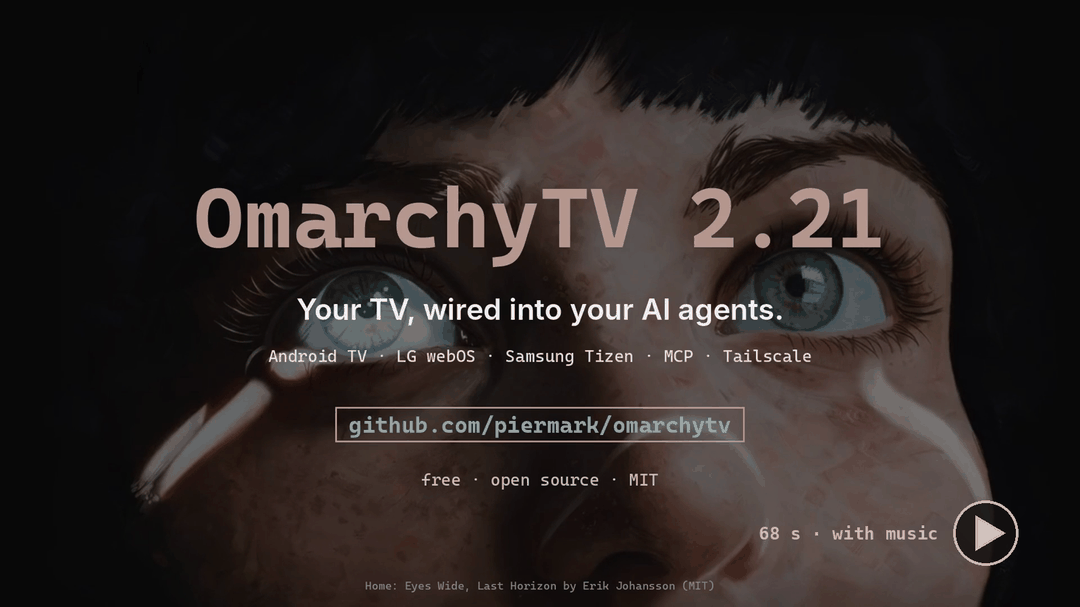
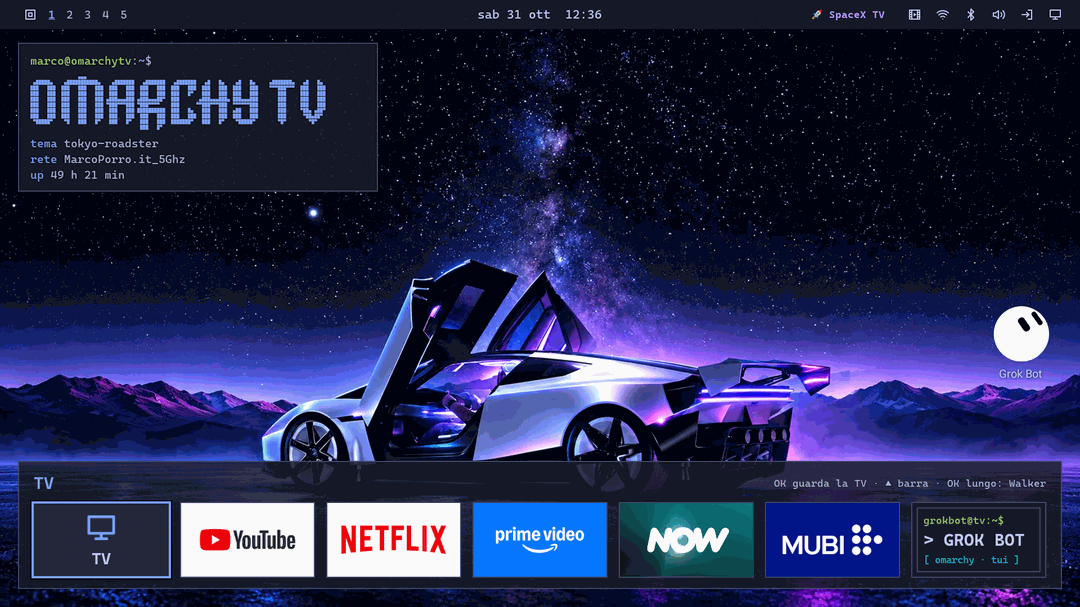
这是一款把 Omarchy 桌面风格搬上电视的启动器,支持 Android TV、LG webOS 和三星 Tizen。它用实时天空做屏保,还能把手机变成街机手柄,内置主题墙纸和桌面联动,适合喜欢折腾电视桌面、追求个性化视觉体验的用户。
核心亮点:
- 实时天空屏保,画面随真实天气变化
- 手机当游戏手柄,电视上玩双人街机
- 内置主题墙纸,一键切换电视桌面风格
- 可与电脑端 Omarchy 桌面联动同步
当前版本 v2.22.0(2026-11-25 发布),开源协议 MIT,GitHub 560 star。

核心信息
| 软件名称 | Omarchytv(piermark/omarchytv) |
| 当前版本 | v2.22.0 |
| 更新日期 | 2026-11-25 |
| 开源协议 | MIT |
| 软件分类 | TV 盒子软件 |
| 关键词 | TV 盒子软件 |
本次更新内容
- 全新AI直播模式,像看电视一样实时查看智能体工作,支持画中画悬浮显示
- 新增夜间工作回放与晨间简报功能,自动整理决策并朗读,唤醒即可获取摘要
- 审批前支持预览图片、图表等结果,确认机制优化,防止误触导致意外执行
- 引入类似旧式电视报的AI导览与智能体日程表,让工作进度一目了然
- 支持手机远程对话智能体及社区技能,LG和三星电视获得全面功能同步
查看官方英文更新日志(原文)
# What's New in OmarchyTV `2.22.0` (`versionCode 31`) **The TV that runs your AI.** Once there was the VCR; now the TV shows your agents' work live, keeps the diary of their night and asks you only what matters. Everything is in the [CHANGELOG](https://github.com/piermark/omarchytv/blob/v2.22.0/CHANGELOG.md#2220--2026-11-25-versioncode-31-webos-2220-tizen-2220-pc-plugins-2220). | AI LIVE · your agents on air | The morning briefing | The agents' debate | |---|---|---| | 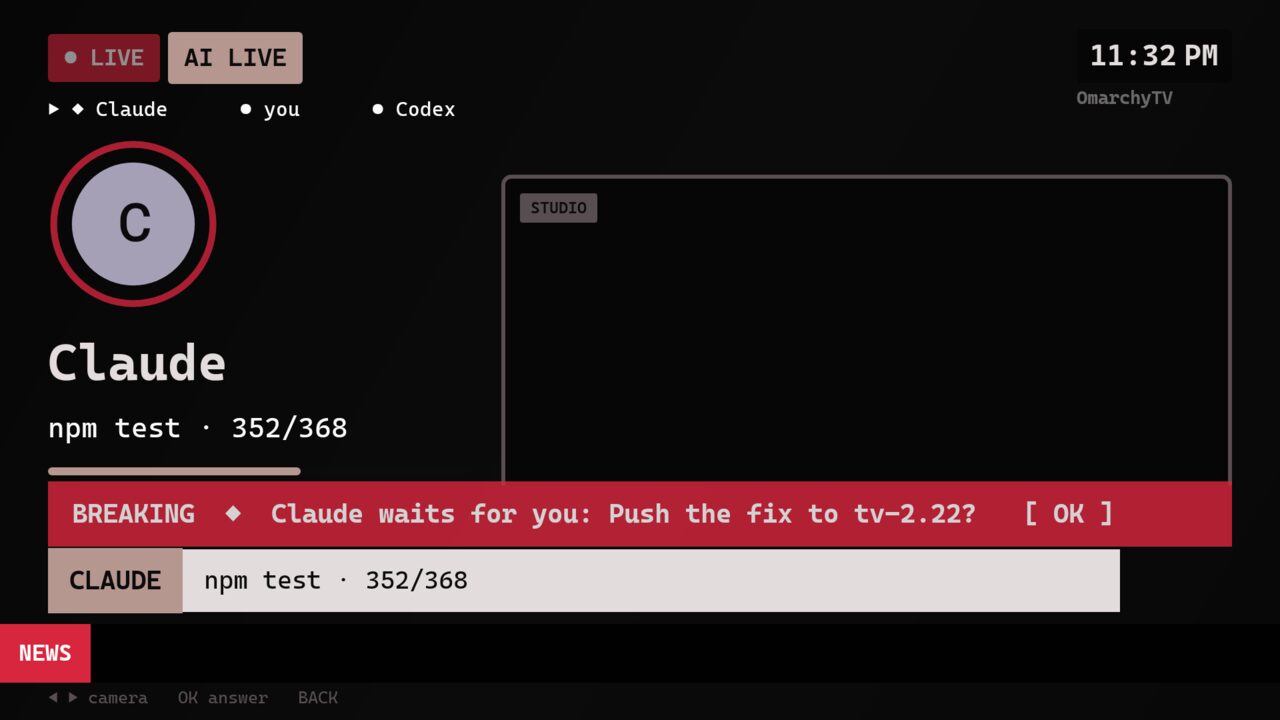 | 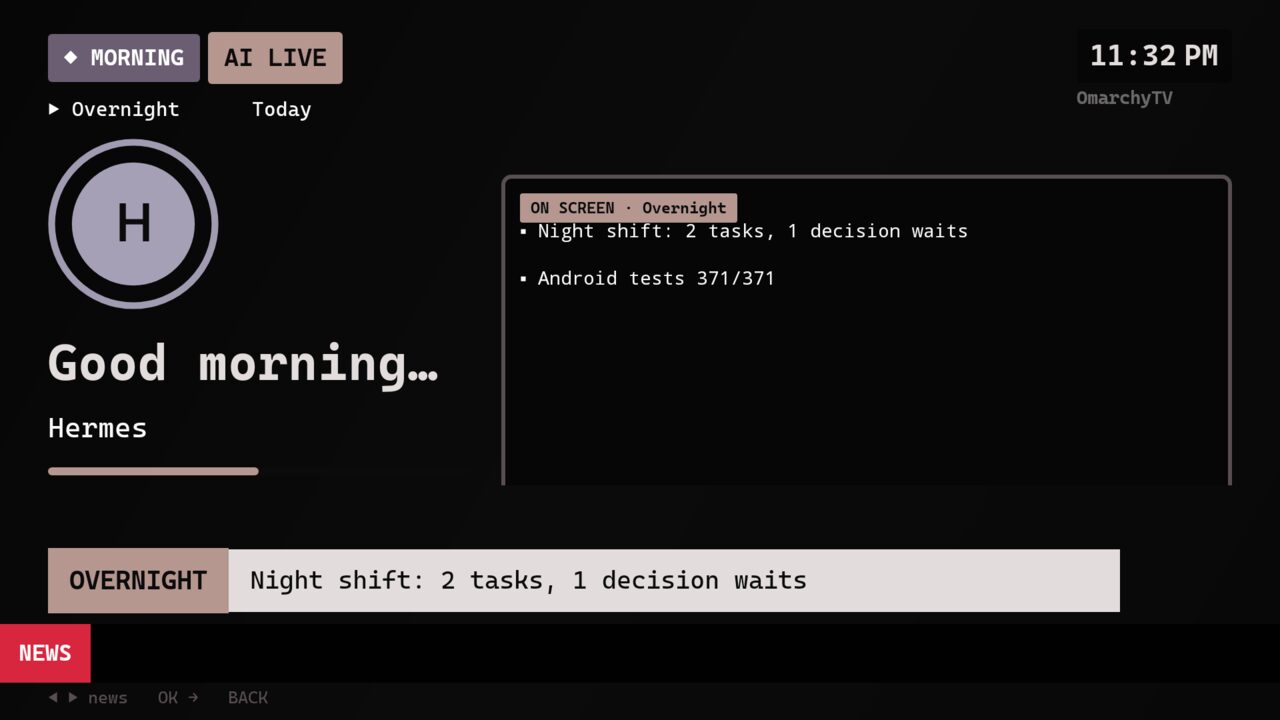 | 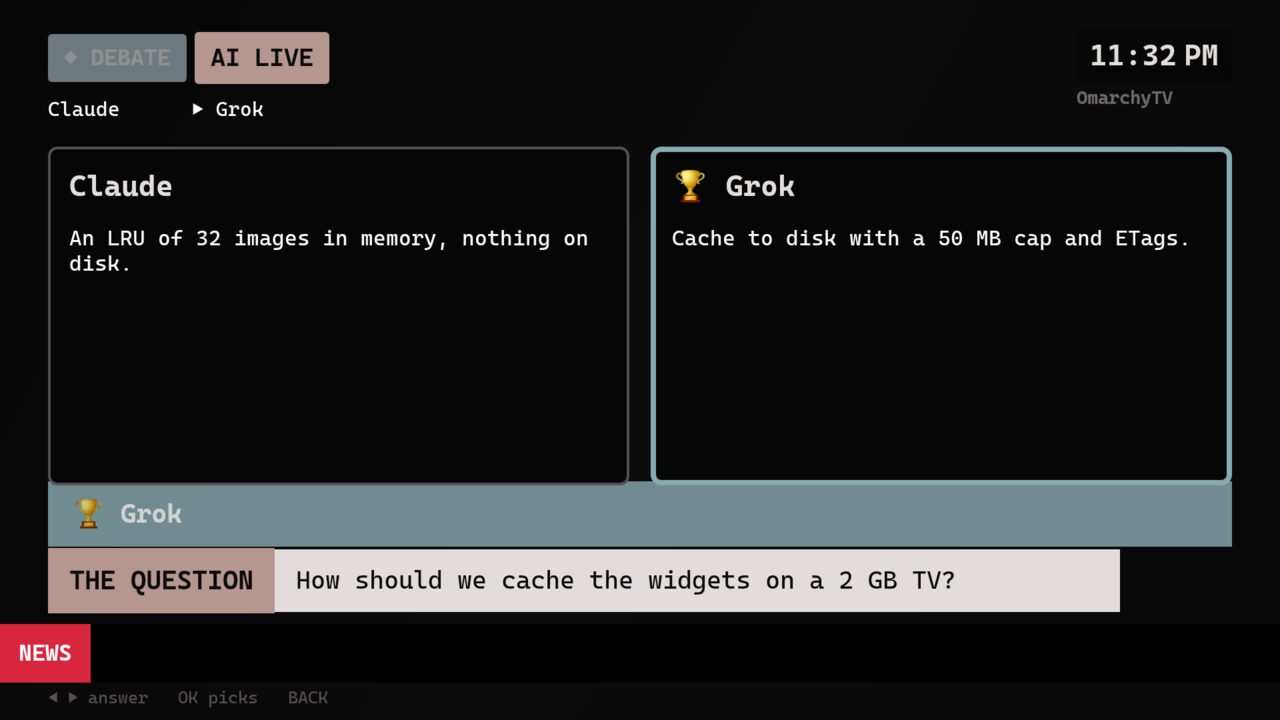 | | **Televideo AI** | **The agents' Guide** | **A scene the AI composed** | | 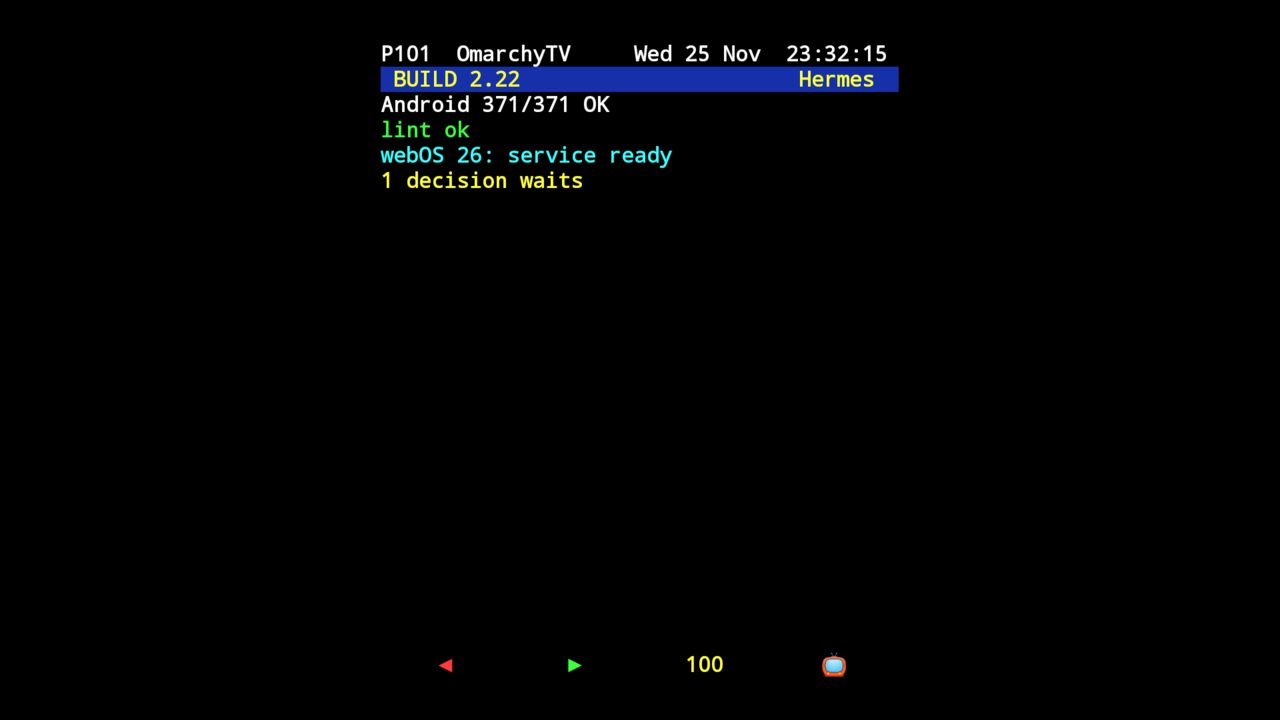 | 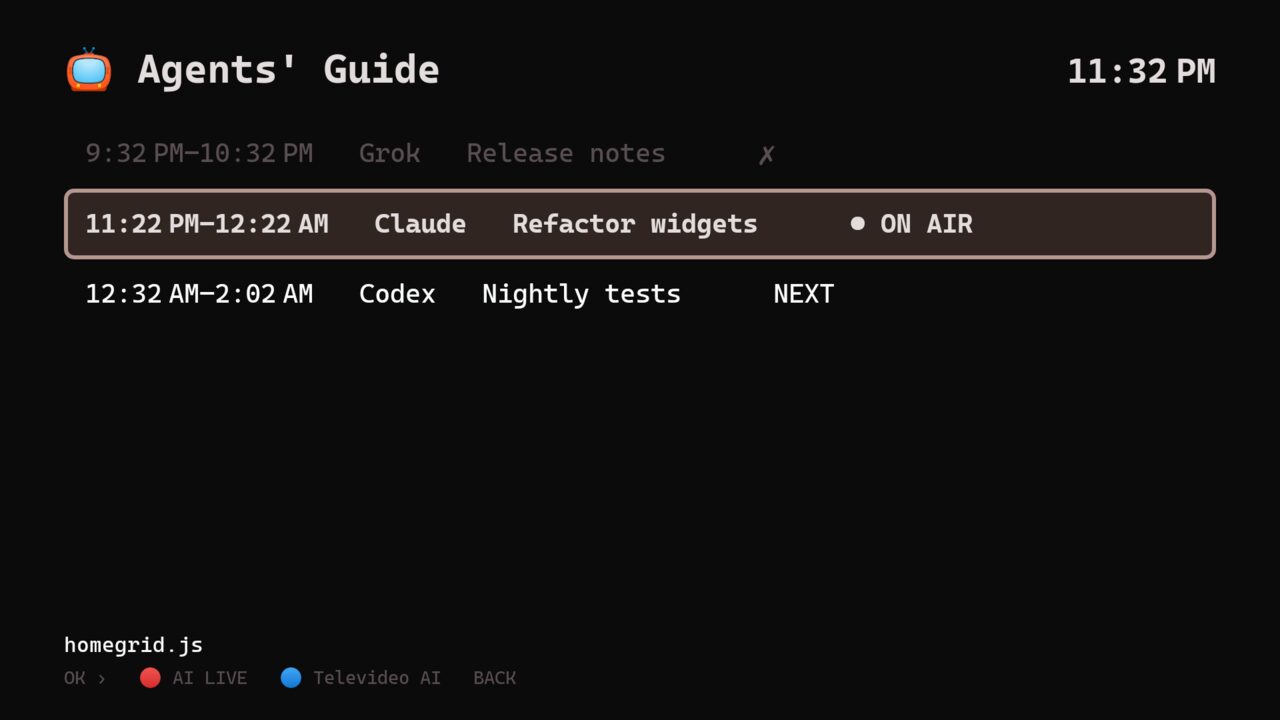 | 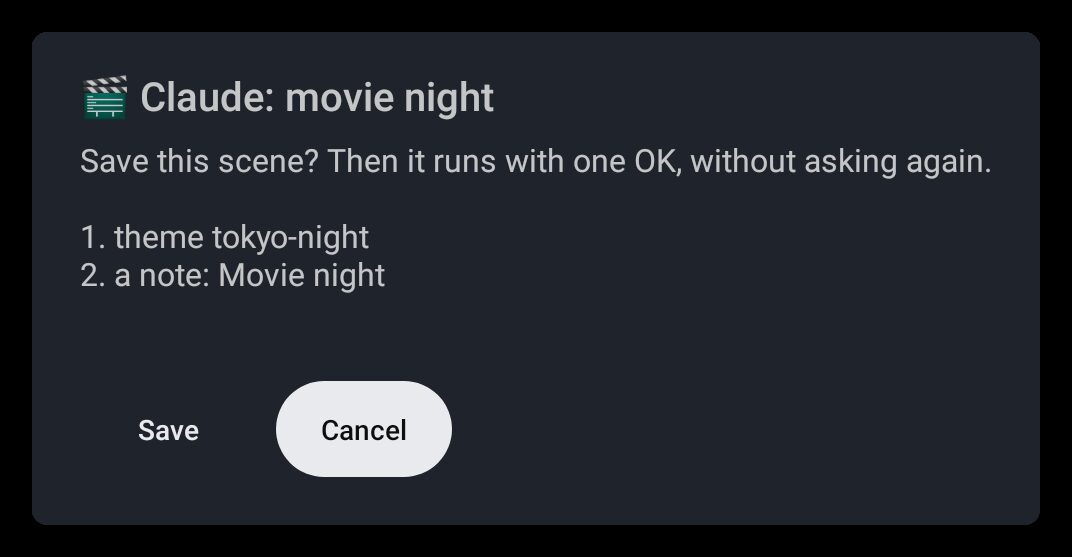 | - **AI LIVE**: your agents as a TV broadcast, with the LIVE bug, the studio monitor, the lower third, BREAKING when an agent waits for you and the NEWS ticker. The director cuts between agents. - **The night shift and the VCR**: an agent works at night, the TV keeps the diary and the decisions for the morning, and the night plays back like a tape (PLAY, ×2, PAUSE, STOP). - **See the work before you approve it**: a question can carry a preview (an image, a diff, a text, a chart). - **The morning briefing** read aloud at your wake-up time, **the agents' debate** where you pick the winner with the remote, and **scenes** the AI composes from the TV's own tools, which run only after your OK. - **Televideo AI** (pages 101-899, like the teletext of old) and **the agents' Guide**, their work as a TV schedule. - **AI LIVE in the corner while you watch** (Android TV 8+, off by default): a small card over the film, red when an agent waits for your yes.  - **Talk to your agents from the phone**, **skills from the community** (data, never code), and the **GrokBot Office as the control room** (red AI LIVE, blue replay, yellow skills). - **Home widgets and pages** an agent can manage (#157–#160), Home Assistant on the Home, the radio plugin (#162), web settings from the phone (#163), the agent skill from the TV (#161). - **LG and Samsung**: AI LIVE, the night shift, skills, the briefing, the debate, Televideo and the Guide through the PC bridge; **webOS 26** support (#173). - **Safety**: an OK pressed by reflex never approves, never picks and never runs anything (Deny / Cancel has the focus; the yes waits 1.5 s). The
下载地址
以下为官方原包,本站不二次打包,点击直接下载:
omarchytv-release-2.22.0.apk(Android 安装包 | 14.5 MB)
✅ 上方 SHA256 与官方发布值一致,可自行核对。
快速上手
- 在电视上运行下载好的安装包,按提示完成安装;若系统提示未知来源,请先允许该来源安装。
- 首次启动后,用遥控器方向键浏览主屏应用行与工作区,按 Home 键可随时回到 OmarchyTV 主屏。
- 进入主题设置,从内置主题中挑选喜欢的配色与壁纸,打开启动器或按 Home 键即可看到动态壁纸效果。
- 在设置中开启屏保,选择 Omarchy Pulse 作为屏保,闲置时即可看到实时天空画面。
- 如需手机当手柄,在手机端打开配套应用并连接电视,即可在街机里用手机操控游戏。
讨论(0 条)