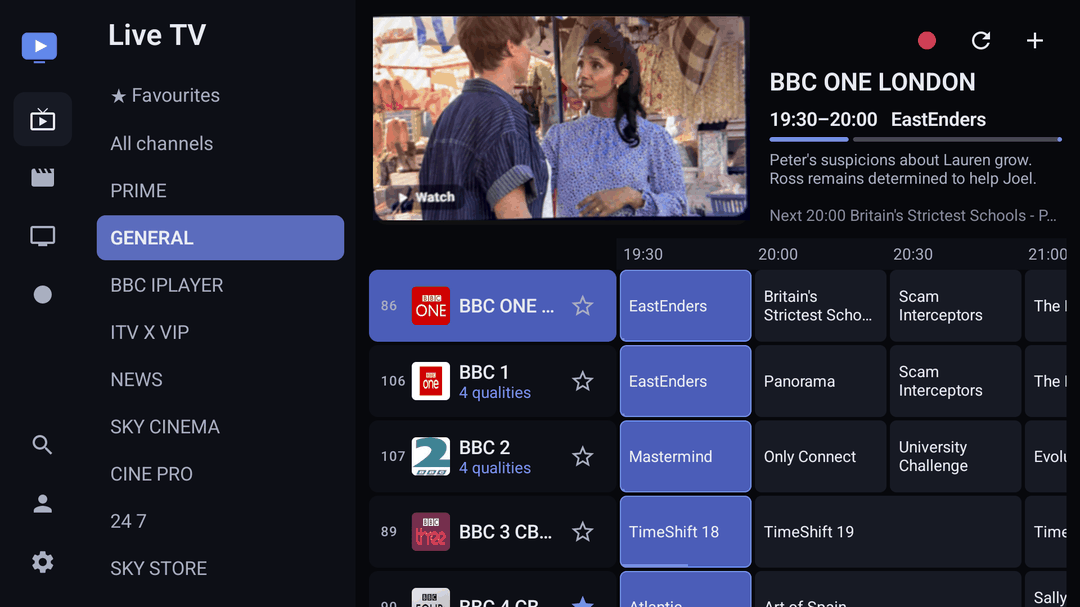
OpenTV 是一款完全开源的 IPTV 直播播放器,支持 Android TV、Fire TV、手机和平板。它不绑定账号、不经过第三方服务器,凭 Xtream Codes 或 M3U 播放列表即可看电视,还带 EPG 节目单、录制、回看和跨设备同步。适合手里已有直播源、又不想被闭源应用跑路坑到的用户。
核心亮点:
- 支持 Xtream Codes 登录与 M3U 播放列表
- EPG 节目单可持久保存并增量刷新
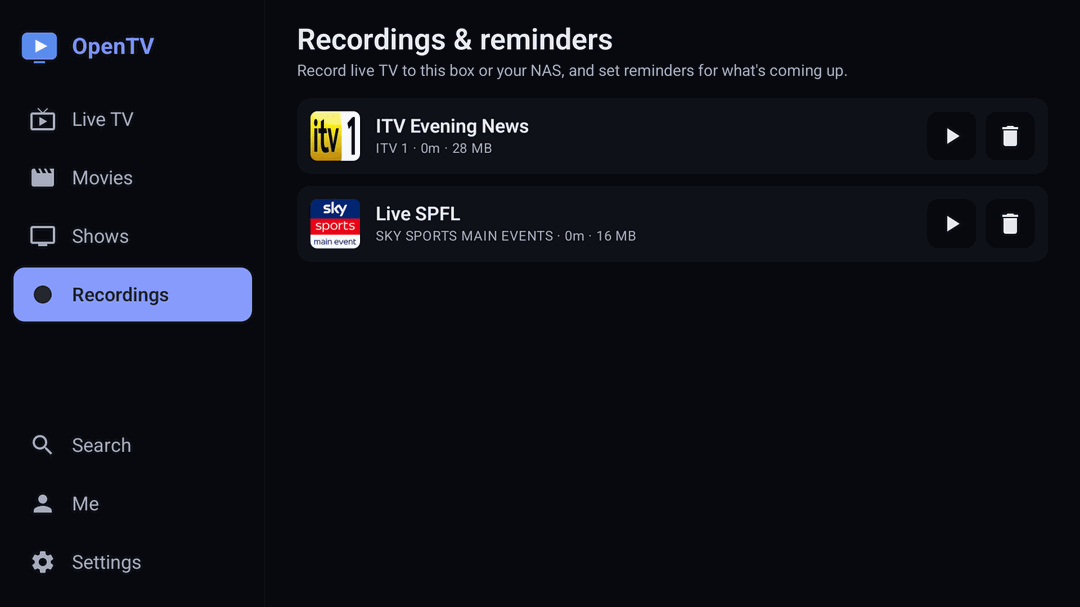
- 支持录制到本地、U 盘或 NAS 并预约
- 遥控器方向键优先,兼容触屏操作
当前版本 v0.12.0(2026-11-25 发布),开源协议 GPL-3.0,GitHub 190 star。

核心信息
| 软件名称 | OpenTV(opentvproject/opentv) |
| 当前版本 | v0.12.0 |
| 更新日期 | 2026-11-25 |
| 开源协议 | GPL-3.0 |
| 软件分类 | TV 盒子软件 |
| 关键词 | android-tv、epg、exoplayer、fire-tv、google-tv、iptv |
本次更新内容
- 新增播放诊断功能,自动检测卡顿原因并智能切换流畅频道,提升观看体验。
- 优化流媒体选择策略,根据实时网络状况自动匹配最佳画质,减少缓冲等待。
- 引入一键修复功能,快速测试网络与服务器状态,并自动调整至最佳播放源。
- 新增频道评分系统,直观显示各频道流畅度,帮助用户识别潜在播放问题。
- 默认开启卡顿自动救援,并支持按时段记忆频道质量,实现更精准的播放优化。
查看官方英文更新日志(原文)
- **Playback diagnostics: find out why it buffers, and get moved to a stream that doesn't.**
  Every channel you watch is now measured in the background — how long it took to start, how often
  it buffered, how often the provider dropped the connection, whether the picture jumped back and
  replayed, whether the stream arrived with pieces missing. **Settings → Playback diagnostics**
  turns that into plain answers: a neutral internet speed test, a response test of each provider's
  server, a per-provider scorecard, and a verdict that says whose side the problem is on ("your
  internet is fine — this provider is not keeping up"). **Test every copy** downloads a few
  seconds of each copy of a channel across all your providers and ranks them. A **VPN
  comparison** puts the same measurements side by side with your VPN off and on, so you can see
  whether your ISP is throttling the provider (OpenTV does not include a VPN; it measures yours).
  In the player, a **Stats** button shows the live numbers, and when a stream keeps buffering
  OpenTV offers — or, if you turn it on, automatically switches to — the copy of that channel
  with the best record on this device. Everything stays on the device; nothing is uploaded.
- **Optimise streams: open the copy of each channel that actually plays.** Providers carry the
  same channel several times (4K, FHD, HD, SD), often on servers of very different strength.
  **Settings → Playback diagnostics → Optimise streams** tests each copy for a few seconds —
  your favourites, the categories you choose, or everything — and from then on a channel opens on
  the best quality that keeps up, passing over copies that buffer or do not open. It tests one
  stream at a time and pauses whenever you watch or record, so it can also **run every night at
  3 am**. The screen lists every channel that now opens differently and why; **Use the results**
  turns it all off again. What you watch feeds the same record, and the buffering rescue uses it
  to pick a copy that has been measured rather than guessed at.
- **Fix my streams: one button, one answer.** At the top of Playback diagnostics, one press tests
  your internet, each provider's server and every copy of the channels you watch most, moves each
  of those channels onto the copy that plays best, and finishes with a single sentence saying what
  it found and whose side any problem is on.
- **A score out of 100 beside every channel that has been tested or watched.** It is how much
  faster the stream arrives here than it needs to: 80 and over (green) plays with room to spare,
  50–79 (amber) may buffer, under 50 (red) struggles. No score means the channel has not been
  measured yet. Each copy in Playback diagnostics carries the same score.
- **Buffering rescue is now on by default, and you can undo it.** When a channel keeps buffering
  OpenTV moves you to a steadier copy on its own and says so; press OK within ten seconds to go
  straight back. Turn it off under *When a stre
下载地址
以下为官方原包,本站不二次打包;多个文件为不同包型,按需选择其中一个下载即可:
opentv-v0.12.0.apk(Android 安装包 | 6.3 MB)
opentv.apk(Android 安装包 | 6.3 MB)
✅ 上方 SHA256 与官方发布值一致,可自行核对。
快速上手
- 安装完成后首次启动 OpenTV,在添加源界面选择 Xtream Codes 登录或 M3U/M3U8 播放列表,填入你自己的服务商信息。
- 进入直播电视指南,用遥控器方向键浏览频道与节目单,可把常看频道加入收藏或隐藏不需要的频道。
- 在节目单中选中节目可设置提醒或安排录制,录制目标可选设备存储、USB 盘或 NAS。
- 打开电影与剧集栏目浏览点播内容,播放支持断点续播,并按配置档案分别记录观看历史。
- 在设置中调整语言、家长 PIN 与档案,并可开启设备间同步,经局域网或 Tailscale 同步收藏与观看记录。
提示:凭据只保存在本机,同步在设备间直连,不经过任何第三方服务器。
讨论(0 条)