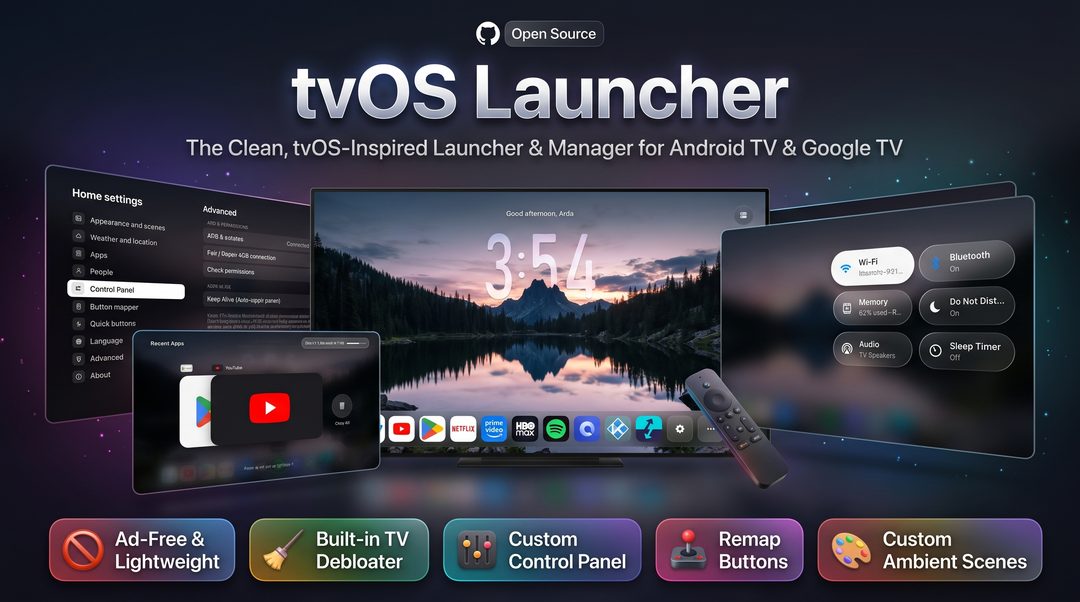
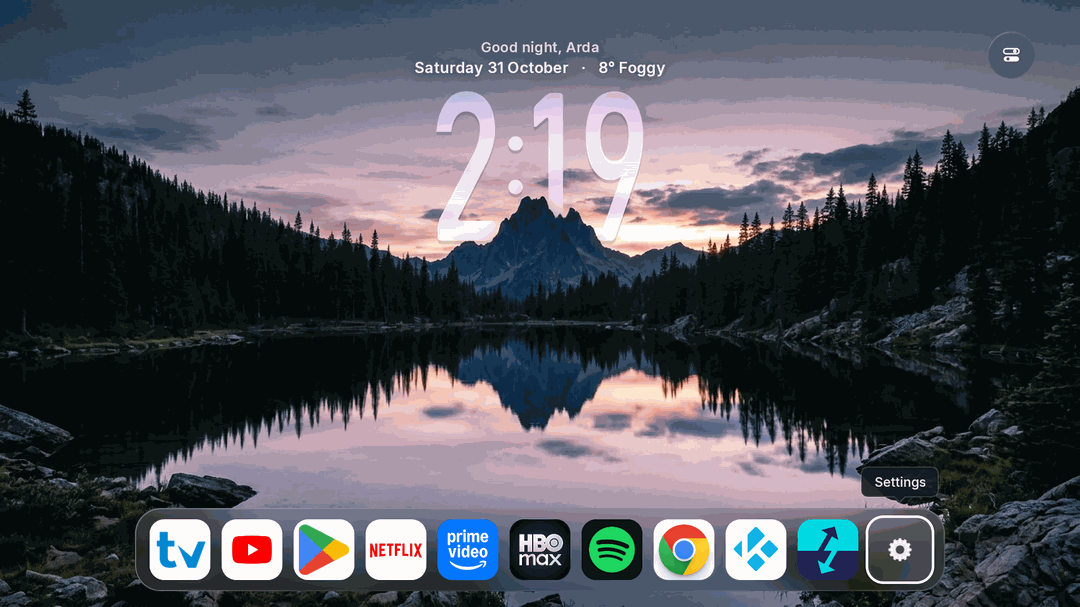
TvOS-Launcher 是一款给安卓电视和 Google TV 换桌面的启动器,主打苹果 tvOS 与 macOS 风格的玻璃质感界面。它体积轻、运行省资源,在老电视盒子上也能保持流畅,还带多行 Dock、桌面小组件、锁屏屏保和遥控器按键自定义。适合想让电视界面更精致、又不想换硬件的用户。
核心亮点:
- 玻璃质感多行 Dock,可调大小与行数
- 桌面小组件涵盖天气、赛事、影视等
- 内置锁屏屏保与图标编辑器
- 支持遥控器按键重映射和输入管理
当前版本 v2.2.5(2026-11-22 发布),开源协议 Apache-2.0,GitHub 549 star。

核心信息
| 软件名称 | TvOS-Launcher(techgenius1/tvOS-Launcher) |
| 当前版本 | v2.2.5 |
| 更新日期 | 2026-11-22 |
| 开源协议 | Apache-2.0 |
| 软件分类 | TV 盒子软件 |
| 关键词 | TV 盒子软件 |
本次更新内容
- 搜索界面改为居中弹窗样式,主屏新增搜索快捷键,结果只显示已安装应用并支持应用内搜索。
- 祈祷时间组件新增国家城市选择,可与天气位置自动同步,设置更省心。
- 实时新闻支持选择国家,并新增巴西葡萄牙语界面,语言选择更丰富。
- 自定义夜景支持前景图层,大时钟可显示在自定义元素后方,画面更自然。
- 主屏组件弹窗统一新样式,按主页键可关闭弹窗,操作更顺手。
- 优化主页键与组件刷新,减少闪烁和卡顿,切换应用更流畅。
查看官方英文更新日志(原文)
## 🇬🇧 What's New in v2.2.5 (English)

### ✨ New Features & UI Improvements
- **Native Liquid Glass Search Redesign & Home Screen Search Shortcut**:
  - Redesigned the Search experience into a centered macOS 26–style Liquid Glass modal matching the *Other Apps* UI, with improved voice microphone sizing and alignment.
  - Added a toggleable **Search shortcut** button next to the Weather and Control Panel buttons on the Home Screen (**Settings → Quick & Home**).
  - Upgraded Search results: **Movies & TV** now filters strictly to your installed streaming apps and active region, and added **Search in Apps** quick launchers plus **In-App Results** from installed TV apps' search providers.
- **Prayer Times Country/City Selector & Automatic Weather Location Sync**:
  - Added a full **Country/City selector** for the **Prayer Times** widget — supporting worldwide city search, 20 popular cities, and **Sync with Weather location** — accessible in both **Settings → Home Dashboard → Widget Settings** and directly inside the Prayer Times widget popup.
  - Choosing a Weather location during Initial Setup or in Weather Settings now automatically syncs to the Prayer Times widget by default.
- **Live News Country Selector & Brazilian Portuguese (`pt-BR`) Localization (17 Languages)**:
  - Added a **Live News country selector** (automatically synced with your UI language by default, or manually selectable across countries).
  - Added full **Brazilian Portuguese (`Português do Brasil`)** localization, expanding total language support to **17 languages** (including RTL support for Hebrew & Arabic).
- **Custom Scene Foreground Depth Cutouts & Smooth Crossfades**:
  - Added support for custom foreground PNG depth layers (`custom_scene_fg.png`) on custom Night Scenes so the giant glass clock renders behind custom foreground elements.
  - Offloaded scene decoding and crossfade rendering to a dedicated background thread with `RGB_565` opaque JPEG decoding.
- **Native Liquid Glass Widget Popups & Home Button Dismissal**:
  - Upgraded Home Dashboard widget detail popups to a unified native Liquid Glass style and ensured pressing **Home** cleanly dismisses open widget dialogs.
- **Control Panel Native Power Menu Mode & Recent Apps Polish**:
  - Added a **Native Power Menu** option for the Control Panel Power tile (supporting Accessibility and ADB long-press alongside Screen Off & custom actions).
  - Fixed rightmost-card bounce when closing a single card in **Recent Apps Switcher** and added a clear *Persistent ADB Mode Required* notice when Secure ADB Mode restricts background task listing.

### 🚀 Performance, Stability & Compatibility Improvements
- **Zero-Flash Home Button Handling & In-Place Widget Updates**:
  - Pressing **Home** while on the Home screen no longer tears down and rebuilds the dashboard widgets (`0` redrawn frames, zero flashing, zero redundant network/cache fetches).
  - Returning from apps updates widget cards in place with synchronous poster caching an
下载地址
以下为官方原包,本站不二次打包,点击直接下载:
tvOS-Launcher-v2.2.5.apk(Android 安装包 | 5.7 MB)
✅ 上方 SHA256 与官方发布值一致,可自行核对。
快速上手
- 运行下载好的 APK 安装包,按提示完成安装并在电视上打开 TvOS Launcher
- 首次启动后进入主屏,用遥控器方向键浏览应用图标,按 OK 键打开应用
- 在主屏悬停任意小组件时按住 OK 键,可移动或禁用该小组件以自定义仪表盘
- 进入设置开启 Night Scenes 或 Classic 外观,并调整 Dock 大小与行数
- 在设置中配置锁屏与待机屏保、遥控按键重映射及音量键长按修复
提示:长按 OK 可整理主屏小组件,按需精简更清爽。
讨论(0 条)